Supported Block Families
A Living Map Of The Editor Palette
The Flow Graph Editor is growing quickly, and the node palette changes as new capabilities are added. This page tracks the current block families exposed by the editor so you can understand the shape of the tool without needing to inspect every block one by one.
Think of this page as a capability map:
- It shows the major authoring areas available today.
- It helps you discover where a new block is likely to live in the palette.
- It gives the documentation a stable place to grow as new categories or subcategories appear.
For runtime concepts, continue with the Flow Graph deep-dive pages. For editor workflow, see Getting Started With The Flow Graph Editor and Authoring, Validation, and Debugging.
If you want a more concrete list of blocks inside these families, continue with Block Reference.
Events
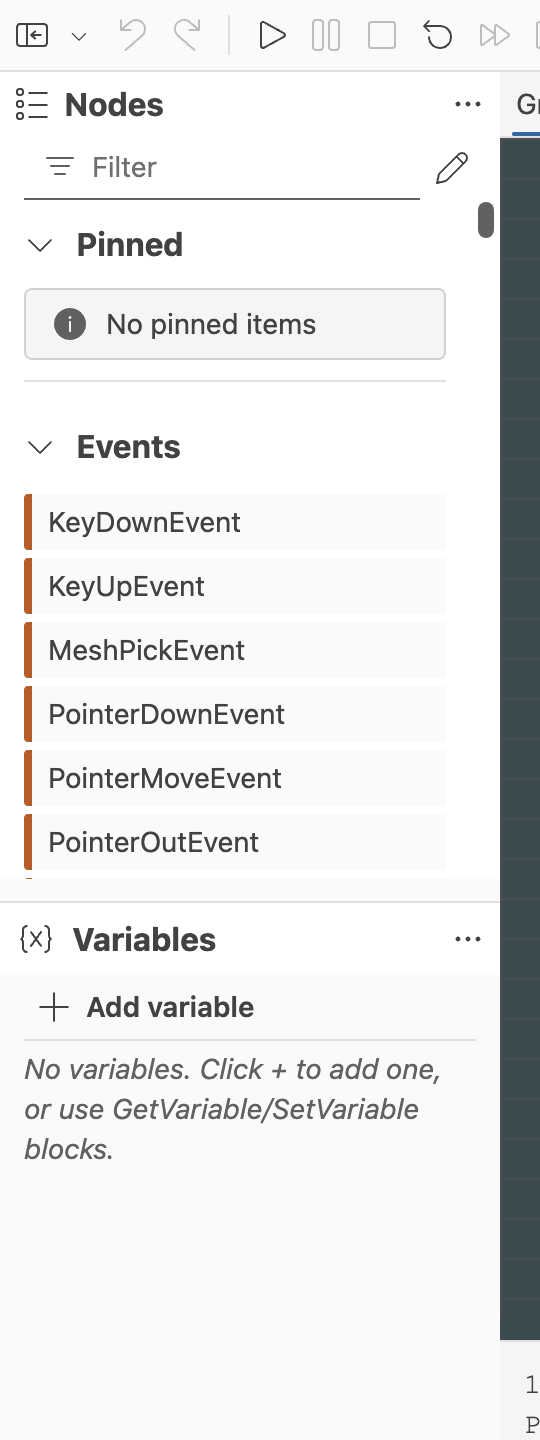
Event blocks are the usual starting points for interactive graphs. They react to scene lifecycle changes, pointer interactions, mesh picking, and custom events.
Current event-oriented groups include:
- Scene events
- Pointer and pick events
- Custom send and receive events
Use this family when a graph should begin because something happened in the scene, not because another block explicitly called it.
For deeper guidance, see Event Blocks.
Control Flow
Control flow blocks shape execution order. They decide what runs next, how often it runs, and under which conditions execution continues.
This family currently covers patterns such as:
- Branching and switching
- Sequences and gates
- Loops
- Delays, throttling, and debouncing
- Execution counters and repetition controls
If your graph needs timing, ordering, conditional routing, or controlled repetition, start in this family.
For deeper guidance, see Control Flow Blocks.
Animation
Animation blocks connect flow graphs to animation playback and interpolation logic.
This family currently includes blocks for:
- Playing animations
- Pausing animations
- Stopping animations
- Interpolating over time
These blocks are useful when the flow graph is driving scene motion, timeline-based feedback, or transitions between states.
For deeper guidance, see Animation Blocks.
Physics
Physics support is currently split into three practical subfamilies.
Physics Events
Physics event blocks react to things that happen in the simulation, such as collisions.
Physics Actions
Physics action blocks change the state of physics bodies. Typical operations include:
- Applying forces
- Applying impulses
- Setting linear velocity
- Setting angular velocity
- Changing motion type
Physics Data
Physics data blocks read information from the simulation. Current capabilities include reading:
- Linear velocity
- Angular velocity
- Mass properties
Use the physics families when your graph needs to respond to or modify Physics V2 behavior inside the preview scene.
For deeper guidance, see Physics Blocks.
Audio
Audio support is also separated into actions, events, and read-only data.
Audio Actions
Audio action blocks currently cover common playback control:
- Play sound
- Stop sound
- Pause or resume sound
- Set sound volume
Audio Events
Audio event blocks can react to playback lifecycle changes, such as a sound ending.
Audio Data
Audio data blocks expose sound state for graph logic, including whether a sound is currently playing and what volume it is using.
Use this family when interactive logic should coordinate with the Babylon.js Audio V2 system.
For deeper guidance, see Audio Blocks.
Math
The editor already includes a broad math toolkit, organized into several subfamilies.
Math Constants
Provides common constants and generated values such as , , infinity, NaN, and random values.
Math Arithmetic
Supports arithmetic and scalar operations such as add, subtract, multiply, divide, modulo, power, clamp, saturate, and roots.
Math Rounding
Supports floor, ceil, round, truncate, and fractional extraction patterns.
Math Trigonometry
Supports trigonometric, inverse trigonometric, hyperbolic, and degree-radian conversion operations.
Math Logarithmic
Supports exponential and logarithmic operations, including base-2 and base-10 variants.
Math Comparison
Supports comparisons, special-value checks, and conditional selection logic.
These math families are useful both for gameplay-style logic and for any graph that needs procedural values rather than fixed constants.
Vector And Matrix
This family focuses on spatial and linear algebra operations. Current capabilities include:
- Length and normalization
- Dot and cross products
- 2D and 3D rotation helpers
- Matrix transpose, determinant, inversion, and multiplication
Use this family when your graph needs to reason about direction, orientation, transforms, or spatial math.
Bitwise
The bitwise family provides low-level integer manipulation blocks. Current operations include:
- AND, OR, XOR, and NOT
- Left and right shifts
- Leading-zero, trailing-zero, and one-bit counting helpers
These blocks are more specialized, but they are useful when graphs work with packed flags, integer masks, or binary state transformations.
Data Conversion
Data conversion blocks reshape values from one representation into another.
Current categories of conversion include:
- Combining and extracting vectors
- Combining and extracting matrices
- Coordinate and vector transforms
- Quaternion and axis-angle conversions
- Matrix compose and decompose operations
- Boolean, integer, and float conversions
This family is especially useful at the edges between high-level interaction logic and lower-level math or scene APIs.
Data Access
Data access blocks bridge the graph to variables, properties, assets, structured data, and indexed collections.
Current capabilities include:
- Constants
- Property get and set
- Variable get and set
- Asset lookup
- JSON pointer parsing
- Array indexing and index lookup
- Data switching
If your graph needs to read from or write to scene state, graph state, or structured payloads, this is usually the relevant family.
For deeper guidance, see Data Access Blocks.
Keyboard
Keyboard blocks let graphs read input state directly. The current capability is checking whether a specific key is pressed, which is useful for movement, jump, and other input-driven interactions like the Babylon Bros platformer example.
Utility
Utility blocks support authoring and diagnostics rather than a single runtime domain.
Current examples include:
- Console logging
- Easing helpers
- Context access
- Code execution hooks
- Function references
- Debug value probes
This family is often where workflow-oriented features appear first, especially features that make graphs easier to inspect, prototype, or integrate.
For deeper guidance, see Utility Blocks.
How To Read This Page As The Editor Evolves
This page is intentionally organized by family, not by a frozen list of every block instance in the editor. As the Flow Graph Editor grows, this page should evolve in three ways:
- Add newly introduced families when they become visible in the node palette.
- Expand existing family descriptions when a category becomes meaningfully broader.
- Add dedicated pages for especially large families once they need more than a short overview.
That structure keeps the documentation stable while still leaving room for frequent editor updates.
Further reading
Flow Graph Editor
Build Babylon.js flow graphs visually with a UI-first editor for interactive scenes.
Getting Started With The Flow Graph Editor
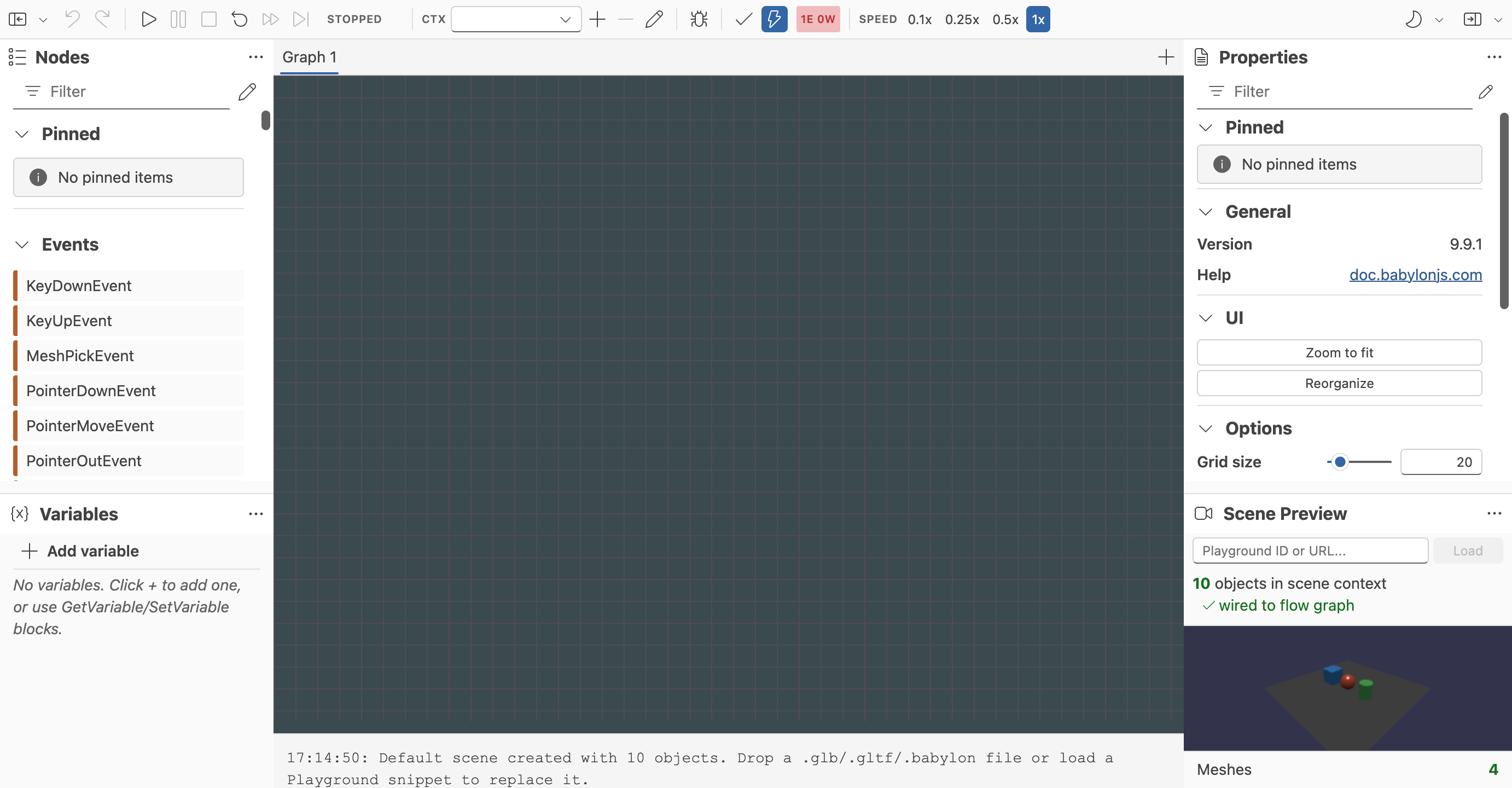
Learn the basic workflow for creating, testing, saving, and restoring flow graphs in the Babylon.js Flow Graph Editor.

Authoring, Validation, and Debugging
Learn how to run, inspect, validate, and organize graphs in the Babylon.js Flow Graph Editor.