Example - Babylon Bros Platformer
A Full Interactive Demo
The previous examples build a single interaction at a time. Babylon Bros is the other extreme: a complete, physics-driven, flow-graph-powered platformer that brings many of the editor's block families together into one scene.
It is a good demo to study once the basic patterns make sense, because it shows how events, control flow, physics, and data access blocks combine into real gameplay rather than a single console log.
Run It
You can run the full scene directly in the Playground:
Babylon Bros PlatformerUse the arrow keys to run, Space to jump, collect coins, bounce on springs, and reach the flag.
Open The Graph In The Editor
The interaction logic lives in a flow graph stored on the snippet server. You can open it straight in the hosted editor with the snippet preloaded:
Open Babylon Bros in the Flow Graph Editor
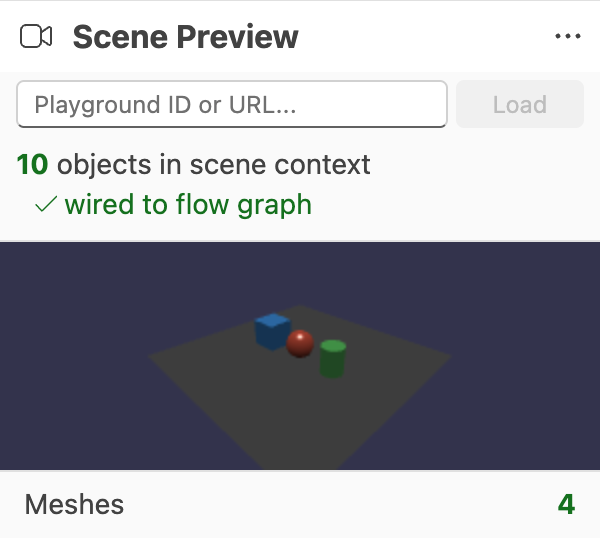
The graph is named Babylon Bros — Interactions. Loading it in the editor lets you inspect how the gameplay is wired, run it against a preview scene, and experiment with changes before saving a new snippet version.
What It Demonstrates
Babylon Bros is useful as a reference because it combines several block families that the earlier examples introduce one at a time:
- Events drive input and scene reactions, including pointer and pick interactions.
- Control Flow sequences gameplay steps, branches on game state, and times repeated actions.
- Physics moves the player, handles jumping and bouncing, and reacts to collisions.
- Data Access reads and writes the variables that track coins, state, and progress.
How To Study It
A practical way to learn from this graph is to open it in the editor and work through it incrementally:
- Use Find In Graph to jump to event blocks and trace where each interaction starts.
- Turn on Debug Mode and run it to watch execution highlight the active path.
- Inspect variables in the Variables panel to see how coin and state values change.
- Drop a breakpoint on a key block to pause before a jump or collision response.
From there, try small edits, such as changing jump force or coin behavior, then save your own snippet to compare against the original.
Further reading
Example - Click A Mesh And Log It
Build a simple interactive graph that reacts when a mesh is picked in the Babylon.js Flow Graph Editor.
Physics Blocks
Detailed reference for the Physics families in the Babylon.js Flow Graph Editor.

Control Flow Blocks
Detailed reference for the Control Flow family in the Babylon.js Flow Graph Editor.