Implementing volumetric lighting with frame graphs
Introduction
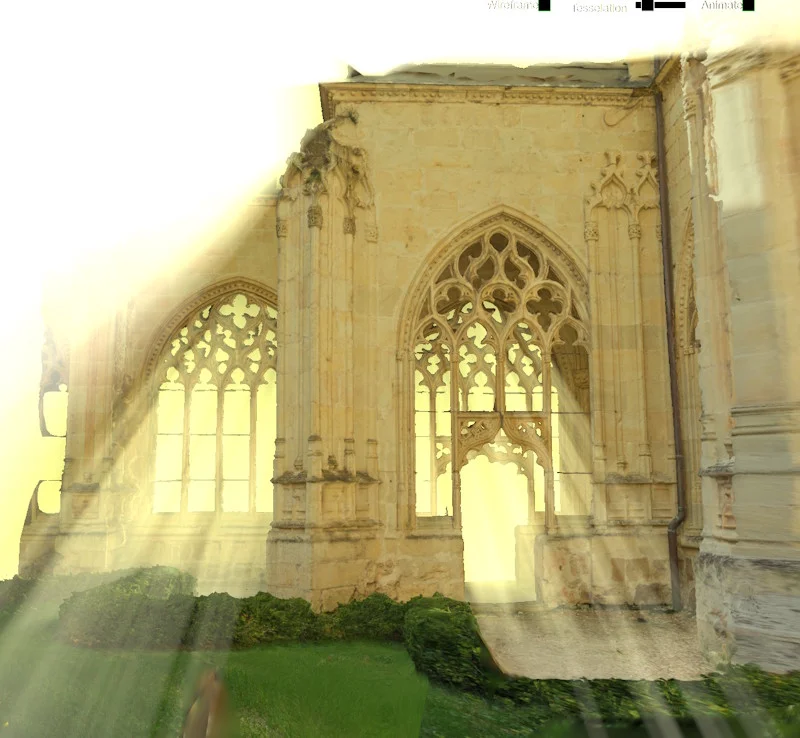
This page aims to implement volumetric-lighting post-processing “manually,” so you can see how to create custom frame graph tasks and custom nodes for use in a node render graph.
The resulting code/graphs are not intended for direct use: if you want to use volumetric lighting, it is already integrated into the FrameGraphVolumetricLightingTask task. Please refer to this page for more information on how to integrate this effect into your project.
The implementation is based on the article “Participating media using extruded light volumes” that you can find in GPU Zen 1. You can also find information in the GDC slides.
Creating the volumetric lighting task
You can refer to Introduction to Frame Graph classes for general information about the different classes of the frame graph framework.
Class structure
Let's create the basic structure of the class:
import { FrameGraphTask } from "@babylonjs/core/FrameGraph/frameGraphTask";import type { FrameGraph } from "@babylonjs/core/FrameGraph/frameGraph";export class VolumetricLightingTask extends FrameGraphTask { // TODO: Adds input and output properties constructor(name: string, frameGraph: FrameGraph) { super(name, frameGraph); // TODO: Adds initialization code } public override isReady() { // TODO: Checks if everything is ready for rendering return true; } public override getClassName(): string { return "VolumetricLightingTask"; } public record(skipCreationOfDisabledPasses = false) { // TODO: Creates passes } public override dispose() { // TODO: Disposes resources }}A frame graph task must extend the BABYLON.FrameGraphTask class (or BABYLON.FrameGraphTaskMultiRenderTarget if it renders to multiple render targets).
Implementing all methods in the above code is optional, except for record, for which you must provide an implementation.
Now let's implement all the “TODO” placeholders.
Input and Output properties
The inputs of this class are:
import { Constants } from "@babylonjs/core/Engines/constants";import { Color3 } from "@babylonjs/core/Maths/math.color";import { Vector3, Vector4 } from "@babylonjs/core/Maths/math.vector";import type { Camera } from "@babylonjs/core/Cameras/camera";import type { FrameGraphObjectList } from "@babylonjs/core/FrameGraph/frameGraphObjectList";import type { FrameGraphTextureHandle } from "@babylonjs/core/FrameGraph/frameGraphTypes";import type { DirectionalLight } from "@babylonjs/core/Lights/directionalLight";public targetTexture: FrameGraphTextureHandle;
public sourceSamplingMode = Constants.TEXTURE_BILINEAR_SAMPLINGMODE;
public depthTexture: FrameGraphTextureHandle;
public camera: Camera;
public lightingVolumeMesh: FrameGraphObjectList;
public light: DirectionalLight;
public lightingVolumeTexture?: FrameGraphTextureHandle;
private _extinctionPhaseG = new Vector4(0, 0, 0, 0);
public get phaseG() {    return this._extinctionPhaseG.w;}
public set phaseG(value: number) {    this._extinctionPhaseG.w = value;}
public get extinction() {    return new Vector3(this._extinctionPhaseG.x, this._extinctionPhaseG.y, this._extinctionPhaseG.z);}
public set extinction(value: Vector3) {    this._extinctionPhaseG.x = Math.max(value.x, 1e-5);    this._extinctionPhaseG.y = Math.max(value.y, 1e-5);    this._extinctionPhaseG.z = Math.max(value.z, 1e-5);}
private _lightPower = new Color3(1, 1, 1);
public get lightPower() {    return this._lightPower;}
public set lightPower(value: Color3) {    this._lightPower.copyFrom(value);}
It's quite simple.
Here are some explanations about these parameters:
- targetTexture is the texture in which the effect will be rendered. Like all textures used by a frame graph, it must be a
FrameGraphTextureHandle, as explained in Texture Handles. - We need the scene's depth texture to correctly render the lighting volume, which is provided by the depthTexture property.
- The camera and light must also be provided.
- lightingVolumeMesh is the mesh we will render with the volumetric lighting material. Note that you can pass multiple meshes via this property; you are not limited to just one (
FrameGraphObjectList.meshesis an array of meshes). - lightingVolumeTexture is an optional texture that you can pass, which is used as an intermediate texture on which we render lightingVolumeMesh. This texture is then blended with the targetTexture texture. If you do not provide a texture, a new texture will be automatically created, with the same size, format, and type as targetTexture.
- phaseG, extinction, and lightPower are parameters that allow you to adjust the effect to your liking. Note that extinction cannot be (0,0,0), because we divide by this value in the shader, hence the code in the setter method.
There is only one output:
import type { FrameGraphTextureHandle } from "@babylonjs/core/FrameGraph/frameGraphTypes";public readonly outputTexture: FrameGraphTextureHandle;outputTexture is the only output parameter and, in our case, will be the same texture as targetTexture, but with a different handle! Although not strictly necessary, for tasks that perform rendering processing, it is recommended to output the texture that has been written, even if it has already been provided as input. This is because if a node rendering block (which extends the NodeRenderGraphBlock class) is created for this task, there must be a way to chain this block with the next block in the graph.
Initialization code
The class uses other frame graph tasks as part of its implementation. It also uses a shader material to render the lighting volume mesh(es). Everything is initialized in the class constructor:
import { Constants } from "@babylonjs/core/Engines/constants";import { FrameGraphObjectRendererTask } from "@babylonjs/core/FrameGraph/Tasks/Rendering/objectRendererTask";import { FrameGraphClearTextureTask } from "@babylonjs/core/FrameGraph/Tasks/Texture/clearTextureTask";import { ShaderLanguage } from "@babylonjs/core/Materials/shaderLanguage";import { ShaderMaterial } from "@babylonjs/core/Materials/shaderMaterial";import type { FrameGraph } from "@babylonjs/core/FrameGraph/frameGraph";private readonly _renderLightingVolumeMaterial: ShaderMaterial;private readonly _clearLightingVolumeTextureTask: FrameGraphClearTextureTask;private readonly _renderLightingVolumeTask: FrameGraphObjectRendererTask;private readonly _blendLightingVolumeTask: VolumetricLightingBlendVolumeTask;
constructor(name: string, frameGraph: FrameGraph) {    super(name, frameGraph);
    const isWebGPU = this._frameGraph.engine.isWebGPU;
    this._renderLightingVolumeMaterial = new ShaderMaterial(`${name} - render lighting volume`, frameGraph.scene, "volumetricLightingRenderVolumeDemo", {        attributes: ["position"],        uniformBuffers: ["Scene", "Mesh"],        uniforms: ["world", "lightDir", "invViewProjection", "outputTextureSize", "extinctionPhaseG", "lightPower"],        samplers: ["depthTexture"],        shaderLanguage: isWebGPU ? ShaderLanguage.WGSL : ShaderLanguage.GLSL,        needAlphaBlending: true,    });
    this._renderLightingVolumeMaterial.backFaceCulling = false;    this._renderLightingVolumeMaterial.alphaMode = Constants.ALPHA_ADD;
    this._clearLightingVolumeTextureTask = new FrameGraphClearTextureTask(`${name} - clear lighting volume texture`, frameGraph);    this._renderLightingVolumeTask = new FrameGraphObjectRendererTask(`${name} - render lighting volume`, frameGraph, frameGraph.scene);    this._blendLightingVolumeTask = new VolumetricLightingBlendVolumeTask(`${name} - blend lighting volume`, frameGraph);
    this.onTexturesAllocatedObservable.add(() => {        this._renderLightingVolumeMaterial.setInternalTexture("depthTexture", frameGraph.textureManager.getTextureFromHandle(this.depthTexture));    });
    this.outputTexture = this._frameGraph.textureManager.createDanglingHandle();
    // Triggers the setters to set the uniforms    this.phaseG = this.phaseG;    this.extinction = this.extinction;    this.lightPower = this.lightPower;}
We simply create an instance of the classes we will use to implement the effect. Note that the VolumetricLightingBlendVolumeTask class will be detailed later (it simply blends the volumetric effect with the target texture).
Revisit the phaseG, extinction and lightPower setters implementation
Let's update the implementation of these properties, as these parameters are used by the material and by the VolumetricLightingBlendVolumeTask class:
import type { Color3 } from "@babylonjs/core/Maths/math.color";import type { Vector3 } from "@babylonjs/core/Maths/math.vector";public set phaseG(value: number) {    this._extinctionPhaseG.w = value;    this._renderLightingVolumeMaterial.setVector4("extinctionPhaseG", this._extinctionPhaseG);}
public set extinction(value: Vector3) {    this._extinctionPhaseG.x = Math.max(value.x, 1e-5);    this._extinctionPhaseG.y = Math.max(value.y, 1e-5);    this._extinctionPhaseG.z = Math.max(value.z, 1e-5);    this._renderLightingVolumeMaterial.setVector4("extinctionPhaseG", this._extinctionPhaseG);    this._blendLightingVolumeTask.postProcess.extinction.copyFromFloats(this._extinctionPhaseG.x, this._extinctionPhaseG.y, this._extinctionPhaseG.z);}
public set lightPower(value: Color3) {    this._lightPower.copyFrom(value);    this._renderLightingVolumeMaterial.setColor3("lightPower", this._lightPower);}
The outputTexture property
As you can see above, we created the output texture handle by calling:
this.outputTexture = this._frameGraph.textureManager.createDanglingHandle();createDanglingHandle creates a texture handle that is not yet associated with any texture. This will be done later, in the implementation of the record() method, with this code:
this._frameGraph.textureManager.resolveDanglingHandle(this.outputTexture, this.targetTexture);Here, we simply associate the handle targetTexture with outputTexture, so that, under-the-hood, both handles will point to the same texture.
Why do we do this and not just remove outputTexture to let the user use targetTexture whenever they want to reference the texture?
As explained above, we need the task to have an output when we implement the corresponding node's render block, so that the block can be chained with other blocks. This handle must exist as soon as the instance has been created (because we could access the outputTexture property right after creating an instance of the class), which is why it is created in the constructor. But at that point, targetTexture still has no value, which is why initialization is postponed until the implementation of record().
Using the onTexturesAllocatedObservable observer
We use this code in the constructor:
this.onTexturesAllocatedObservable.add(() => { this._renderLightingVolumeMaterial.setInternalTexture("depthTexture", frameGraph.textureManager.getTextureFromHandle(this.depthTexture)); });The onTexturesAllocatedObservable observer is notified after the graph has been constructed (the record() method of all tasks in the graph has been called) and after the GPU textures have been allocated (each texture handle is now associated with an InternalTexture instance). The lighting volume's render material needs the depth texture, so this is the right place to add code that retrieves the texture from the handle and assigns it to the depthTexture shader uniform.
Updating the names of the class instances
As you can see in the constructor, we have given meaningful names to the ShaderMaterial, FrameGraphClearTextureTask, FrameGraphObjectRendererTask, and VolumetricLightingBlendVolumeTask instances, based on the name passed to the constructor. However, this name can be changed at any time via the name setter, so we need to override this function to update the name of these instances:
public override get name() {    return this._name;}
public override set name(name: string) {    this._name = name;    if (this._renderLightingVolumeMaterial) {        this._renderLightingVolumeMaterial.name = `${name} - render lighting volume`;    }    if (this._clearLightingVolumeTextureTask) {        this._clearLightingVolumeTextureTask.name = `${name} - clear lighting volume texture`;    }    if (this._renderLightingVolumeTask) {        this._renderLightingVolumeTask.name = `${name} - render lighting volume`;    }    if (this._blendLightingVolumeTask) {        this._blendLightingVolumeTask.name = `${name} - blend lighting volume`;    }}
Note that in JavaScript, you cannot replace the setter function without also replacing the getter function (and vice versa), which is why we also had to reimplement the getter function.
isReady and dispose implementation
The implementation of these methods is straightforward:
public override isReady() {    return this._renderLightingVolumeMaterial.isReady() && this._clearLightingVolumeTextureTask.isReady() && this._renderLightingVolumeMaterial.isReady() && this._blendLightingVolumeTask.isReady()}
public override dispose() {    this._renderLightingVolumeMaterial.dispose();    this._clearLightingVolumeTextureTask.dispose();    this._renderLightingVolumeTask.dispose();    this._blendLightingVolumeTask.dispose();    super.dispose();}
Implementation of the rendering passes
Let's move on to the main code, which is the implementation of the record() method. This method is responsible for creating the passes that will be executed when FrameGraph.execute() is called.
Initialization code
Before creating the passes, let's look at the initialization code for the record() method:
if (this.targetTexture === undefined || this.depthTexture === undefined || this.camera === undefined || this.lightingVolumeMesh === undefined || this.light === undefined) {    throw new Error(`VolumetricLightingTask "${this.name}": targetTexture, depthTexture, camera, lightingVolumeMesh and light are required`);}
this._frameGraph.textureManager.resolveDanglingHandle(this.outputTexture, this.targetTexture);
for (const mesh of this.lightingVolumeMesh.meshes) {    mesh.material = this._renderLightingVolumeMaterial;}
First, we verify that all the parameters used in the implementation are correctly defined, then we associate the targetTexture handle with outputTexture, as explained above. We also define our custom material for the mesh(es) we are going to render in the lighting volume texture.
import { Vector2 } from "@babylonjs/core/Maths/math.vector";const textureManager = this._frameGraph.textureManager;let lightingVolumeTexture = this.lightingVolumeTexture;if (!lightingVolumeTexture) { const sourceTextureCreationOptions = textureManager.getTextureCreationOptions(this.targetTexture); sourceTextureCreationOptions.options.samples = 1; sourceTextureCreationOptions.options.labels = ["InScattering"]; lightingVolumeTexture = textureManager.createRenderTargetTexture(`${this.name} - lighting volume texture`, sourceTextureCreationOptions);}const volumeTextureSize = textureManager.getTextureAbsoluteDimensions(lightingVolumeTexture);this._renderLightingVolumeMaterial.setVector2("outputTextureSize", new Vector2(volumeTextureSize.width, volumeTextureSize.height));We now create the lighting volume texture if it has not already been provided via the lightingVolumeTexture property. We also set the uniform variable outputTextureSize required by the material.
The code should be self-explanatory, thanks to the helper functions of the texture management class.
Creation of the passes
First, we create a normal pass (i.e., not a render pass), which defines the uniforms used by the material that need to be updated on each frame:
import { Matrix, TmpVectors } from "@babylonjs/core/Maths/math.vector";const InvViewProjectionMatrix = new Matrix();const pass = this._frameGraph.addPass(this.name);pass.setExecuteFunc(() => { this.camera.getTransformationMatrix().invertToRef(InvViewProjectionMatrix); this._renderLightingVolumeMaterial.setMatrix("invViewProjection", InvViewProjectionMatrix); this._renderLightingVolumeMaterial.setVector3("lightDir", this.light.direction.normalizeToRef(TmpVectors.Vector3[0]));});To create a pass, we must use the corresponding method of the frame graph instance (addPass(), addRenderPass(), or addObjectListPass()) and not directly create an instance of the corresponding XXXPass class! This is because the pass must be added to the correct task, which is not necessarily the one from which the function call is executed: we will explain this in more detail below.
import { Color4 } from "@babylonjs/core/Maths/math.color";this._clearLightingVolumeTextureTask.clearColor = true;this._clearLightingVolumeTextureTask.color = new Color4(0, 0, 0, 1);this._clearLightingVolumeTextureTask.targetTexture = lightingVolumeTexture;this._clearLightingVolumeTextureTask.record(true);this._renderLightingVolumeTask.targetTexture = this._clearLightingVolumeTextureTask.outputTexture;this._renderLightingVolumeTask.objectList = this.lightingVolumeMesh;this._renderLightingVolumeTask.camera = this.camera;this._renderLightingVolumeTask.disableImageProcessing = true;this._renderLightingVolumeTask.record(true);this._blendLightingVolumeTask.sourceTexture = this._renderLightingVolumeTask.outputTexture;this._blendLightingVolumeTask.sourceSamplingMode = this.sourceSamplingMode;this._blendLightingVolumeTask.targetTexture = this.targetTexture;this._blendLightingVolumeTask.depthTexture = this.depthTexture;this._blendLightingVolumeTask.camera = this.camera;this._blendLightingVolumeTask.record(true);Here, we create the rendering passes. It is fairly simple, as we rely on existing tasks that already implement what we need:
- we clear the lighting volume texture using a
BABYLON.FrameGraphClearTextureTasktask - we render the meshes in the lighting volume texture using a
BABYLON.FrameGraphObjectRendererTasktask - we blend the lighting volume texture with the target texture using a
VolumetricLightingBlendVolumeTasktask (to be implemented below)
When we call the record() method on the various instances (_clearLightingVolumeTextureTask, _renderLightingVolumeTask, and _blendLightingVolumeTask), we execute their code that creates the (rendering) passes. This is why it is important to create a pass by calling the appropriate method of FrameGraph and not by creating an instance of the XXXPass classes:
- When
FrameGraph.build()executes ourVolumetricLightingTask.record()method, it first sets an internal variable (_currentProcessedTask) to theVolumetricLightingTaskinstance. - When
FrameGraph.addPass(),FrameGraph.addRenderPass(), orFrameGraph.addObjectListPass()is called, the pass is added to _currentProcessedTask.
Thanks to this mechanism, the passes created by the clear, render-objects, and blend tasks will be correctly added to the VolumetricLightingTask task and not to their respective tasks.
Note that we pass true to the skipCreationOfDisabledPasses parameter of the record() methods, because we don't want disabled tasks to be created: we will create a single disabled task ourselves in the code below:
if (!skipCreationOfDisabledPasses) {    const disabledPass = this._frameGraph.addPass(this.name + "_disabled", true);
    disabledPass.setExecuteFunc(() => {});}
The implementation is a "no-op" implementation: if the task is disabled, we simply do nothing, and the target texture will not be updated.
Creating the volumetric lighting blend volume task
This task is created as a post-processing task. Implementation is simplified thanks to the base class FrameGraphPostProcessTask:
import { FrameGraphPostProcessTask } from "@babylonjs/core/FrameGraph/Tasks/PostProcesses/postProcessTask";import type { Camera } from "@babylonjs/core/Cameras/camera";import type { FrameGraph } from "@babylonjs/core/FrameGraph/frameGraph";import type { FrameGraphTextureHandle } from "@babylonjs/core/FrameGraph/frameGraphTypes";import type { FrameGraphRenderPass } from "@babylonjs/core/FrameGraph/Passes/renderPass";class VolumetricLightingBlendVolumeTask extends FrameGraphPostProcessTask { public readonly override postProcess: VolumetricLightingBlendVolumeThinPostProcess; public depthTexture: FrameGraphTextureHandle; public camera: Camera; constructor(name: string, frameGraph: FrameGraph) { super(name, frameGraph, new VolumetricLightingBlendVolumeThinPostProcess(name, frameGraph.engine)); } public record(skipCreationOfDisabledPasses = false): FrameGraphRenderPass { if (this.sourceTexture === undefined || this.depthTexture === undefined || this.camera === undefined) { throw new Error(`VolumetricLightingBlendVolumeTask "${this.name}": sourceTexture, depthTexture and camera are required`); } const pass = super.record(skipCreationOfDisabledPasses, undefined, (context) => { this.postProcess.camera = this.camera; context.bindTextureHandle(this._postProcessDrawWrapper.effect!, "depthSampler", this.depthTexture); }); pass.addDependencies(this.depthTexture); this.postProcess.outputTextureWidth = this._outputWidth; this.postProcess.outputTextureHeight = this._outputHeight; return pass; }}This implementation is typical of a post-processing task:
- You implement the main post-processing code in a “thin post-process” class (here
VolumetricLightingBlendVolumeThinPostProcess, which will be described below) - You override the
record()method to bind the texture uniform(s) used by your post-processing
The code above should be self-explanatory. Noteworthy is the fact that we indicate that this task/pass has a texture dependency on depthTexture, so we call pass.addDependencies(this.depthTexture);. Refer to Task dependencies for more information about task dependencies.
VolumetricLightingBlendVolumeThinPostProcess is implemented as follows:
import { Constants } from "@babylonjs/core/Engines/constants";import { Matrix, Vector3 } from "@babylonjs/core/Maths/math.vector";import { ThinPassPostProcess } from "@babylonjs/core/PostProcesses/thinPassPostProcess";import type { Camera } from "@babylonjs/core/Cameras/camera";import type { AbstractEngine } from "@babylonjs/core/Engines/abstractEngine";import type { EffectWrapperCreationOptions } from "@babylonjs/core/Materials/effectRenderer";import type { Nullable } from "@babylonjs/core/types";class VolumetricLightingBlendVolumeThinPostProcess extends ThinPassPostProcess { public camera: Camera; public outputTextureWidth = 0; public outputTextureHeight = 0; public extinction = new Vector3(0, 0, 0); private _invProjection: Matrix; constructor(name: string, engine: Nullable<AbstractEngine> = null, options?: EffectWrapperCreationOptions) { super(name, engine, { ...options, fragmentShader: "volumetricLightingBlendVolumeDemo", samplers: ["depthSampler"], uniforms: ["invProjection", "outputTextureSize", "extinction"], defines: ["#define DUAL_SOURCE_BLENDING"], }); this._invProjection = new Matrix(); this.alphaMode = Constants.ALPHA_DUAL_SRC0_ADD_SRC1xDST; } public override bind(noDefaultBindings = false) { super.bind(noDefaultBindings); const effect = this.drawWrapper.effect!; this._invProjection.copyFrom(this.camera.getProjectionMatrix()); this._invProjection.invert(); effect.setMatrix("invProjection", this._invProjection); effect.setFloat2("outputTextureSize", this.outputTextureWidth, this.outputTextureHeight); effect.setVector3("extinction", this.extinction); }}As you can see, the code is also simple:
- The post-processing has four input properties: camera, outputTextureWidth, outputTextureHeight, and extinction. The first three are set by the
VolumetricLightingBlendVolumeTasktask, and the last one by the mainVolumetricLightingTasktask. - The
bind()method is overridden to set the uniforms used by the shader, with the exception of texture uniforms, which are set by the task itself.
The last point explains why post-processes are now implemented via a “thin” base class: this class does not process texture properties, which allows it to be used in the context of the frame graph (which processes textures in its own way) and in a standard way, by implementing a regular post-process. Here, we have not implemented the “non-thin” version of the class, as it is only used in the context of the frame graph, but you can refer to any post-processing class in the framework to see how the thin post-processing class is used by the implementation.
Creating the volumetric lighting node render block
Let's implement a node render block for VolumetricLightingTask, so that it can be used in a node render graph.
Initialization of the class
import { NodeRenderGraphBlockConnectionPointTypes } from "@babylonjs/core/FrameGraph/Node/Types/nodeRenderGraphTypes";import type { FrameGraph } from "@babylonjs/core/FrameGraph/frameGraph";import type { NodeRenderGraphBlock } from "@babylonjs/core/FrameGraph/Node/nodeRenderGraphBlock";import type { Scene } from "@babylonjs/core/scene";export class NRGVolumetricLightingBlock extends NodeRenderGraphBlock {    protected override _frameGraphTask: VolumetricLightingTask;
    public override get task() {        return this._frameGraphTask;    }
    public constructor(name: string, frameGraph: FrameGraph, scene: Scene) {        super(name, frameGraph, scene);
        this.registerInput("target", NodeRenderGraphBlockConnectionPointTypes.AutoDetect);        this.registerInput("depth", NodeRenderGraphBlockConnectionPointTypes.AutoDetect);        this.registerInput("camera", NodeRenderGraphBlockConnectionPointTypes.Camera);        this.registerInput("lightingVolumeMesh", NodeRenderGraphBlockConnectionPointTypes.ObjectList);        this.registerInput("light", NodeRenderGraphBlockConnectionPointTypes.ShadowLight);        this.registerInput("lightingVolumeTexture", NodeRenderGraphBlockConnectionPointTypes.AutoDetect, true /** optional */);
        this.target.addExcludedConnectionPointFromAllowedTypes(NodeRenderGraphBlockConnectionPointTypes.TextureAllButBackBuffer);        this.lightingVolumeTexture.addExcludedConnectionPointFromAllowedTypes(NodeRenderGraphBlockConnectionPointTypes.TextureAllButBackBuffer);
        this.depth.addExcludedConnectionPointFromAllowedTypes(            NodeRenderGraphBlockConnectionPointTypes.TextureDepthStencilAttachment | NodeRenderGraphBlockConnectionPointTypes.TextureScreenDepth        );
        this._addDependenciesInput();
        this.registerOutput("output", NodeRenderGraphBlockConnectionPointTypes.BasedOnInput);
        this.output._typeConnectionSource = () => {            return this.target;        };
        this._frameGraphTask = new VolumetricLightingTask(name, frameGraph);    }
The class must extend BABYLON.NodeRenderGraphBlock to be usable in a node render graph.
The constructor registers the inputs and outputs, along with their allowed types. These are identical to the inputs and outputs of VolumetricLightingTask.
Making properties available in the GUI
We now add the code to modify the various properties:
import { editableInPropertyPage, PropertyTypeForEdition } from "@babylonjs/core/Decorators/nodeDecorator";import type { Color3 } from "@babylonjs/core/Maths/math.color";import type { Vector3 } from "@babylonjs/core/Maths/math.vector";/** Gets or sets the phaseG parameter */@editableInPropertyPage("PhaseG", PropertyTypeForEdition.Float, "PROPERTIES", { min: -0.9, max: 0.9 })public get phaseG(): number {    return this._frameGraphTask.phaseG;}
public set phaseG(value: number) {    this._frameGraphTask.phaseG = value;}
/** Gets or sets the extinction color */@editableInPropertyPage("Extinction", PropertyTypeForEdition.Vector3, "PROPERTIES")public get extinction(): Vector3 {    return this._frameGraphTask.extinction;}
public set extinction(value: Vector3) {    this._frameGraphTask.extinction = value;}
/** Gets or sets the light power */@editableInPropertyPage("Light power", PropertyTypeForEdition.Color3, "PROPERTIES")public get lightPower(): Color3 {    return this._frameGraphTask.lightPower;}
public set lightPower(value: Color3) {    this._frameGraphTask.lightPower = value;}
Thanks to the use of decorators, implementation is very simple, as you can see above: just write a getter/setter for each property and you're done!
Adding getters to block inputs and outputs
Next, we have boilerplate code to provide access to the block's inputs and outputs:
import type { NodeRenderGraphConnectionPoint } from "@babylonjs/core/FrameGraph/Node/nodeRenderGraphBlockConnectionPoint";public override getClassName() {    return "NRGVolumetricLightingBlock";}
public get target(): NodeRenderGraphConnectionPoint {    return this._inputs[0];}
public get depth(): NodeRenderGraphConnectionPoint {    return this._inputs[1];}
public get camera(): NodeRenderGraphConnectionPoint {    return this._inputs[2];}
public get lightingVolumeMesh(): NodeRenderGraphConnectionPoint {    return this._inputs[3];}
public get light(): NodeRenderGraphConnectionPoint {    return this._inputs[4];}
public get lightingVolumeTexture(): NodeRenderGraphConnectionPoint {    return this._inputs[5];}
public get output(): NodeRenderGraphConnectionPoint {    return this._outputs[0];}
The index in the _inputs and _outputs arrays corresponds to the position of the corresponding variable registered in the constructor:
- target is registered first, so the index is 0
- depth is registered second, so the index is 1
- and so on
Updating the properties of the frame graph task
We then need to update the task properties based on how the block inputs are connected:
import type { Camera } from "@babylonjs/core/Cameras/camera";import type { FrameGraphObjectList } from "@babylonjs/core/FrameGraph/frameGraphObjectList";import type { FrameGraphTextureHandle } from "@babylonjs/core/FrameGraph/frameGraphTypes";import type { NodeRenderGraphBuildState } from "@babylonjs/core/FrameGraph/Node/nodeRenderGraphBuildState";import type { DirectionalLight } from "@babylonjs/core/Lights/directionalLight";protected override _buildBlock(state: NodeRenderGraphBuildState) {    super._buildBlock(state);
    this.output.value = this._frameGraphTask.outputTexture;
    this._frameGraphTask.targetTexture = this.target.connectedPoint?.value as FrameGraphTextureHandle;    this._frameGraphTask.depthTexture = this.depth.connectedPoint?.value as FrameGraphTextureHandle;    this._frameGraphTask.camera = this.camera.connectedPoint?.value as Camera;    this._frameGraphTask.lightingVolumeMesh = this.lightingVolumeMesh.connectedPoint?.value as FrameGraphObjectList;    this._frameGraphTask.light = this.light.connectedPoint?.value as DirectionalLight;    this._frameGraphTask.lightingVolumeTexture = this.lightingVolumeTexture.connectedPoint?.value as FrameGraphTextureHandle;}
Serialization and parsing code
The last step is to implement code generation, serialization, and parsing:
import { Color3 } from "@babylonjs/core/Maths/math.color";import { Vector3 } from "@babylonjs/core/Maths/math.vector";protected override _dumpPropertiesCode() {    const codes: string[] = [];    codes.push(`${this._codeVariableName}.phaseG = ${this.phaseG};`);    codes.push(`${this._codeVariableName}.extinction = new BABYLON.Vector3(${this.extinction.x}, ${this.extinction.y}, ${this.extinction.z});`);    codes.push(`${this._codeVariableName}.lightPower = new BABYLON.Color3(${this.lightPower.r}, ${this.lightPower.g}, ${this.lightPower.b});`);    return super._dumpPropertiesCode() + codes.join("\n");}
public override serialize(): any {    const serializationObject = super.serialize();    serializationObject.phaseG = this.phaseG;    serializationObject.extinction = this.extinction.asArray();    serializationObject.lightPower = this.lightPower.asArray();    return serializationObject;}
public override _deserialize(serializationObject: any) {    super._deserialize(serializationObject);    this.phaseG = serializationObject.phaseG;    this.extinction = Vector3.FromArray(serializationObject.extinction);    this.lightPower = Color3.FromArray(serializationObject.lightPower);}
Note: Implementing serialize and _deserialize is mandatory for the block to work in NRGE (unlike _dumpPropertiesCode - but if you don't implement this method, the "Generate Code" button won't work as expected)!
Once again, the code is very simple: just serialize and parse the properties used by the post-process.
Class registration
You must register this class in Babylon's class system:
import { RegisterClass } from "@babylonjs/core/Misc/typeStore";RegisterClass("BABYLON.NRGVolumetricLightingBlock", NRGVolumetricLightingBlock);In order for your block to be discoverable by NRGE, you must add it to NodeRenderGraph.CustomBlockDescriptions:
import { NodeRenderGraph } from "@babylonjs/core/FrameGraph/Node/nodeRenderGraph";import type { FrameGraph } from "@babylonjs/core/FrameGraph/frameGraph";import type { Scene } from "@babylonjs/core/scene";if (!NodeRenderGraph.CustomBlockDescriptions.find((desc) => desc.name === "Volumetric_Lighting")) { NodeRenderGraph.CustomBlockDescriptions.push({ name: "Volumetric_Lighting", description: "Render Volumetric Lighting", menu: "Demo", factory: (frameGraph: FrameGraph, scene: Scene) => new NRGVolumetricLightingBlock("Volumetric Lighting", frameGraph, scene), });}Note: Since a playground can be launched multiple times, we first check whether the block has already been added to the array during a previous execution. In a real project, this check is probably unnecessary, as you would refresh the page after updating your code.
Putting it all together
This PG uses the classes described on this page:
Implementing volumetric lightingYou can choose to run the NRG version by setting useNodeRenderGraph to true in the index.ts file.