General Notes about Render Graph Blocks
Transient errors
Unlike other node editors (such as the node material editor and the node geometry editor), the current state of the graph being edited in the NRGE may sometimes be invalid and generate an error in the window log, even if all the blocks are correctly connected. This is due to the nature of the graph -- which represents rendering tasks -- and the fact that certain parameter combinations are erroneous or may not be supported by your platform.
For example, if you clear a color and depth texture using a Clear block and update the number of color texture samples, you will immediately get an error in the console:
From preview manager: Error: FrameGraphClearTextureTask Clear: the depth texture and the output texture must have the same number of samples.
As the message indicates, the two textures must use the same number of samples. This is therefore a transient error that will disappear when you have also updated the depth texture so that it uses the same number of samples as the color texture.
You will probably encounter these transient errors several times during your work with NRGE, so don't be surprised. You should be able to correct them easily by updating the correct parameter (the message should help you find the right parameter!).
Optional inputs
Some block inputs are optional: you can easily spot them because they appear in black.
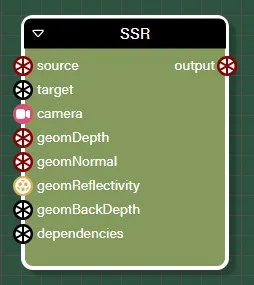
In the SSR block, target, geomBackDepth and dependencies are optional.
It is important not to connect anything to these inputs if it is not necessary, because in some cases you could incur a performance penalty by doing so! See SSR (Screen Space Reflection) for more explanations of the SSR block.
Inputs allowing several types of connection
The "wheel" icon that you may see for some input connection points means that the input accepts several types of connection, but you cannot tell what those types are simply by looking at the input name. For example, the SSR block needs a geometry depth texture as input:
If you click on the connection point itself (the black wheel icon), you can see in the right-hand pane the main type of connection, as well as the other accepted types:
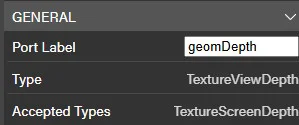
The main type is a texture that stores view-depth data, but the connection point also accepts a texture with screen-depth data.
The target inputs
You will see that a number of blocks have an input called target, which may seem strange at first glance for an input connection...
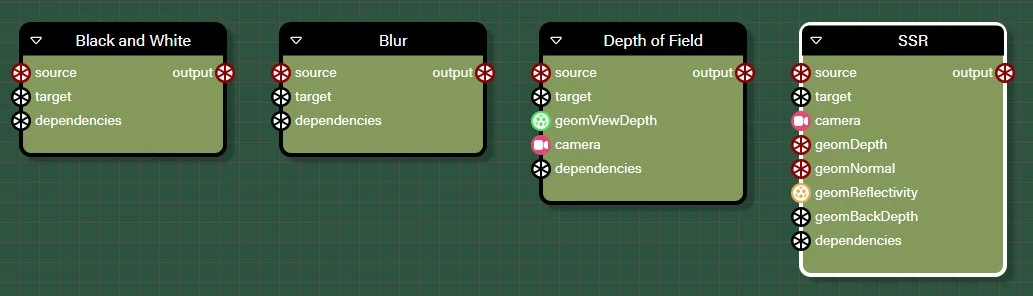
This input is in fact the texture on which the block will render, and it is also the texture that will be emitted by the block through the output connection point, so that you can link it to another block. This input is often optional: if you don't connect anything to it, a texture will be automatically created, which has the same size/format/type as one of the block's input textures, which is generally named source. This is how all post-process blocks behave. Here are a few of them:
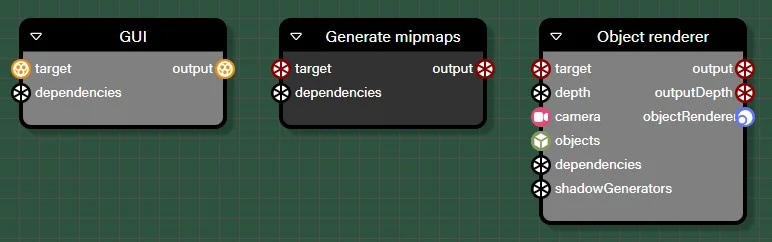
In some cases, some blocks only have a target input and no source input. In this case, target is not optional and you must always connect an existing texture. Here is a list of some blocks that behave in this way:
The dependencies inputs
Most (if not all) blocks have a dependencies input. This input helps you organize the order in which the blocks are executed at runtime.
Normally, the execution order is defined by the connections between the blocks:
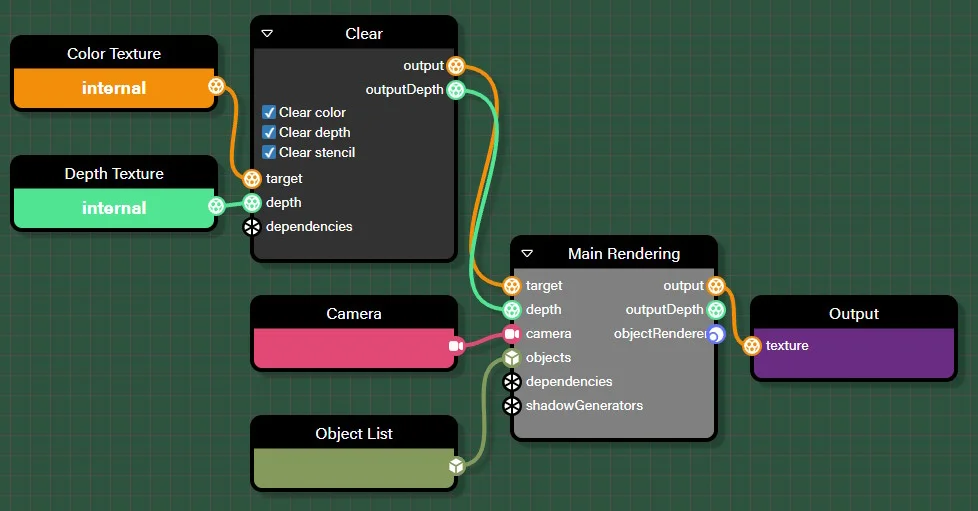
It is obvious that the Clear block will be executed before the Main Rendering block, because the latter has input connections connected to the former.
However, it is not always possible to describe the order of execution in this way. For example, imagine that you have to render a surveillance center, where a screen shows you a view of the exterior of the building. In this case, you will have to render (R1) the exterior view in a texture and use this texture as the diffuse texture of the screen mesh material during the rendering of the surveillance center (R2). The problem is that you have no way of representing this dependency between R1 and R2 using only the standard inputs/outputs of these blocks:
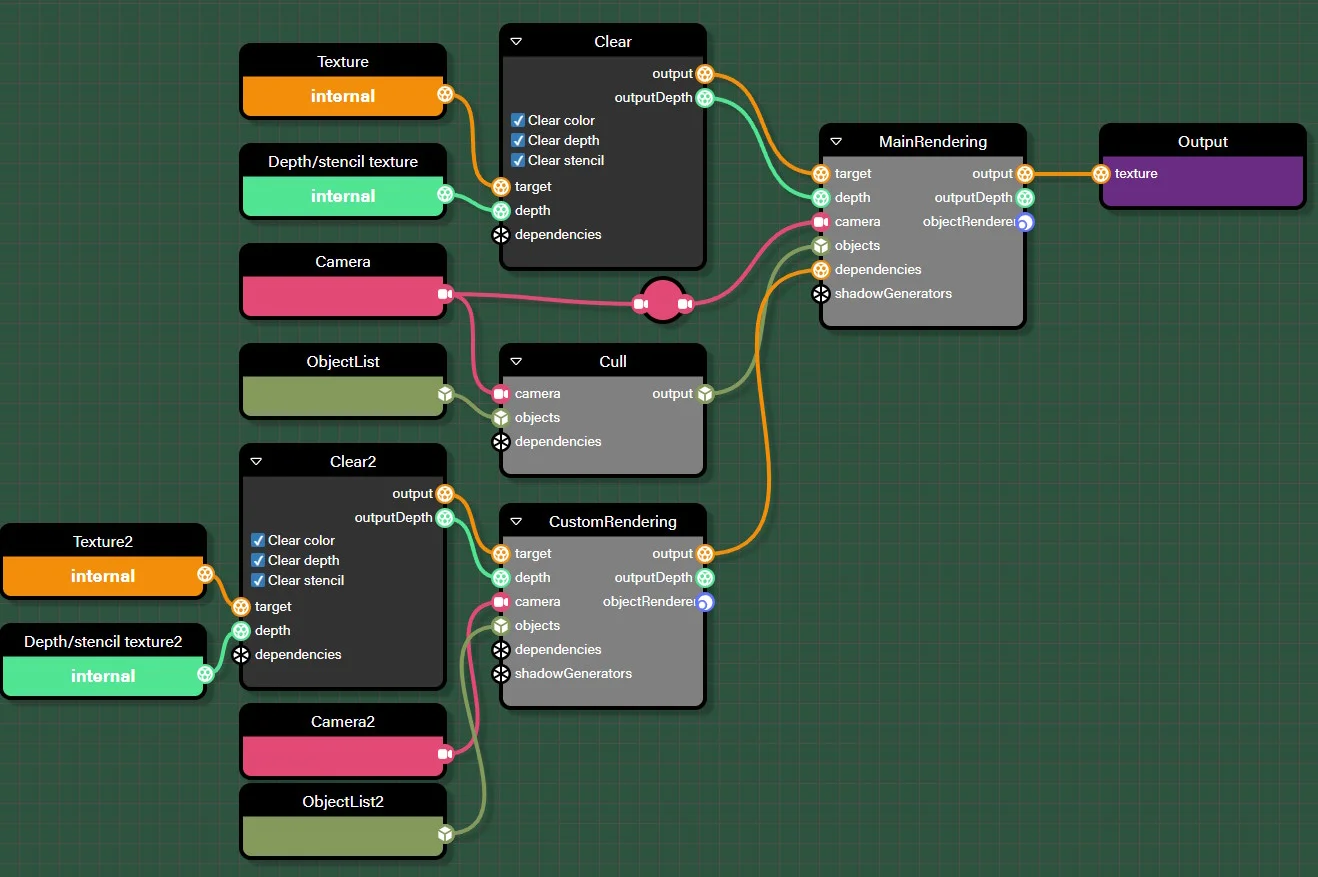
CustomRendering renders the exterior view in a texture. Without the connection to the dependencies entry of the MainRendering block, you could not make CustomRendering part of the graph and execute it before MainRendering.
Note that this dependencies input is not specific to the node render graph framework, it exists at the FrameGraphTask level. If you use the frame graph framework yourself (see Frame Graph Usage), dependencies is not used for task ordering: it is your responsibility to add tasks in a frame graph in the correct order and to ensure that if a task depends on another task, the latter is added first. However, you can add a texture to a tasks's dependencies to indicate that a texture must retain its content at least until that task before the texture optimizer can reuse it for subsequent tasks. If you do not do this, a texture may be reused too early and the output of the frame graph may not match your expectations.
Connection types
NRGE supports a number of connection types, which is what you would expect from a node render graph: texture, camera, object list, etc.
However, in order to make things easier to discover in the user interface and to limit errors, we have divided the texture type into several types, depending on the type of data stored in the texture:
- TextureViewDepth: the texture stores the depth (Z coordinate) in the camera's view space
- TextureNormViewDepth: the texture stores the normalized depth (Z coordinate) in the camera's view space
- TextureScreenDepth: the texture stores the depth (Z coordinate) in the screen space
- TextureViewNormal: the texture stores the normal in the camera's view space
- TextureWorldNormal: the texture stores the normal in the world space
- TextureAlbedo: the texture stores the albedo color
- TextureReflectivity: the texture stores the reflectivity color
- TextureLocalPosition: the texture stores the position in the model's local space
- TextureWorldPosition: the texture stores the position in the world space
- TextureVelocity: the texture stores the velocity in the screen space
- TextureLinearVelocity: the texture stores the linear velocity in the screen space
- Texture: a general purpose texture
Most of the time, these textures (except for the general purpose texture) will be generated by the GeometryRenderer block:
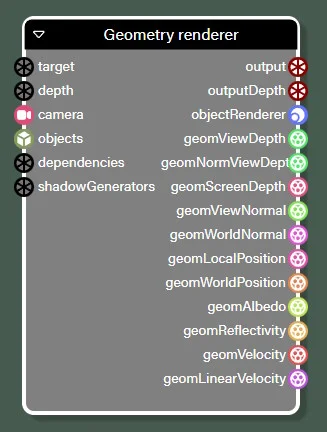
See the GeometryRenderer block section for more information.
Description of block parameters
Most blocks have parameters that you can change to modify their behavior: you access them by clicking on the block and you can modify them in the pane on the right side of the screen.
In the rest of this document, we will generally not list/describe them, because:
- many of them are self-explanatory
- we don't want to repeat descriptions that you can find elsewhere in the documentation. For example, the description of all SSR parameters can be found in Screen Space Reflections (SSR) Rendering Pipeline or in the class documentation.
Regarding the second point, as most (if not all) of the blocks you can use in a frame graph are wrappers around features that exist in the engine, you can always find documentation about them in other sections of the website.