Override Manager
What is the Override Manager?
The Override Manager is a per-scene registry of property diffs. Each entry — an override — says "set this property on this named object in the scene to this value." The manager stores them, serializes them, and applies them on demand; automatic reapply after a scene reload is driven by the .babylonproj load path and by Smart Asset hot-reloads inside the Inspector.
The Override Manager is the layer that makes the Inspector V2 Project Authoring pane an actual authoring tool rather than a viewer: when you edit a property in Inspector, the override capture service records the change as an override entry. When a project is opened, the .babylonproj loader calls DeserializeAndApplyOverrides so those entries reapply to the freshly loaded scene objects.
It targets any object in the scene's standard collections — scene.meshes, scene.materials, scene.lights, etc. — regardless of how that object was created (glTF import, code, MeshBuilder, smart asset, ...). The manager is part of @babylonjs/inspector-v2.
The shape of an override
interface IOverrideEntry { targetType: "meshes" | "materials" | "textures" | "lights" | "cameras" | "animationGroups" | "scene"; targetName: string; // The name of the target object. "" for scene-level overrides. targetIndex: number; // Disambiguator when multiple objects in scene[targetType] share targetName. propertyPath: string; // Dot-separated path, e.g. "albedoColor" or "position.x". value: number | string | boolean | number[] | null;}A few notes:
targetType+targetName+targetIndex+propertyPathis the unique identity of an override. Adding an override that matches an existing one replaces it — there is always at most one entry per (target, property).targetIndexis captured at the time the override is recorded. When names are unique, use0. When two glTFs both contribute a material called"Default", the index disambiguates between them at apply time.value: nullis meaningful: it explicitly clears an object-typed slot (e.g.mesh.material = null).- Object-typed values are encoded as strings with a scheme prefix:
ref:<name>for scene objects (material,parent, ...),texture:<name>for ordinary textures, andsamTexture:<key>for textures tracked by a Smart Asset. This is what lets cross-references survive a reload.
Adding and removing overrides programmatically
import { AddOverride, GetOverrides, RemoveOverride, ClearOverrides } from "@babylonjs/inspector-v2/projects/overrideManager";
AddOverride(scene, {    targetType: "materials",    targetName: "canPaint",    targetIndex: 0,    propertyPath: "albedoColor",    value: [1, 0, 0],});
AddOverride applies the new value immediately and records it. If a previous value was captured for the same target/property, RemoveOverride (and ClearOverrides(scene, /*restoreOriginals*/ true)) can restore it.
When the caller has already mutated the property (the common case for an Inspector edit, where the binding writes the new value before onPropertyChanged fires), pass { originalValue } to seed the captured original without re-applying:
AddOverride( scene, { targetType, targetName, targetIndex, propertyPath, value: newValue }, { originalValue: previousValue });This is how the override capture service in Inspector records edits without thrashing the property.
Other registry operations
| Function | Purpose |
|---|---|
GetOverrideManager(scene) | Returns (and lazily creates) the manager. |
GetOverrides(scene) | A read-only snapshot of every recorded override. |
ApplyAllOverrides(scene) | Re-apply every override in the registry. Used after a project load. |
ClearOverrides(scene, restoreOriginals?) | Remove every override. With restoreOriginals: true, also revert each property to its pre-override value. |
RenameOverrideTarget(scene, type, oldName, oldIndex, newName, newIndex) | Update a recorded override after the target is renamed (used by the inspector when the user edits name in the Properties pane). |
RenameOverrideValueReferences(scene, scheme, oldName, newName) | Update ref:/texture: values across the registry when a referenced entity is renamed. |
SerializeOverrides(scene) | Returns the raw IOverrideEntry[] for persistence (used by the project file). |
DeserializeAndApplyOverrides(scene, entries) | Populate the registry from a stored array and apply each entry. |
The manager also exposes onChangedObservable (fires on every add / remove / clear) and is automatically disposed when its owning scene is.
Using overrides through the Inspector
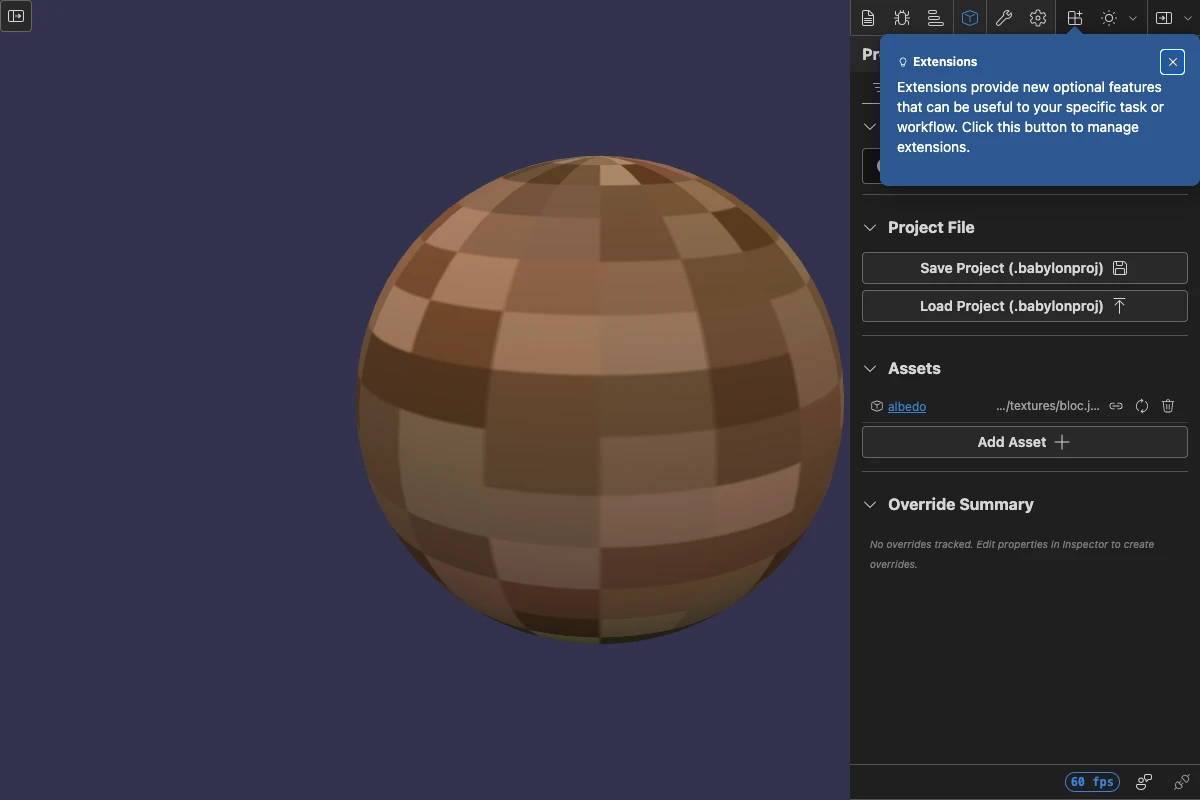
The most common way to author overrides is through the Inspector V2 Project Authoring pane. With the inspector open:
- Select an object in Scene Explorer.
- Edit any property in the Properties pane (color, intensity, position, material reference, …).
- The
OverrideCaptureServicelistens foronPropertyChanged, classifies the entity, computes its name/index in the scene collection, and records the change viaAddOverride. - The Override Summary section of the Project Authoring pane lists every recorded entry.
Renaming an object in the Properties pane is handled too: the capture service detects the name change, calls RenameOverrideTarget so the matching override follows the rename, and updates ref: / texture: value references on other entries that pointed at the old name.
samTexture:<key> references are deliberately not rewritten on rename: a Smart Asset key is stable across reloads even if the runtime texture name changes, so it doesn't need to track renames.
Persisting overrides
Overrides on their own are usually not the unit of persistence — they ride along inside a .babylonproj project bundle that also captures the asset registry and user-created scene content.
The two relevant functions are:
const entries = SerializeOverrides(scene); // → IOverrideEntry[]DeserializeAndApplyOverrides(scene, entries); // re-apply after loadThe project file's load path runs DeserializeAndApplyOverrides only after every smart asset (and the companion .babylon for user-created objects) has finished loading, so name-based targets resolve correctly.
When to reach for overrides
Overrides are the right tool when you want to tweak loaded content without modifying the source file. Typical cases:
- A glTF artist hands you a model; you want to retint a material, dim a light, or reposition a camera for your scene without forking the asset.
- An editor user drags in a model, then adjusts properties through Inspector; the project should remember those adjustments after a save / open.
- You want to compose several upstream assets and re-arrange their materials (
mesh.material = ref:otherMat) without rewriting the underlying assets.
If the change is structural (you're creating brand-new meshes, materials, lights, or cameras), that content belongs in the companion .babylon half of the project file instead — overrides describe diffs to existing named objects, not authorship of new ones.
Related
- Smart Assets — the registry of loaded assets that overrides target by name.
- Project Files (.babylonproj) — the on-disk format that ships overrides alongside the smart asset map and a companion
.babylon.
Further reading
Smart Assets
A scene-level registry that maps stable keys to asset URLs so models, textures, and materials can be reloaded, swapped, and persisted independently of the runtime objects they create.
Project Files (.babylonproj)
A single-file project bundle that composes a Smart Asset map, an Override Manager registry, and a companion .babylon for user-created scene content. Authored through the Inspector V2 Project Authoring pane.
