Inspector V2
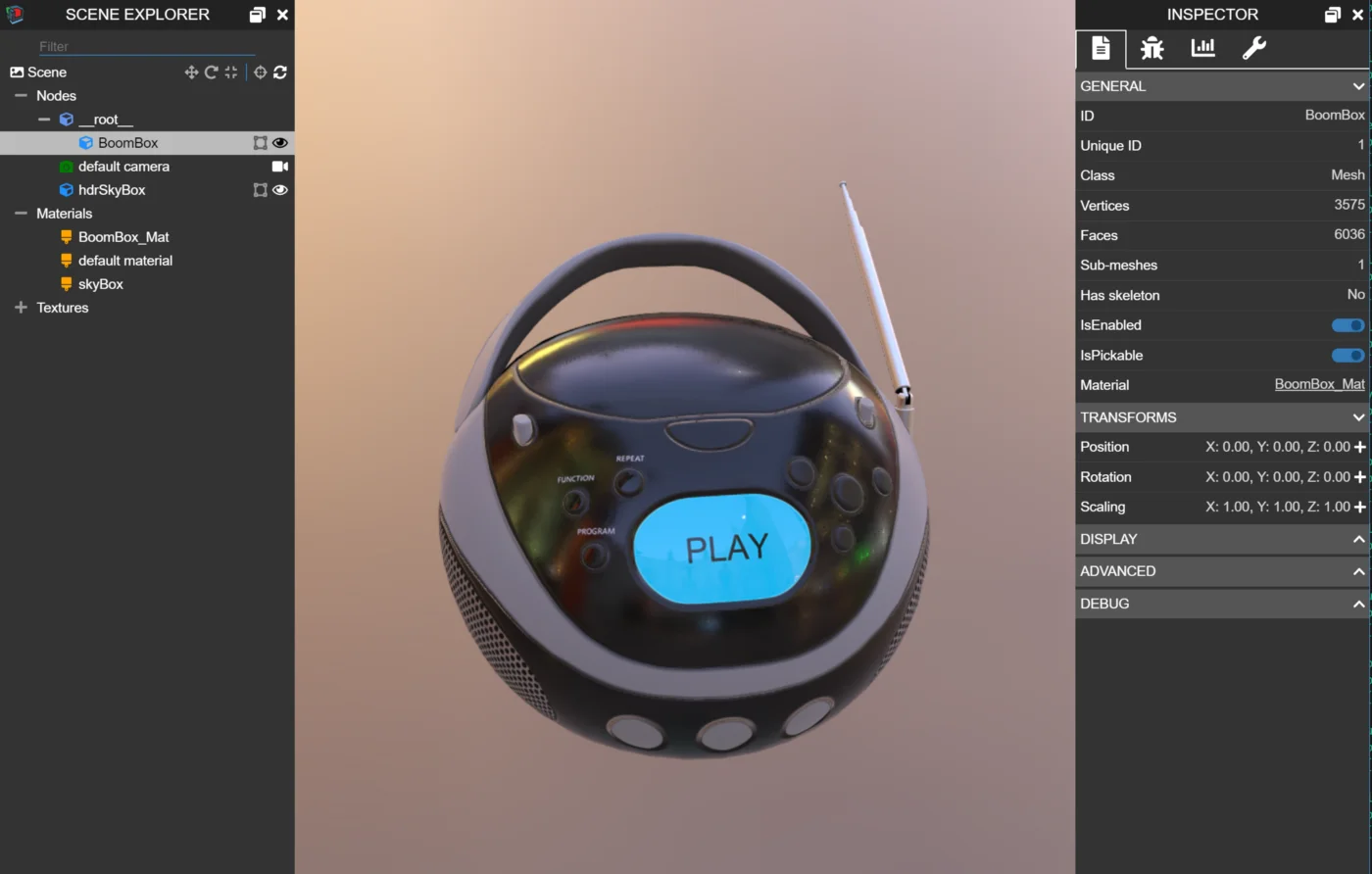
The Babylon.js Inspector is a diagnostic tool that makes it possible to inspect and manipulate a scene in real time. This fundamentally includes a hierarchical view of the scene and the properties of individual entities within it (such as nodes, meshes, and materials), as well as many additional features detailed later in this documentation.
The Inspector is included in Babylon.js tools such as Playground and Sandbox, and can be toggled on or off with buttons in their toolbars.
The Inspector is also available as an API for use in your own projects.
If you are using the Babylon ESM packages (e.g. @babylonjs/core), then use the @babylonjs/inspector ESM package (version 8.49.0+ is Inspector V2).
If you are using the Babylon UMD packages (e.g. babylonjs), then use the babylonjs-inspector UMD package (version 8.49.0+ is Inspector V2).
The following is a basic example showing how to attach the Inspector to a Babylon scene.
Extensibility
Inspector V2 is highly extensible. When using the API, you can easily add new features that are unique to your Babylon project. Additionally, the Inspector supports dynamically installed extensions that are scenario-specific. This helps keep the core Inspector small and prevents the UI from becoming overwhelming. You can think of this like Visual Studio Code, where you install only the extensions that add optional features for the scenarios that matter to you. You can learn more in the Extensibility API and Examples sections.
Backward Compatibility
Inspector V2 aims to be backward compatible with Inspector V1 and to have feature parity with Inspector V1, except in a few cases where APIs or features are mostly unused in Inspector V1. This also means that much of the Inspector V1 documentation is still valid and useful, though for screenshots and videos you may need to map older UX to newer UX.
Migrating from V1 to V2
The V1 APIs (Inspector.Show, scene.debugLayer.show, etc.) continue to work in V2 through a built-in compatibility layer that automatically converts V1 options to their V2 equivalents. This means existing code should work without changes. Internally, this is done via the ConvertOptions function, which can also be called directly if you want to incrementally migrate from V1 to V2 options.
The following V1 options are automatically mapped:
| V1 Option | V2 Equivalent |
|---|---|
overlay | layoutMode: "overlay" (when true) or "inline" (when false) |
handleResize | autoResizeEngine |
globalRoot | containerElement |
initialTab | A service definition that selects the corresponding pane |
showExplorer / showInspector | A sidePaneRemapper that filters out the corresponding pane |
embedMode | A sidePaneRemapper that adjusts pane positions |
gizmoCamera | A service definition that registers the camera with the gizmo utility layer |
additionalNodes | A service definition that adds sections to Scene Explorer |
explorerExtensibility | A service definition that adds entity commands to Scene Explorer |
contextMenu | A service definition that adds section commands to Scene Explorer |
For new code, use the V2 API (ShowInspector) directly, which returns an InspectorToken for controlling Inspector visibility. See the Extensibility API for details.
Inspector in Playground
As mentioned, the Inspector is already included as a feature of Playground. However, you can also use the Inspector V2 API directly in the Playground if you want programmatic control of the Inspector, want to experiment with the Inspector API, or want to extend the Inspector's functionality for one specific Playground.
Here is a simple example showing how to use Inspector programmatically in a Playground:
Inspector V2Further reading
Coming next
Override Manager
A scene-level registry of property diffs that persists across reloads — the foundation for Inspector-driven authoring and the overrides layer of the .babylonproj project file.

Project Files (.babylonproj)
A single-file project bundle that composes a Smart Asset map, an Override Manager registry, and a companion .babylon for user-created scene content. Authored through the Inspector V2 Project Authoring pane.
Architecture
An overview of the Inspector V2 architecture.
Extensibility API
High-level information about the Inspector V2 extensibility API.
Examples
Inspector V2 extensibility examples.