Step 3 - Add Jumping
Goal
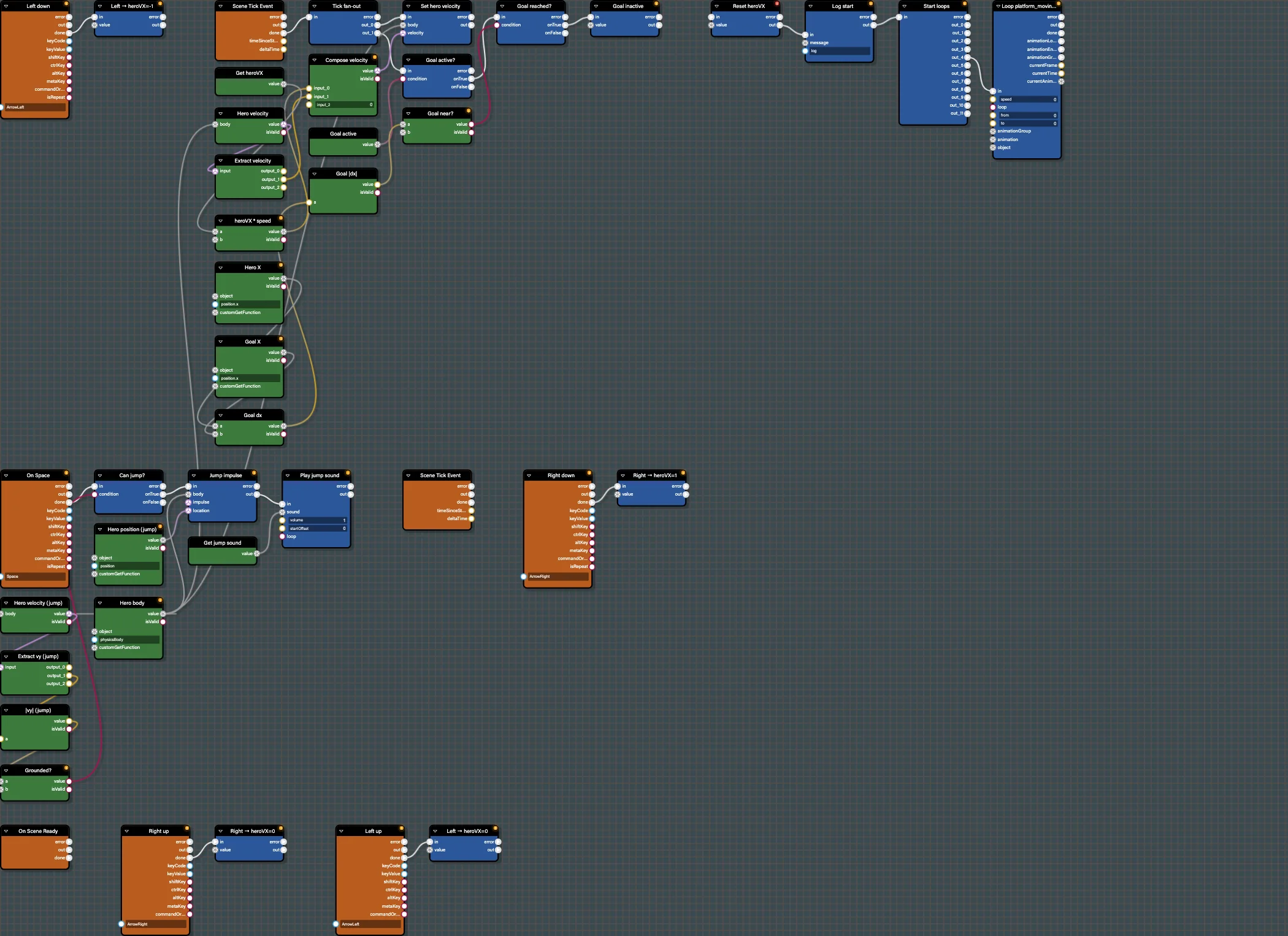
Make the hero jump on Space, but only when grounded, and play a sound. This adds your first conditional branch.
Open this step in the editor: #LI45XB (scene P41T6E#2).
Run this step:
Babylon Bros - JumpBlocks Used
KeyDownEvent(Space)GetLinearVelocity,ExtractVector3,Abs,LessThan(ground check)Branch(Control Flow)ApplyImpulse(Physics)PlaySound(Audio)
Step By Step
1. Listen For Space
Add KeyDownEvent configured for Space. Label it "On Space".
2. Check Grounded
Read the hero velocity with GetLinearVelocity, ExtractVector3 to get y, take Abs, then LessThan a small threshold. A near-zero vertical speed approximates "on the ground". Feed the result into a Branch ("Can jump?").
3. Jump And Play Sound
On the true path, add ApplyImpulse on the hero body with an upward vector, then PlaySound selecting the jump sound. Use Sequence if you want the impulse and sound to fire together cleanly.
Editor Features To Use
- Set a breakpoint (
F9) on theBranchand run: you can pause and confirm the ground check value before the jump fires. - Use Debug Mode to confirm only the
truepath lights up when grounded.
Test And Save
Run, then jump with Space while moving. Save the graph; it should match #LI45XB. Continue with Step 4 - Collect Coins.
Further reading
Step 2 - Move The Hero
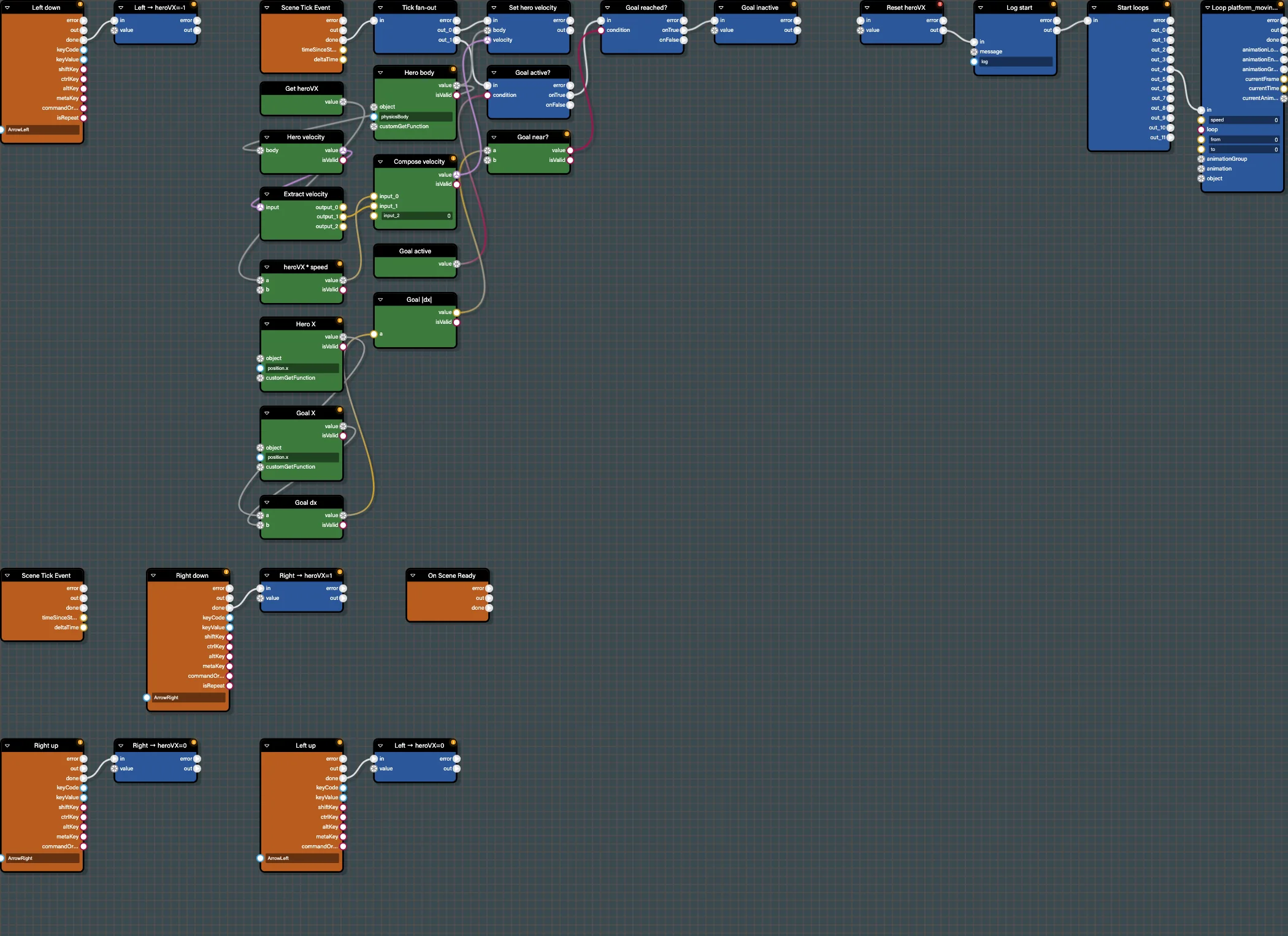
Drive the Babylon Bros hero left and right with keyboard events, a velocity variable, and a per-frame physics update in the Flow Graph Editor.
Step 4 - Collect Coins
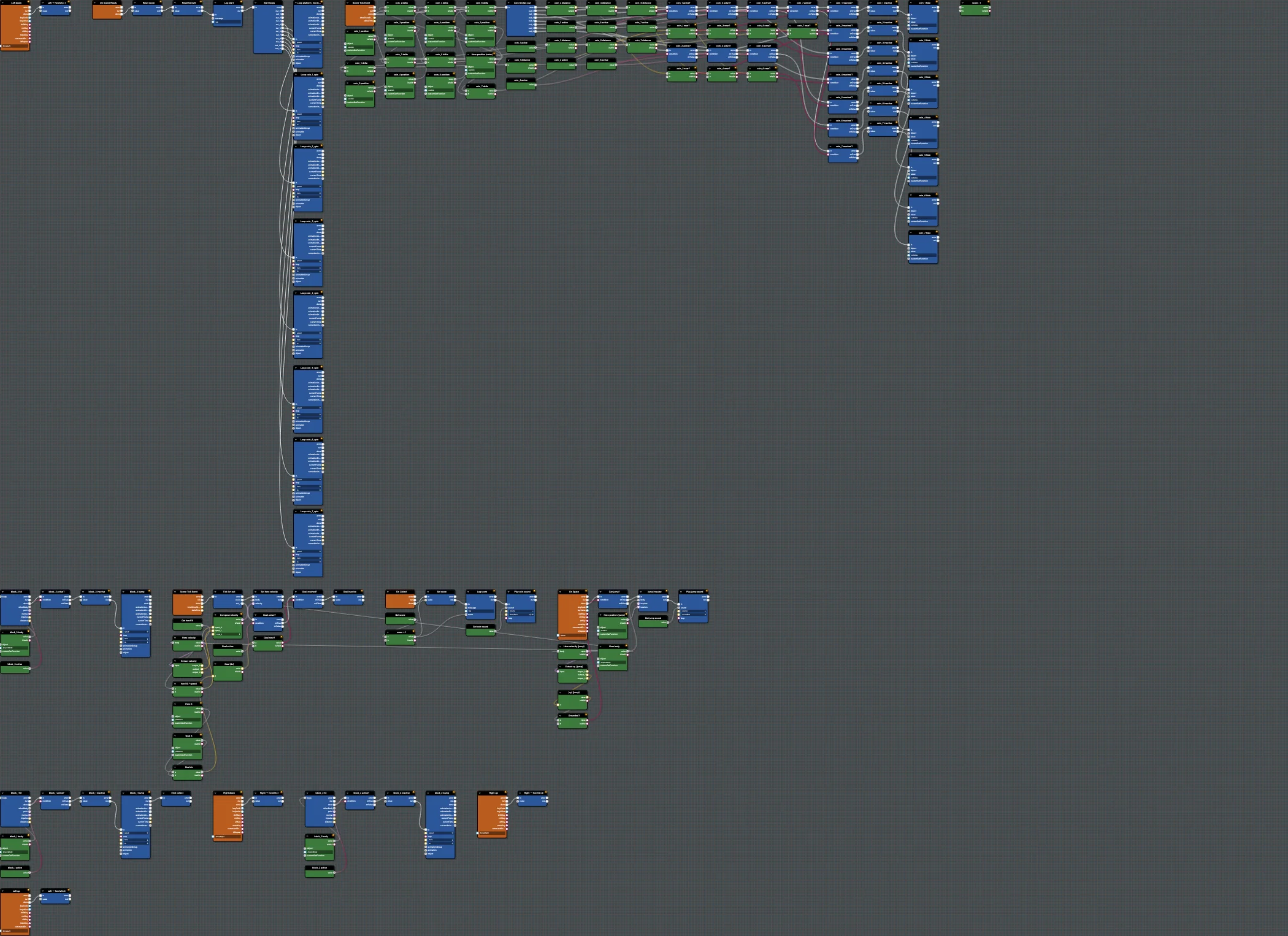
Add coin collection to Babylon Bros using physics collision events, a score variable, custom events, and sound in the Flow Graph Editor.
Physics Blocks
Detailed reference for the Physics families in the Babylon.js Flow Graph Editor.
