Getting Started - Chapter 5 - Sprite Trees
Sprite Trees
We are going to plant a couple of woods in our world, each containing 500 trees. To maintain rendering speed, we are going to use sprites. These are two-dimensional images that always face the camera.
We are using this image
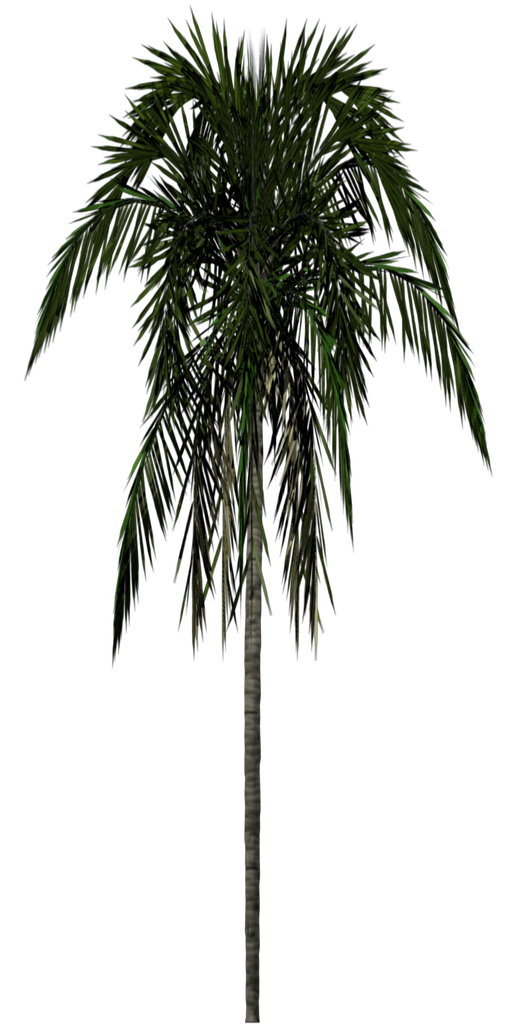 for our tree sprite, and we set up a sprite manager for it.
import { SpriteManager } from "@babylonjs/core/Sprites/spriteManager";const spriteManagerTrees = new SpriteManager("treesManager", "textures/palm.png" /* url to sprite */, 2000, { width: 512, height: 1024 }, scene);The parameters are a name for the manager, the URL of the image, the maximum number of sprites, and an object specifying the width and height of the sprite. In this case, it is the width and height of the image.
import { Sprite } from "@babylonjs/core/Sprites/sprite";for (let i = 0; i < 500; i++) { const tree = new Sprite("tree", spriteManagerTrees); tree.position.x = Math.random() * (-30); tree.position.z = Math.random() * 20 + 8; tree.position.y = 0.5;}for (let i = 0; i < 500; i++) { const tree = new Sprite("tree", spriteManagerTrees); tree.position.x = Math.random() * (25) + 7; tree.position.z = Math.random() * -35 + 8; tree.position.y = 0.5;}You can also use a collection of images in a sprite map to produce an animation.
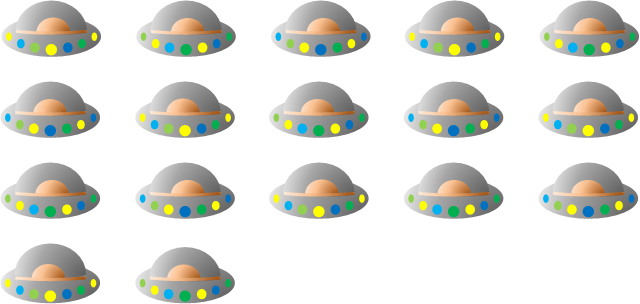
The above map consists of cell frames of the same size, five across and four down. This time, the width and height given in the manager are the width and height of one cell.
import { SpriteManager } from "@babylonjs/core/Sprites/spriteManager";const spriteManagerUFO = new SpriteManager("UFOManager", "https://assets.babylonjs.com/environments/ufo.png" /* url to sprite */, 1, { width: 128, height: 76 });The animation for a sprite is set by giving the first and last cells to be used, whether it loops (true) or not, and the time between cell frames.
import { Sprite } from "@babylonjs/core/Sprites/sprite";const ufo = new Sprite("ufo", spriteManagerUFO);ufo.playAnimation(0, 16, true, 125);Now we are going to use some more features to produce a working fountain.