Introduction To Smart Filters
Overview
Smart Filters are "full screen" effects built by composing blocks together into a SmartFilter object, from which a SmartFilterRuntime is created.
You can use the built-in blocks or use blocks you create yourself to build your Smart Filters.
The Smart Filter core comes with an optimizer which can take a SmartFilter and return an optimized SmartFilter which consolidates the shader blocks into as few as possible. The RenderTargetGenerator used when creating a SmartFilterRuntime also contains an optimizer which will reuse intermediate textures whenever possible within the Smart Filter.
How To Explore
With the Smart Filter Editor
To familiarize yourself with Smart Filters, you can start by trying out the Smart Filter Editor.
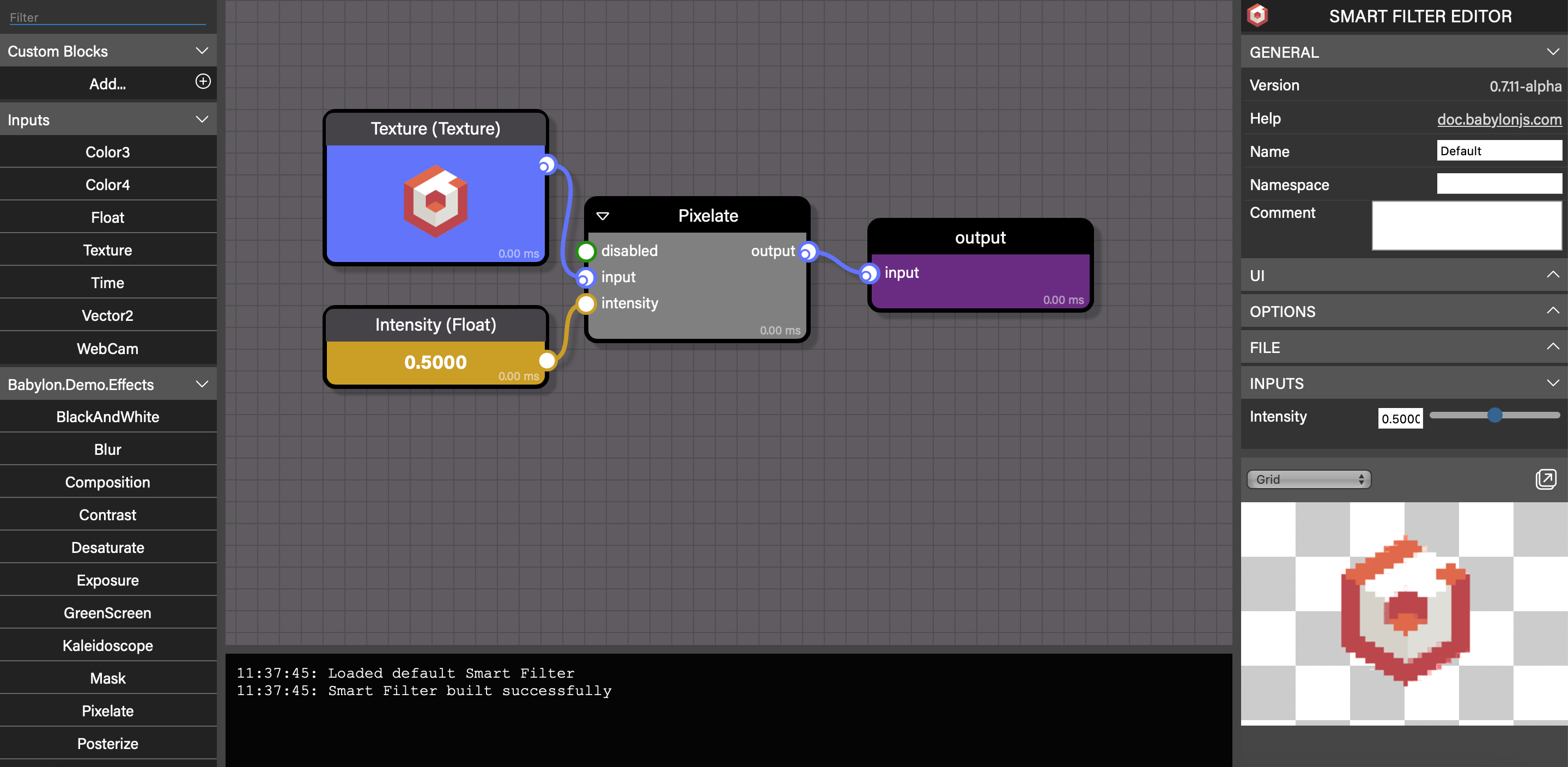
This tool lets you visually construct and run Smart Filters using the provided built-in blocks, as well as custom blocks you create and load into the tool, all before you even clone the repo.
Read more about the Smart Filters Editor here
In the Playground
You can also experiment with Smart Filters in the Playground!
Smart Filter Camera Smart Filter Camera from SFEWith Code
Clone BabylonJS/Babylon.js, and you can see how the Smart Filters Editor application uses Smart Filters.
Once you've cloned, run npm install then choose one of these approaches to build the Smart Filter Editor:
- Select
Smart Filter Editor development (Edge)orSmart Filter Editor development (Chrome)in Visual Studio Code'sRun and Debugmenu then hit F5 - Run
npm run watch:assets:smart-filtersin a terminal, thennpm run watch:source:smart-filtersin another terminal, and finallynpm run serve -w @tools/smart-filters-editorin a third terminal
Key Files
- app.ts
- The main file for the Smart Filter Editor - it handles loading and saving Smart Filters and launching the editor control
- smartFilterLoader.ts
- The helper which takes a deserializer and uses it to load Smart Filters
- smartFilterRenderer.ts
- The helper that takes a loaded Smart Filter and begins rendering it