Smart Filters
Babylon Smart Filters is a node-based graph system for building GPU-accelerated 2D effects for scenarios like real-time video filters such as background blur. While the Node Material Editor is a graphical tool for creating shaders, Smart Filters is for generating a pipeline of shaders. We call them smart because this feature includes an optimizer that automatically minimizes the number of draw calls and intermediate textures for you.
You can build Smart Filters programmatically:
const smartFilter = new SmartFilter("Default");
const pixelateBlock = new PixelateBlock(smartFilter, "Pixelate");
const textureInputBlock = new InputBlock(smartFilter, "Texture", ConnectionPointType.Texture, null);textureInputBlock.editorData = {  url: "/assets/logo.png",  urlTypeHint: "image",  flipY: true,  anisotropicFilteringLevel: null,  forcedExtension: null,};
const intensityInputBlock = new InputBlock(smartFilter, "Intensity", ConnectionPointType.Float, 0.5);intensityInputBlock.editorData = {  animationType: null,  valueDeltaPerMs: null,  min: 0.0,  max: 1.0,};
textureInputBlock.output.connectTo(pixelateBlock.input);intensityInputBlock.output.connectTo(pixelateBlock.intensity);pixelateBlock.output.connectTo(smartFilter.output);
Or visually using a new tool, the Smart Filter Editor:
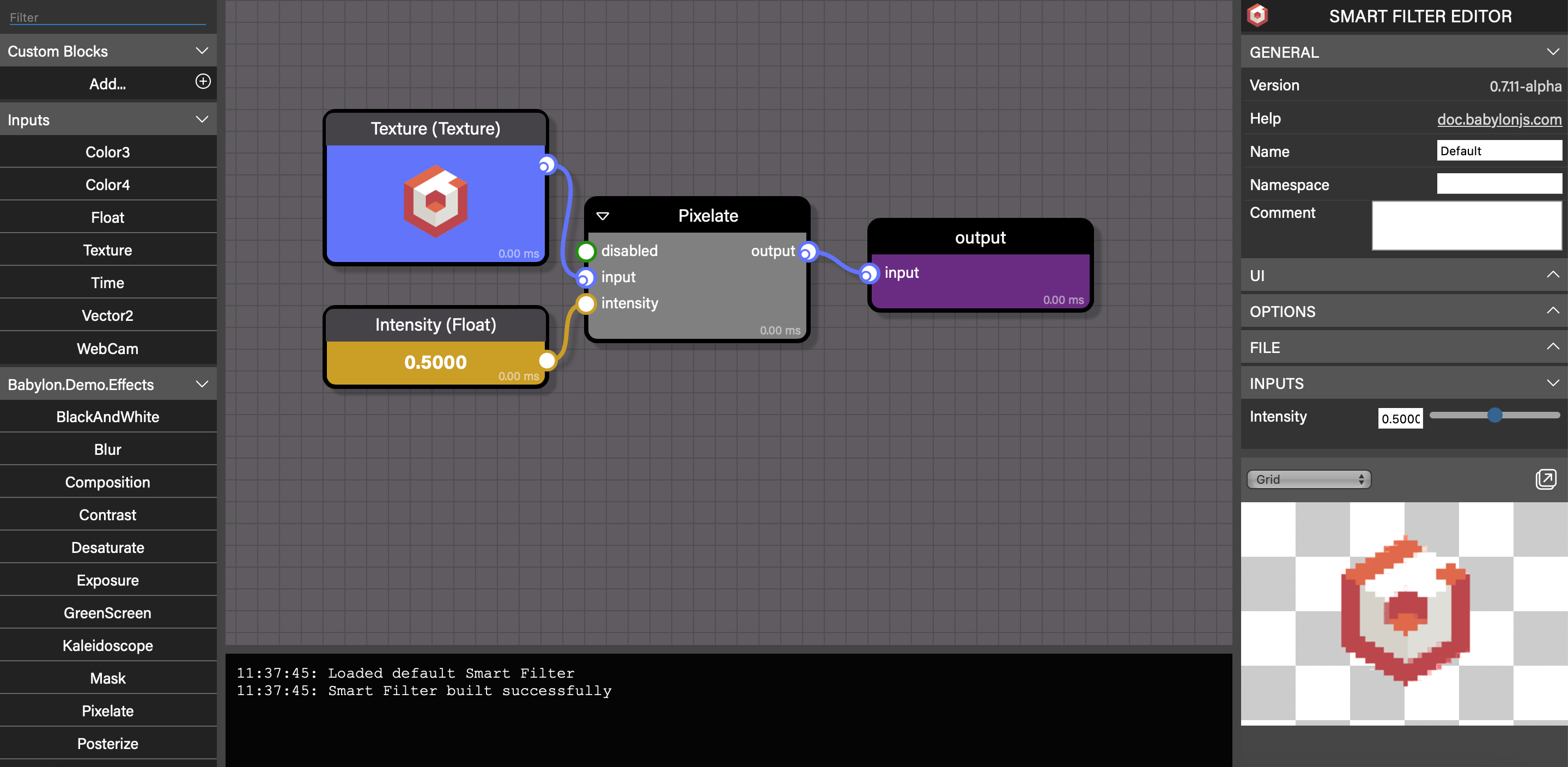
See the following subtopics to learn how to get started with Smart Filters, how to integrate them into your projects, how to create custom blocks, and more.