Selection Outline
What is Selection Outline?
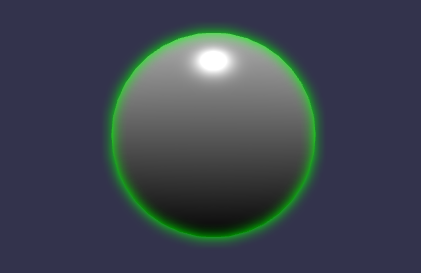
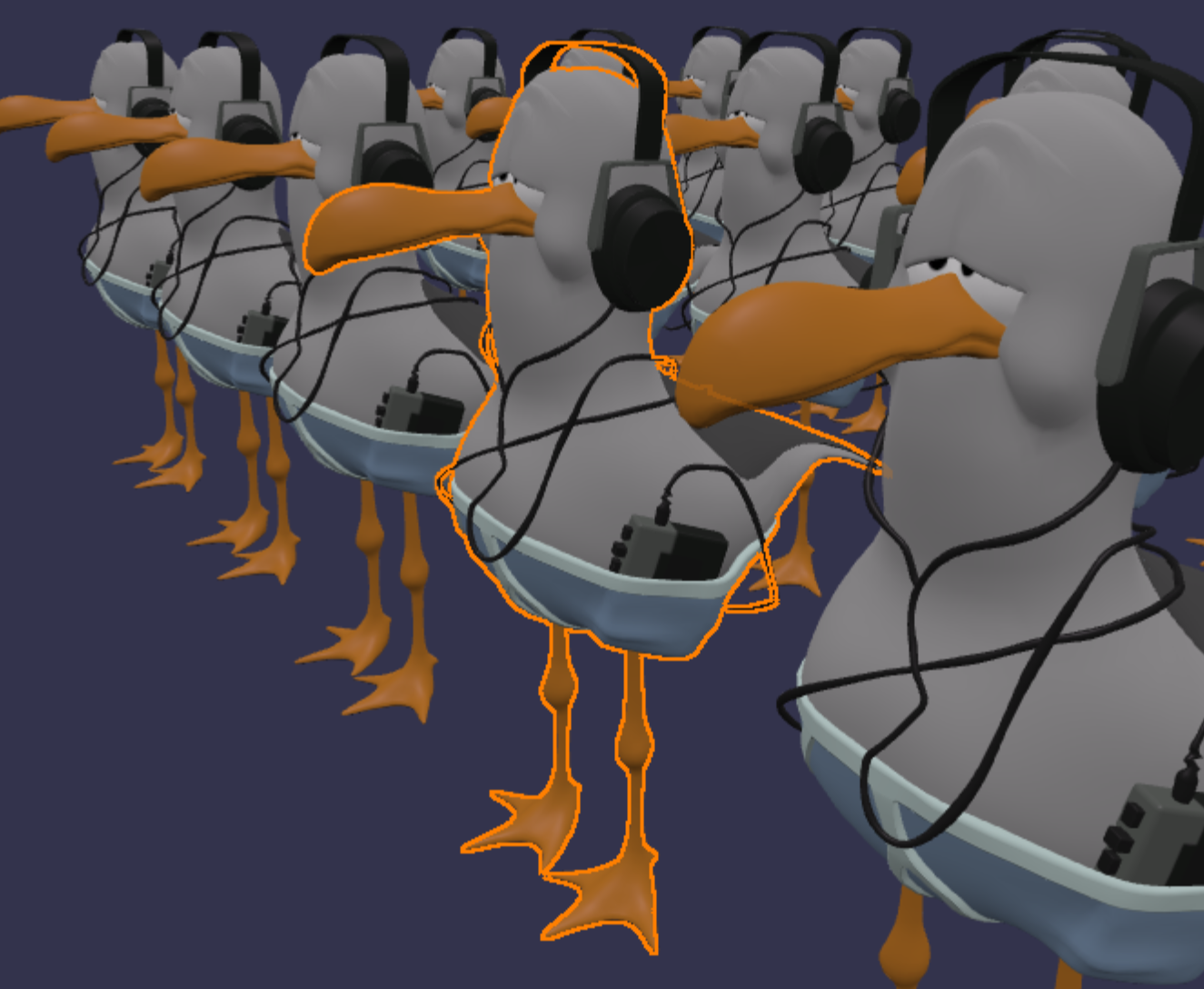
Selection Outline Layer draws a crisp outline around selected meshes, similar to the outline you see when selecting objects in Blender or Unity. It is designed specifically for selection feedback, making it ideal for editors and interactive tools.
Under the hood it renders a depth/ID mask and then composites an outline in a merge pass. This keeps the outline visually consistent and allows proper occlusion against other geometry.
How to use
Create the layer once and add selected meshes to it.
import { SelectionOutlineLayer } from "@babylonjs/core/Layers/selectionOutlineLayer";const sol = new SelectionOutlineLayer("outliner", scene);// Add a single meshsol.addSelection(mesh);Selection handling
You control the selection list explicitly:
addSelection(mesh)adds a mesh to the selection list.clearSelection()removes all selected meshes.
sol.clearSelection();sol.addSelection(pickedMesh);Group selection (outline as one unit)
If you pass an array to addSelection, the meshes are treated as a single selection group and outlined as one unit. This is useful for multi-mesh assets (for example, character parts).
sol.addSelection([meshA, meshB, meshC]);Appearance controls
You can adjust the look of the outline at runtime:
- outlineColor: Color of the outline (default
(1, 0.5, 0)) - outlineThickness: Thickness of the outline in pixels (default
2.0) - occlusionStrength: Strength of occlusion effect (default
0.8) - occlusionThreshold: Threshold for occlusion effect. If your scene is very detailed relative to the camera depth range, you may need to adjust this (default
0.0001)
import { Color3 } from "@babylonjs/core/Maths/math.color";sol.outlineColor = new Color3(0.1, 0.8, 1.0);sol.outlineThickness = 3.0;sol.occlusionStrength = 0.9;sol.occlusionThreshold = 0.0002;occlusionStrength and occlusionThreshold control how strongly the outline is attenuated when the selected mesh is partially hidden by other geometry.
Render target and quality options
Selection Outline Layer uses a render target for its internal mask. You can control size and quality via options:
- mainTextureRatio: scales the render target size relative to the canvas. Smaller values improve performance.
- mainTextureSamples: MSAA sample count (WebGL2). Higher values reduce aliasing.
- forceGLSL: forces GLSL shaders even on WebGPU.
import { SelectionOutlineLayer } from "@babylonjs/core/Layers/selectionOutlineLayer";const sol = new SelectionOutlineLayer("outliner", scene, { mainTextureRatio: 1.0, mainTextureSamples: 4,});Outline method
You can choose between two outline sampling strategies:
OUTLINELAYER_SAMPLING_TRIDIRECTIONAL(default): faster, may show artifacts with thick outlines.OUTLINELAYER_SAMPLING_OCTADIRECTIONAL: more accurate, slower.
import { Constants } from "@babylonjs/core/Engines/constants";import { SelectionOutlineLayer } from "@babylonjs/core/Layers/selectionOutlineLayer";const sol = new SelectionOutlineLayer("outliner", scene, { outlineMethod: Constants.OUTLINELAYER_SAMPLING_OCTADIRECTIONAL,});Depth behavior
By default the layer uses depth values to determine occlusion. You can choose to store camera-space Z for depth comparison:
import { SelectionOutlineLayer } from "@babylonjs/core/Layers/selectionOutlineLayer";const sol = new SelectionOutlineLayer("outliner", scene, { storeCameraSpaceZ: true,});When storeCameraSpaceZ is enabled, the layer compares camera-space Z (linear depth) instead of the usual non-linear depth buffer values normalized by the camera near/far range. Because the linear depth range spreads precision more evenly, you may need to use a relatively higher occlusionThreshold to achieve the same occlusion sensitivity as the default mode.
Works with instances
Selection Outline Layer supports instanced and thin-instanced meshes.
When selecting instances, the layer uses per-instance selection IDs so that outlines remain correct across many instances.
Currently, per-thin-instance selection is not supported, so selecting a thin-instanced mesh outlines all instances.
Example: shift-click selection
Below is a typical selection workflow: click to select, shift-click to add or remove, and update the outline list each click.
import { PointerEventTypes } from "@babylonjs/core/Events/pointerEvents";import { SelectionOutlineLayer } from "@babylonjs/core/Layers/selectionOutlineLayer";const sol = new SelectionOutlineLayer("outliner", scene);let selection = [];scene.onPointerObservable.add((pointerInfo) => { if (pointerInfo.type === PointerEventTypes.POINTERTAP) { const pickedMesh = scene.pick(scene.pointerX, scene.pointerY)?.pickedMesh; const holdingShift = pointerInfo.event.shiftKey; if (holdingShift) { if (pickedMesh) { selection = selection.includes(pickedMesh) ? selection.filter((m) => m.uniqueId !== pickedMesh.uniqueId) : [...selection, pickedMesh]; } } else { selection = pickedMesh ? [pickedMesh] : []; } sol.clearSelection(); for (const mesh of selection) { sol.addSelection(mesh); } }});