Making Meshes Glow
How To Make a Mesh Glow
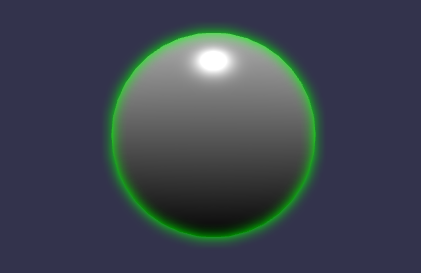
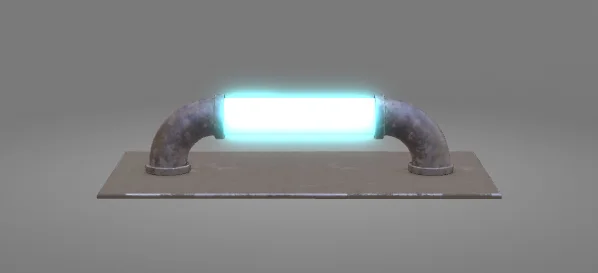
Emissive meshes are equivalent to self-lit meshes. Both the emissive color and emissive texture of the material determine how the mesh will self-light. This can, for instance, help create a phosphorescent watch dial. Babylon.js natively supports emissive properties in both standard and PBR materials.
But how can we easily create a glow around those self-lit areas?
How to use?
Only one line is needed to make all the emissive parts of a scene glow:
import { GlowLayer } from "@babylonjs/core/Layers/glowLayer";const gl = new GlowLayer("glow", scene);Intensity Controls
By default, the glow layer is filled using the material emissive parameters (emissive result = emissive color _ emissive texture color _ emissive texture level). It also uses a blur kernel of 32, which might not suit your visual requirements.
Color Intensity
To control the intensity of the color in the glow layer, you can use the dedicated property:
import { GlowLayer } from "@babylonjs/core/Layers/glowLayer";const gl = new GlowLayer("glow", scene);gl.intensity = 0.5;Blur Intensity
In order to control the shape of the blur, you can rely on the creation option:
- mainTextureRatio: Multiplication factor applied to the canvas size to compute the render target size used to generate the glowing objects (the smaller, the faster).
- mainTextureFixedSize: Enforces a fixed-size texture to ensure resize-independent blur and prevent the shape of the blur from changing according to the target device size.
- blurKernelSize: How big is the kernel of the blur texture.
import { GlowLayer } from "@babylonjs/core/Layers/glowLayer";const gl = new GlowLayer("glow", scene, { mainTextureFixedSize: 1024, blurKernelSize: 64,});Controlling glow color per mesh
By default, the glow layer uses the emissive texture and emissive color to generate the glow color of every active mesh. But you can override this behavior with the following callbacks:
- customEmissiveColorSelector: (mesh: Mesh, subMesh: SubMesh, material: Material, result: Color4) => void: Callback used to let the user override the color selection on a per-mesh basis
- customEmissiveTextureSelector(mesh: Mesh, subMesh: SubMesh, material: Material) => Texture: Callback used to let the user override the texture selection on a per-mesh basis
import { GlowLayer } from "@babylonjs/core/Layers/glowLayer";const gl = new GlowLayer("glow", scene);gl.customEmissiveColorSelector = function (mesh, subMesh, material, result) { if (mesh.name === "lightsaber") { result.set(1, 0, 1, 1); } else { result.set(0, 0, 0, 0); }};Anti Aliasing
Depending on your setup, some aliasing artifacts might appear in the glow. To prevent this behavior, you can specify the number of samples to use for MSAA on the main render target. Please note that it will only work on WebGL2 capable browsers.
import { GlowLayer } from "@babylonjs/core/Layers/glowLayer";const gl = new GlowLayer("glow", scene, { mainTextureSamples: 4,});Mesh Management
Some helper functions have been introduced to exclude or only include some meshes from the scene.
Excluded Mesh
In order to exclude meshes from the glow layer you can use the dedicated function:
import { GlowLayer } from "@babylonjs/core/Layers/glowLayer";const gl = new GlowLayer("glow", scene);gl.addExcludedMesh(mesh);Include Only Some Meshes
In order to include only a subset of meshes in the glow layer you can use the dedicated function:
import { GlowLayer } from "@babylonjs/core/Layers/glowLayer";const gl = new GlowLayer("glow", scene);gl.addIncludedOnlyMesh(mesh);Using the function will automatically switch mode and only render the included meshes.
Including Specific Meshes In The Glow LayerUsing Glow with Node Materials
The Glow layer can also be combined with a Node Material for endless possibilities. You can achieve this by utilizing masking in the node material, separating the emission texture from the base color texture, and then recompositing them together using the mesh's glow layer. Check out the following playground and video for a deeper explanation.
Using Glow Layer with Node Materials