KHR_interactivity
Overview
Babylon.js supports loading and lossless re-export of the ratified KHR_interactivity glTF extension. The glTF loader validates each behavior graph, converts valid graphs to Babylon.js Flow Graphs, and runs the graph selected by the extension.
The import keeps a canonical copy of the source document alongside the executable graphs. This copy preserves graph names, declarations, types, variables, events, configurations, dynamic sockets, references, extras, and additional extension data. Applications and tools can inspect this data even when a graph cannot run. The same canonical data also lets Babylon.js prove that an edited graph can be exported without changing its meaning.
Default Runtime Behavior
When a glTF or GLB file uses KHR_interactivity, the loader:
- Uses the ratified specification rules to validate every graph.
- Isolates invalid graphs so other valid graphs in the same asset can still load.
- Creates a Flow Graph for each graph that can be converted.
- Starts only the valid graph selected by the root
graphproperty. - Starts no graph when the selected graph is invalid.
- Waits for interactivity import before the scene-loading promise resolves.
- Prevents the normal glTF animation auto-start step so the behavior graph can control animation playback.
An unknown core operation makes its graph invalid. An operation supplied by an unsupported additional extension is preserved as an inspectable typed no-op, but it does not execute.
Loading And Inspecting An Interactive Asset
Load the asset through the normal scene loader, then use GetKHRInteractivityImportResult to inspect the most recently appended interactive asset:
import { AppendSceneAsync } from "@babylonjs/core/Loading/sceneLoader";import "@babylonjs/loaders/glTF/2.0";import {    GetKHRInteractivityImportResult,    GetKHRInteractivityImportResults,} from "@babylonjs/loaders/glTF/2.0/Extensions/KHR_interactivity";
await AppendSceneAsync("interactive.glb", scene);
const result = GetKHRInteractivityImportResult(scene);if (result) {    console.log("Selected graph:", result.document.defaultGraphIndex);
    for (const graphResult of result.graphs) {        console.log(graphResult.graph.name, graphResult.graph.valid);        console.log(graphResult.diagnostics);    }}
// Use this form when several interactive assets were appended to one scene.const allResults = GetKHRInteractivityImportResults(scene);
The import result contains:
document: the canonical source document, its selected graph, and root-level diagnostics indocument.diagnostics.graphs: one graph result per source graph, in source order.pathConverter,glTF, andhostResolver: the import-scoped services used by the executable graphs.assetIndex: a stable, zero-based identity when several interactive assets are appended to one scene.
Each entry in result.graphs contains:
graph: the canonical source graph, including its validity and graph-level validation diagnostics.serializedFlowGraph: the converted graph when conversion succeeded.flowGraphandcoordinator: the runtime objects when runtime construction was enabled.diagnostics: graph-level validation, conversion, and runtime errors or warnings, with JSON pointer paths back to the source.
GetKHRInteractivityImportResults returns every result for the scene in load order. The singular getter remains convenient, but it returns only the latest result.
The coordinators belong to the loaded scene and are disposed when that scene is disposed.
Loader Options
Configure the extension through the glTF loader's extensionOptions:
await AppendSceneAsync("interactive.glb", scene, { pluginOptions: { gltf: { extensionOptions: { KHR_interactivity: { autoStart: false, parseOnly: true, strictValidation: true, }, }, }, },});| Option | Default | Behavior |
|---|---|---|
autoStart | true | Starts the selected valid graph after import. Set it to false to create runtime graphs without starting one. |
parseOnly | false | Keeps the canonical document and converted serializations without creating runtime Flow Graphs or coordinators. |
strictValidation | true | Enforces the ratified specification. Set it to false only when a tool must inspect a pre-ratification asset. |
parseOnly: true takes priority over runtime construction, so autoStart has no effect in parse-only mode.
Strict Validation And Compatibility
Production loading is strict by default. A graph with an invalid structure, invalid socket, unknown core operation, or other ratified contract error is rejected instead of being changed silently. The graph remains in the canonical document with source-path diagnostics, and valid sibling graphs remain available.
strictValidation: false is a compatibility path for older assets created before ratification. It can lower shapes that the final specification rejects. Use it for inspection or migration tools, not as the normal production setting.
Flow Graph Editor Import
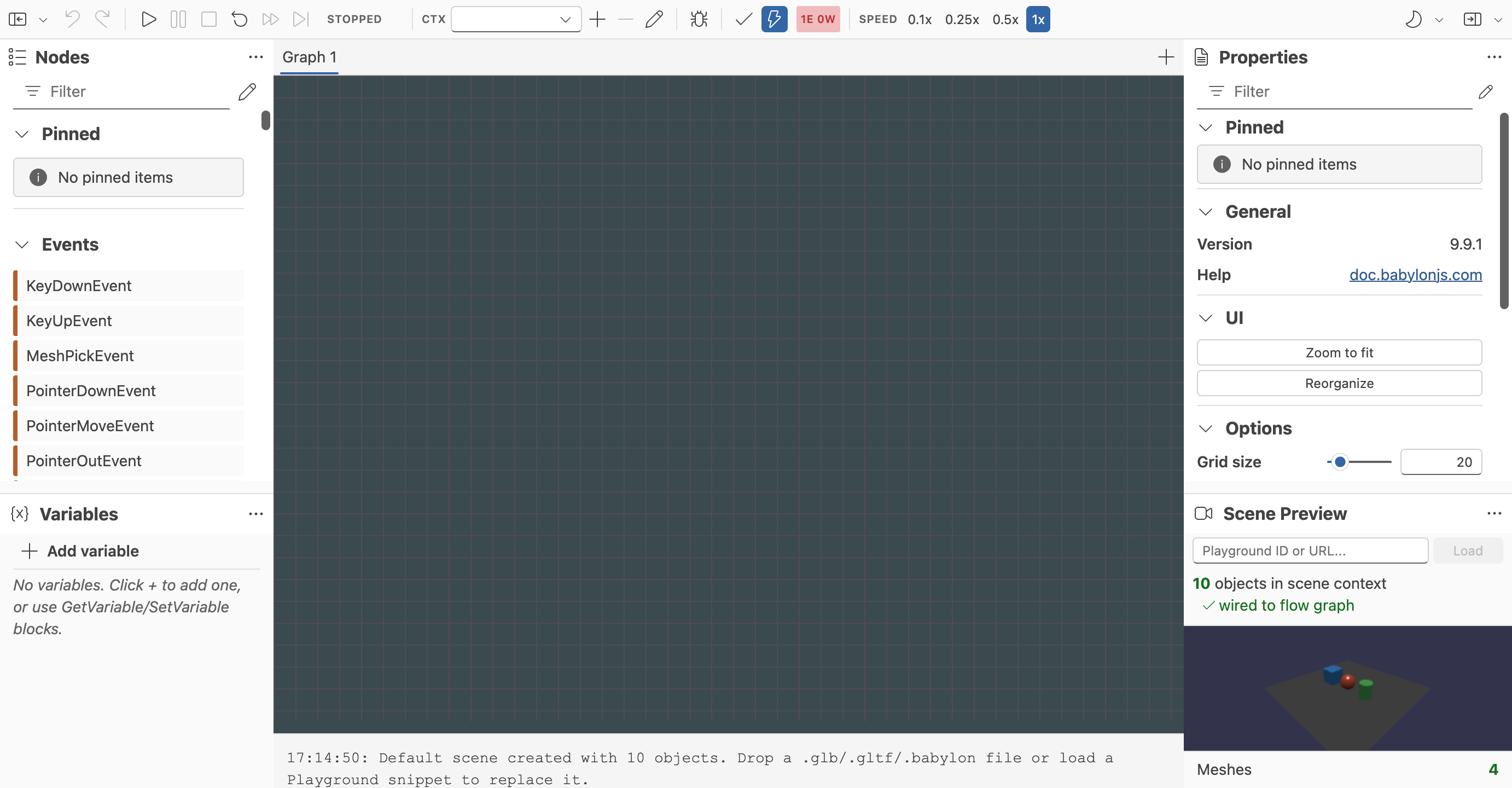
To inspect an interactive asset visually, drag its .gltf or .glb file into the Flow Graph Editor Scene Preview. Drop external buffers and textures with the main .gltf file when needed.
The editor:
- Opens every
KHR_interactivitygraph in its own tab. - Selects the root default graph when it is executable, or the first executable graph when the default is invalid.
- Keeps invalid graphs as named empty tabs and reports their diagnostics in the log.
- Preserves imported composites, source paths, dynamic sockets, and unsupported additional-extension operations for inspection.
- Uses explicit compatibility import so pre-ratification assets can still be examined.
Imported KHR_interactivity graphs still cannot be saved or reloaded as Flow Graph JSON because they depend on runtime services owned by the imported asset. Use one of the dedicated export actions instead:
- Export KHR glTF downloads the preview scene and all imported graphs as standards-compliant
.gltffiles. - Export KHR GLB downloads the same content as one
.glbfile. - Export BABYLON_flow_graph GLB remains a separate Babylon-specific format for ordinary Flow Graph JSON. It does not emit
KHR_interactivityand is disabled for importedKHR_interactivitygraphs.
The editor checks the complete graph set before export. If an edit cannot be represented exactly, no file is produced. The log identifies the affected graph, node, block, or socket.
Lossless Export Rules
KHR_interactivity export is a round-trip workflow for graphs imported from a canonical KHR_interactivity glTF or GLB file. It does not convert an arbitrary Babylon.js Flow Graph to the Khronos format.
Babylon.js preserves supported edits to values, variables, events, configurations, sockets, and scene references. It also preserves unknown operations supplied by additional glTF extensions as typed no-op blocks. These blocks remain non-executable in Babylon.js.
Export is rejected when Babylon.js cannot preserve the original meaning. Common reasons include:
- Adding a block that has no
KHR_interactivityinverse mapping. - Breaking the internal wiring of an imported operation that expands to several Flow Graph blocks.
- Changing a type, default value, dynamic socket, or configuration to a shape the specification cannot represent.
- Removing or excluding a referenced scene object from the glTF export.
- Creating value and flow dependencies that cannot satisfy
KHR_interactivitynode ordering. - Replacing the preview scene that owns the imported graph and its references.
The export does not mutate the live Flow Graph. Fix the reported edit or return to the imported structure, then export again.
Exporting In Code
Create an export plan from the imported graphs and canonical document. Call analyze() before starting the glTF serializer when you want to show diagnostics in your own tool:
import { GLTF2Export } from "@babylonjs/serializers";import {    CreateKHRInteractivityExportPlan,    GetKHRInteractivityImportResult,} from "@babylonjs/loaders/glTF/2.0/Extensions/KHR_interactivity";
const result = GetKHRInteractivityImportResult(scene);if (!result) {    throw new Error("The scene has no imported KHR_interactivity asset.");}
const flowGraphs = [];for (const graphResult of result.graphs) {    if (!graphResult.flowGraph) {        throw new Error("Every source graph must have an executable Flow Graph before export.");    }    flowGraphs.push(graphResult.flowGraph);}
const options = {    document: result.document,    sourceGLTF: result.glTF,    defaultGraphIndex: result.document.defaultGraphIndex,    required: result.glTF.extensionsRequired?.includes("KHR_interactivity") ?? false,};
let plan = CreateKHRInteractivityExportPlan(flowGraphs, options);const additionalExtensionsRequired = (result.glTF.extensionsRequired ?? []).filter(    (extensionName) =>        extensionName !== "KHR_interactivity" &&        plan.additionalExtensionsUsed.includes(extensionName),);
if (additionalExtensionsRequired.length > 0) {    plan = CreateKHRInteractivityExportPlan(flowGraphs, {        ...options,        additionalExtensionsRequired,    });}
const analysis = plan.analyze();if (!analysis.representable) {    console.table(analysis.diagnostics);    throw new Error("The edited graph cannot be exported without changing its meaning.");}
const data = await GLTF2Export.GLBAsync(scene, "interactive", {    khrInteractivity: plan,});data.downloadFiles();
CreateKHRInteractivityExportPlan reads the graphs without changing them. Its options include:
| Option | Default | Behavior |
|---|---|---|
document | None | Supplies the canonical import document. It is required for lossless export. |
sourceGLTF | None | Resolves references from the source asset to their final exported glTF indices. |
defaultGraphIndex | The canonical document selection, then 0 | Selects the root graph in the exported extension. |
targetFps | 60 | Sets the animation frame rate used when imported animation operations are reconstructed. |
required | true | Adds KHR_interactivity to extensionsRequired. Preserve the source setting when re-exporting an asset. |
additionalExtensionsRequired | Empty | Marks additional operation or companion extensions as required. |
Pass the plan to the khrInteractivity option of GLTF2Export.GLTFAsync or GLTF2Export.GLBAsync. The serializer waits until final glTF indices are known, remaps graph references, emits companion node extensions, and updates extensionsUsed and extensionsRequired. No KHR_interactivity extension is emitted when no provider is supplied.
When khrInteractivity is supplied, the serializer also preserves no-op root nodes that the behavior graph may reference, even though removeNoopRootNodes normally defaults to true.
Current Scope
Babylon.js supports standards-compliant loading, execution, inspection, editor import, and lossless export of representable edits. Free-form authoring of new KHR_interactivity graphs is not supported. Keep the original glTF or GLB file because its canonical document and source references are required for the round-trip export path.
Import support was introduced by BabylonJS/Babylon.js#18903. Export support was introduced by BabylonJS/Babylon.js#18914.
Further reading
Flow Graph
Learn all about the Babylon.js Flow Graph system.

Flow Graph Editor
Build Babylon.js flow graphs visually with a UI-first editor for interactive scenes.