GUI
Graphical User Interface
There are a number of options for adding a GUI to Babylon.js. The Babylon GUI is covered in this section.
It allows you to place buttons and labels within 3D space as well as in a 2D front-of-screen GUI. When you want a GUI that works in VR or within 3D space, it's the only option.
It is integrated within the playground. For your own projects, it must be loaded alongside Babylon.js.
Simple GUI Slider ExampleOther possible GUIs are:
- Dat.GUI, an external interface
- HTML GUI
- HtmlMesh, a Babylon.js addon which allows HTML content to be included in the scene as a scene mesh or an overlay.
Dat.GUI
The external dat.GUI is integrated within the playground. For your own projects, it must be loaded alongside Babylon.js.
dat.GUI ExampleHTML GUI
Since Babylon.js is written in JavaScript, it is possible to use HTML and CSS to overlay the Babylon.js scene.
HTML GUI ExampleHtmlMesh
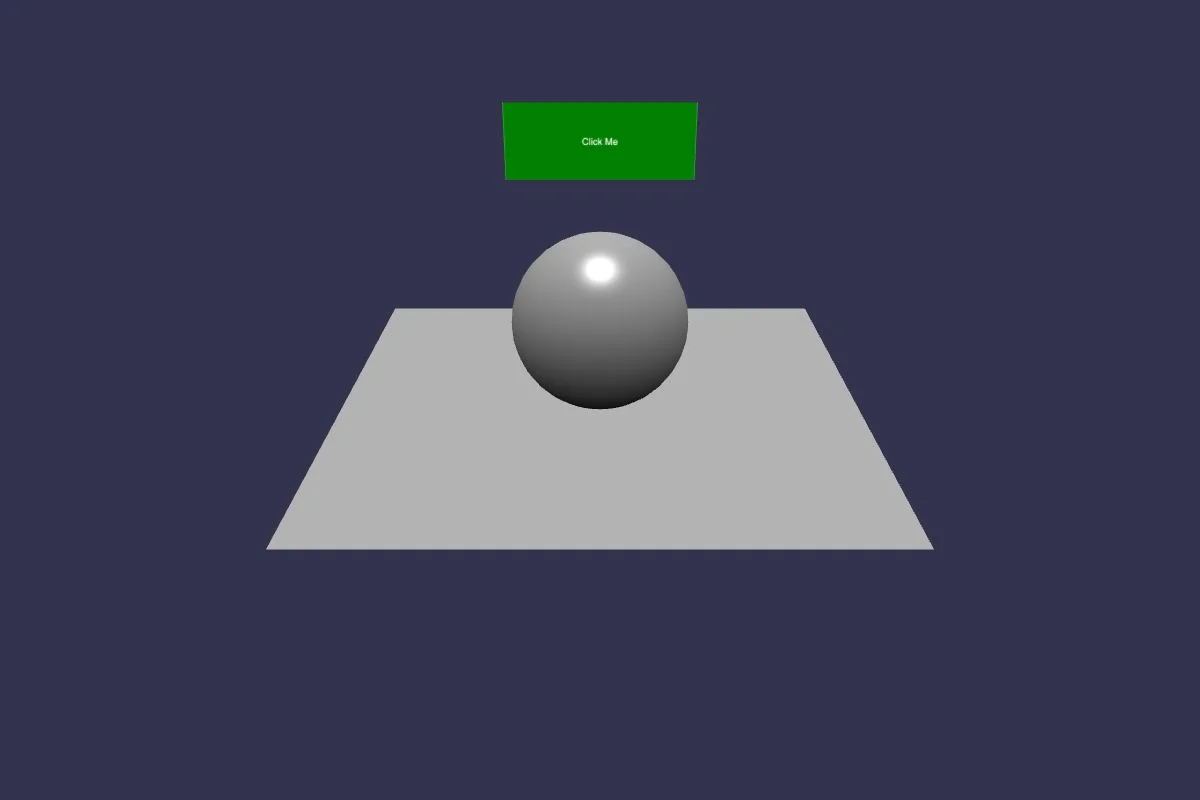
The HtmlMesh extension for BabylonJS allows HTML content to be incorporated into a scene either as a scene mesh that can occlude and be occluded by other meshes or as an overlay (similar to the HTML GUI example above, but using a mesh so it can be positioned with standard transforms, parented to other meshes, dragged, and scaled using gizmos).
HtmlMesh ExampleComparison of GUI Options
Here's a list of the pros and cons of using different types of GUIs. It’s worth noting that these options aren’t mutually exclusive - they can be used together, depending on requirements, for instance:
- Use a simple HTML GUI for initial rapid prototyping before transitioning to Babylon 2D or 3D GUI
- Use an HTML GUI overlay for complex, dynamic, text-heavy info panels but Babylon 2D GUI for everything else
The sky’s the limit! Go forth and GUI in whatever way takes your fancy!
HTML-based GUI
Pros
- Use familiar HTML, CSS and front-end frameworks like Bootstrap, Tailwind, React, Vue, Svelte & Angular etc
- Near unlimited flexibility & mobile responsiveness
- High performance (as rendered by native browser rather than 3D engine)
- Easier to make WCAG accessibility compliant
Cons
- Looser integration with 3D scene
- Can’t have GUI elements directly within 3D scene (e.g. applied to meshes)
- Can’t apply 3D post processing effects to overlaid HTML GUI elements
- Can’t be used for fullscreen/native VR
UI with HtmlMesh
Pros
- Use familiar HTML, CSS and front-end frameworks like Bootstrap, Tailwind, React, Vue, Svelte & Angular etc
- Near unlimited flexibility & mobile responsiveness
- High performance (as rendered by native browser rather than 3D engine)
- Easier to make WCAG accessibility compliant
Cons
- Can’t be used in Native or WebXR
- Cannot receive events from iframed content (unless same origin)
- On iOS, pointer interaction with content requires clicking on content first
- Small text can be blurry at some camera angles/distances
Babylon 2D GUI
Pros
- There’s now an awesome GUI Editor to make interface creation easier!
- Tight integration with 3D scene
- Ability to optionally apply scene post processing effects to GUI as well
- Ability to apply/link GUI elements and meshes
- Some unique, useful capabilities like nine-patch stretching and sprite-sheet animation that aren’t available with a raw HTML GUI
Cons
- Less comprehensive/flexible than HTML GUI (but still more than enough for most requirements)
- Depending on advanced dynamic texture resolution, GUI may look a little blurry
- Possibly some performance considerations
- Can’t be used for fullscreen/native VR
Babylon 3D GUI
Pros
- Supports fullscreen/native VR
- Tight integration with 3D scene
- Ability to optionally apply scene post processing effects to GUI as well
Cons
- Less comprehensive/flexible than both Babylon 2D GUI and HTML GUI
Coming next
Scroll Viewer
Learn about Scroll Viewer in Babylon.js.
XML Loader
Learn about the Babylon.js XML Loader.

Selector
Learn about the selector in Babylon.js.
Babylon 3D GUI
Learn all about the Babylon.js 3D GUI System.
The Babylon GUI
Learn all about the Babylon.js 2D GUI system.
MRTK 2.X For Babylon.js
Learn about the various features and controls shared with MRTK