Loading 3D Tiles
What Are 3D Tiles?
3D Tiles is an open standard created by Cesium and adopted by the Open Geospatial Consortium (OGC) for streaming massive heterogeneous 3D geospatial datasets. It is designed to enable efficient visualization of very large datasets — such as photogrammetry, 3D buildings, terrain, and point clouds — by organizing data into a spatial hierarchy of tiles that are loaded on demand based on the camera's position and level of detail.
Loading 3D Tiles in Babylon.js
The recommended solution for loading 3D Tiles in Babylon.js is the 3DTilesRendererJS library from NASA/AMMOS, which has recently added Babylon.js support. This library provides a full 3D Tiles renderer that handles tile set traversal, level-of-detail selection, and tile loading.
Note: The Babylon.js implementation of 3DTilesRendererJS has some known limitations in supporting the full 3D Tiles spec. For details on current support and restrictions, see the Babylon.js README in the 3DTilesRendererJS repository.
Playground limitation: 3DTilesRendererJS cannot be used in the Babylon.js Playground. The Playground loads Babylon.js as a pre-bundled global (UMD) script, while the 3DTilesRendererJS npm package imports Babylon.js as ES6 module dependencies (e.g. import { Scene } from "@babylonjs/core"). This creates a conflict — the renderer instantiates its own copy of Babylon classes from the npm package rather than using the Playground's pre-loaded instance, causing type mismatches and runtime errors. To use 3DTilesRendererJS, set up a local project with a bundler (e.g. Webpack, Vite) where both Babylon.js and 3DTilesRendererJS are resolved from the same ES6 module installation.
Getting Started
Install 3DTilesRendererJS alongside Babylon.js in your project:
npm install 3d-tiles-renderer @babylonjs/coreKey requirements when setting up your scene:
- Right-handed coordinate system —
scene.useRightHandedSystem = trueis required. - Large-world rendering — For globe-scale datasets (e.g. Google Photorealistic 3D Tiles), enable
useLargeWorldRenderingin the engine options to avoid floating-point precision issues. - GeospatialCamera — For globe-style navigation, use the GeospatialCamera instead of
ArcRotateCamera. - Frame updates — Call
tiles.update()each frame viascene.onBeforeRenderObservable.
For a minimal code example, see the Usage section of the 3DTilesRendererJS Babylon.js README.
Examples
- Google Map Tiles with GeospatialCamera — Loads Google Map 3D Tiles and uses the
GeospatialCamerafor globe-style navigation.
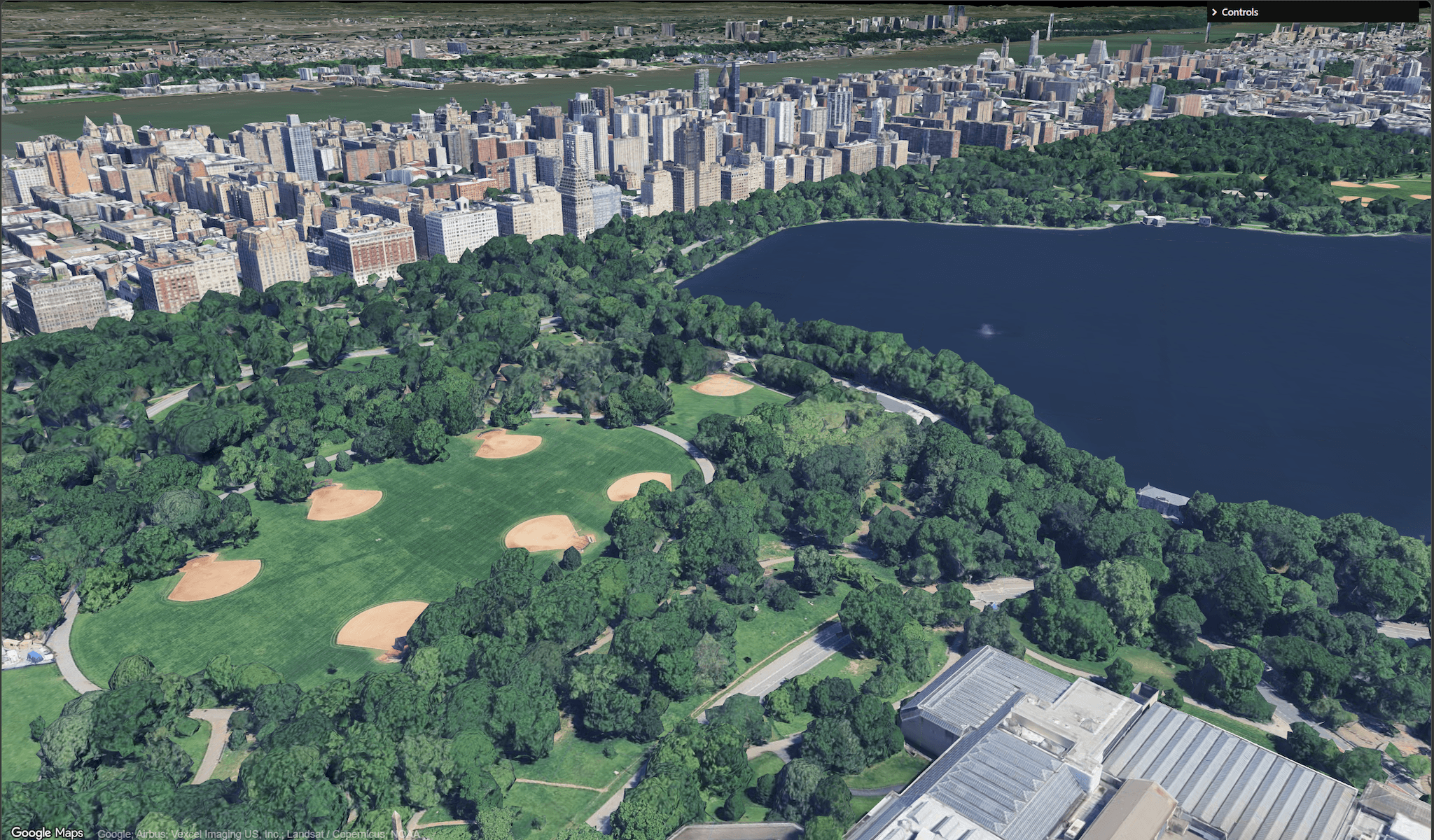
- Simple 3D Tiles with ArcRotateCamera — Loads a freely available 3D Tiles dataset and uses an
ArcRotateCamerato orbit and navigate around the model. No API token required.