Navigation Debugger
The Navigation Debugger
It provides an overlay for developers to better understand why agents behave the way they do, and makes tuning navmesh parameters much easier.
You can use Navigation Debugger to inspect:
- The generated navmesh (tiles & layers)
- Off-mesh connections (teleports / jump links)
- Intermediate build data (if
keepIntermediates: true)
Note: Keeping intermediates uses more memory. For production builds, it’s recommended to leave this set to false.
Debug overlay to display intermediate build data
You have to set keepIntermediates: true in the navmesh parameters to retain the intermediate build data after the navmesh is built.
First, you need to create a NavigationDebugger instance and pass a Babylon.js scene and optional parameters to the NavigationDebugger.constructor:
constructor( scene: Scene, options?: { parent?: { node?: TransformNode | string; }; primitiveTypes?: DebugDrawerPrimitiveType[]; materials?: { triMaterial?: StandardMaterial; pointMaterial?: StandardMaterial; lineMaterialOptions: { greasedLineMaterialOptions: Partial<GreasedLineMaterialOptions>; greasedLineMeshOptions: Partial<GreasedLineMeshOptions>; }; }; })Parameters
| Parameter | Type | Description |
|---|---|---|
scene | Scene | The Babylon.js scene where the debug drawer will be created. |
options | object (optional) | Additional configuration options for customizing parent node, primitive types, and materials. |
Options parameter
| Property | Type |
|---|---|
parent.node | TransformNode | string |
primitiveTypes | DebugDrawerPrimitiveType[] |
materials.triMaterial | StandardMaterial |
materials.pointMaterial | StandardMaterial |
materials.lineMaterialOptions.greasedLineMaterialOptions | Partial<GreasedLineMaterialOptions> |
materials.lineMaterialOptions.greasedLineMeshOptions | Partial<GreasedLineMeshOptions> |
type DebugDrawerPrimitiveType = "lines" | "tris" | "quads" | "points";parent.node— Optional parent node (or its name) to which the debug drawer should be attached.primitiveTypes— List of primitive types (triangles, lines, points) to enable for debugging visualization.materials.triMaterial— Custom material for drawing triangle primitives.materials.pointMaterial— Custom material for drawing point primitives.materials.lineMaterialOptions.greasedLineMaterialOptions— Configuration for the GreasedLineMaterial used when rendering debug lines.materials.lineMaterialOptions.greasedLineMeshOptions— Configuration for the GreasedLineMesh geometry options.
You can then call the draw function to visualize the required layers:
const debugLayerOptions = DebugLayerOption.COMPACT_HEIGHTFIELD_DISTANCE;debug.draw(navigationPlugin.navMesh, navigationPlugin.intermediates, scene, debugLayerOptions);Available DebugLayerOptions
| Constant | Description |
|---|---|
HEIGHTFIELD_SOLID | Shows the raw solid voxel heightfield generated from geometry. |
HEIGHTFIELD_WALKABLE | Shows the walkable areas in the heightfield after slope and clearance tests. |
COMPACT_HEIGHTFIELD_SOLID | Shows the compact heightfield, a memory-efficient representation of voxels. |
COMPACT_HEIGHTFIELD_REGIONS | Displays distinct connected regions extracted from the compact heightfield. |
COMPACT_HEIGHTFIELD_DISTANCE | Shows the distance field used for region partitioning and contour tracing. |
RAW_CONTOURS | Displays raw, un-simplified contours extracted from regions. |
CONTOURS | Shows simplified and optimized contours, ready for polygonization. |
POLY_MESH | Displays the polygon mesh generated from contours. |
POLY_MESH_DETAIL | Shows the detailed mesh (with height detail) built on top of the polygon mesh. |
NAVMESH | Displays the final navigation mesh used for pathfinding. |
NAVMESH_BV_TREE | Shows the bounding volume tree (BVTree) used for fast spatial queries. |
Note: You can also use the specific draw functions from the NavigationDebugger. Refer to the NavigationDebugger API.
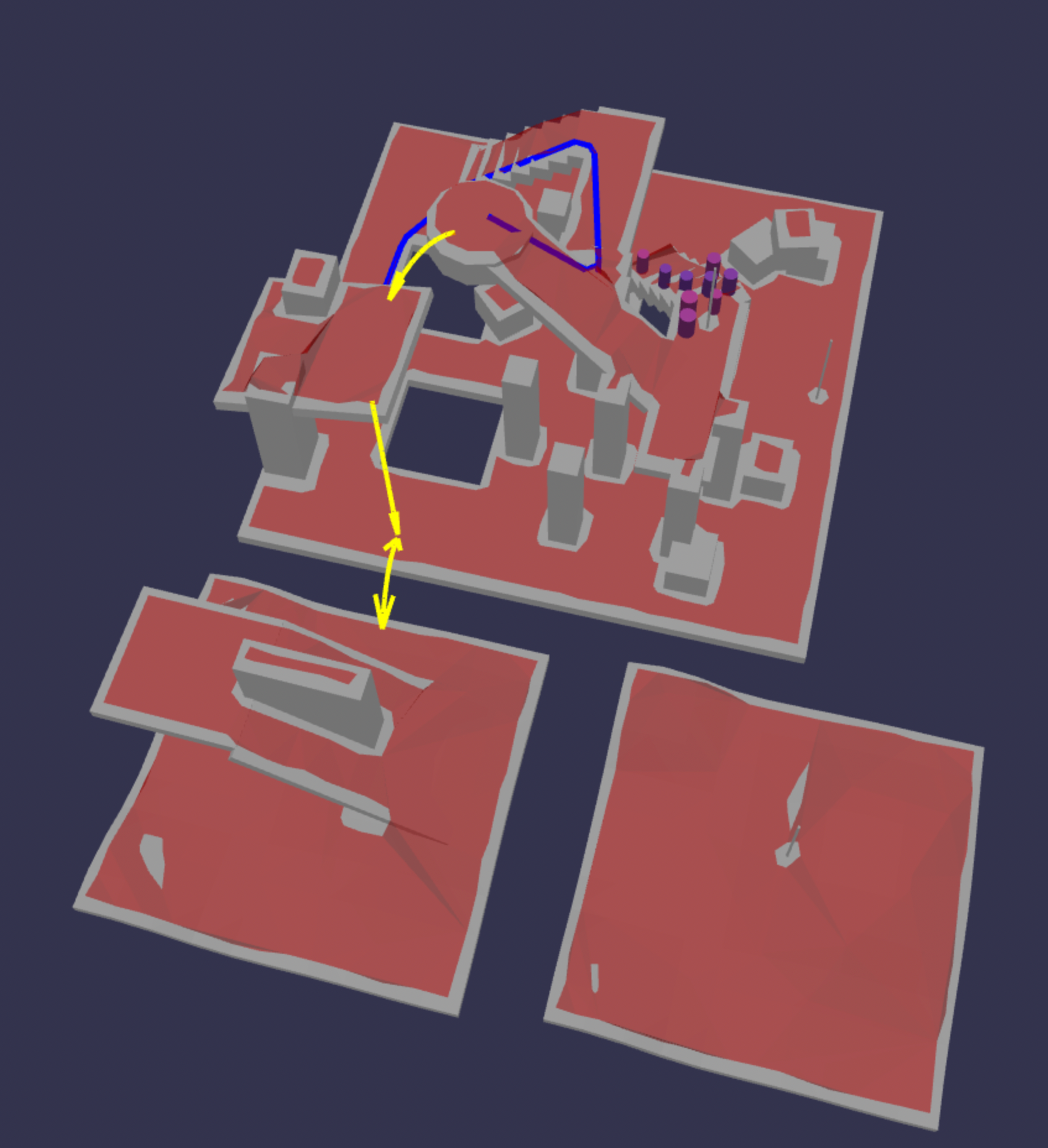
Drawing a debug nav mesh where polyFlags are set to 1 (default value) with blue color:
debug.drawNavMeshPolysWithFlags(navigationPlugin.navMesh, 1, 0x0000ff);This function visualizes the off-mesh connections, as seen in the image:
Examples
Example of creating a line debugger and setting the GreasedLine properties in the options parameter:
import { Color3 } from "@babylonjs/core/Maths/math.color";const debug = new ADDONS.NavigationDebugger(scene, { primitiveTypes: ["lines"], materials: { lineMaterialOptions: { greasedLineMaterialOptions: { width: 8, sizeAttenuation: true, color: Color3.Yellow(), }, }, },});You can then visualize the intermediate data as follows:
debug.draw(navigationPlugin.navMesh, navigationPlugin.intermediates, scene, ADDONS.DebugLayerOption.COMPACT_HEIGHTFIELD_DISTANCE);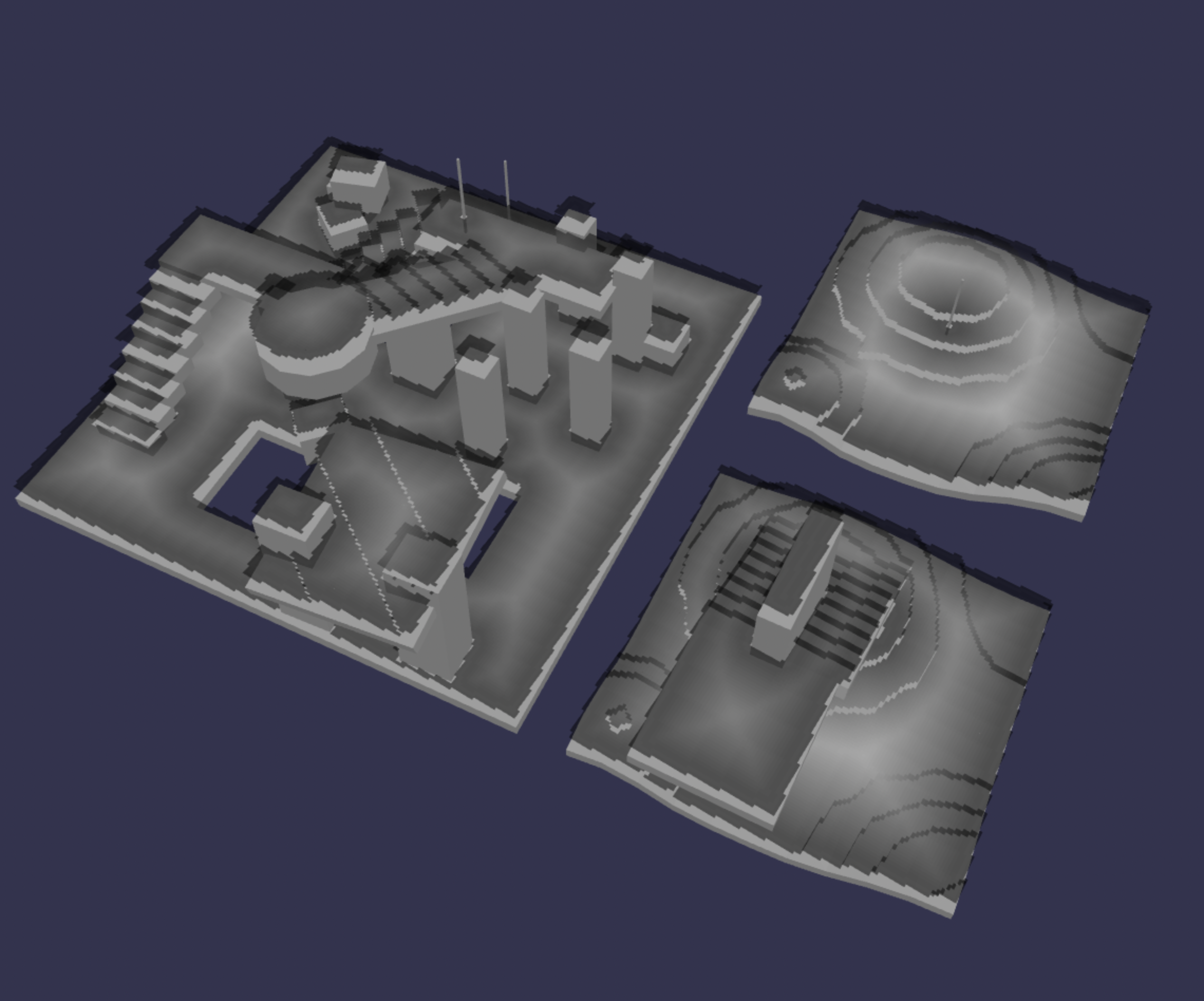
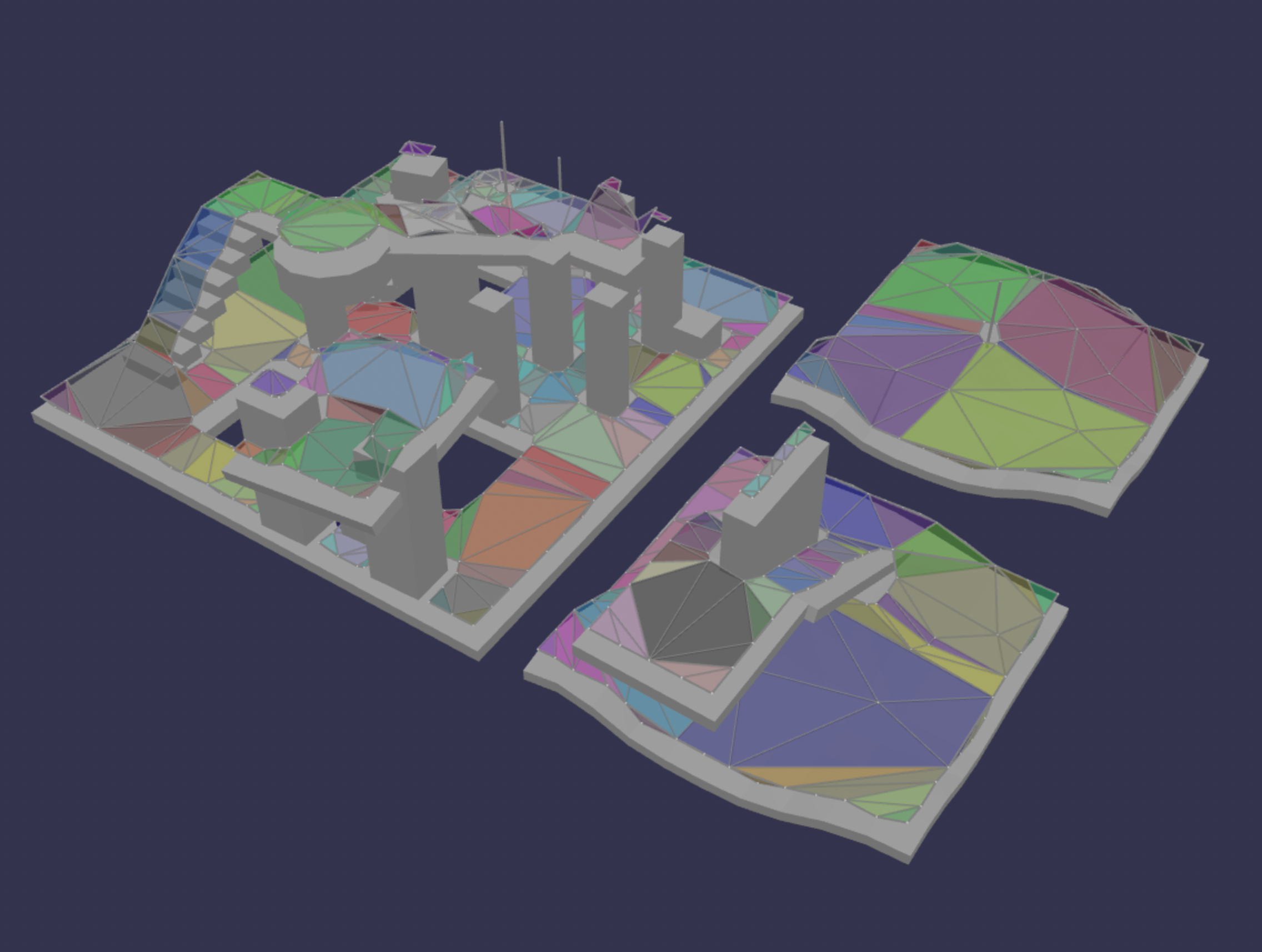
Polymesh detail
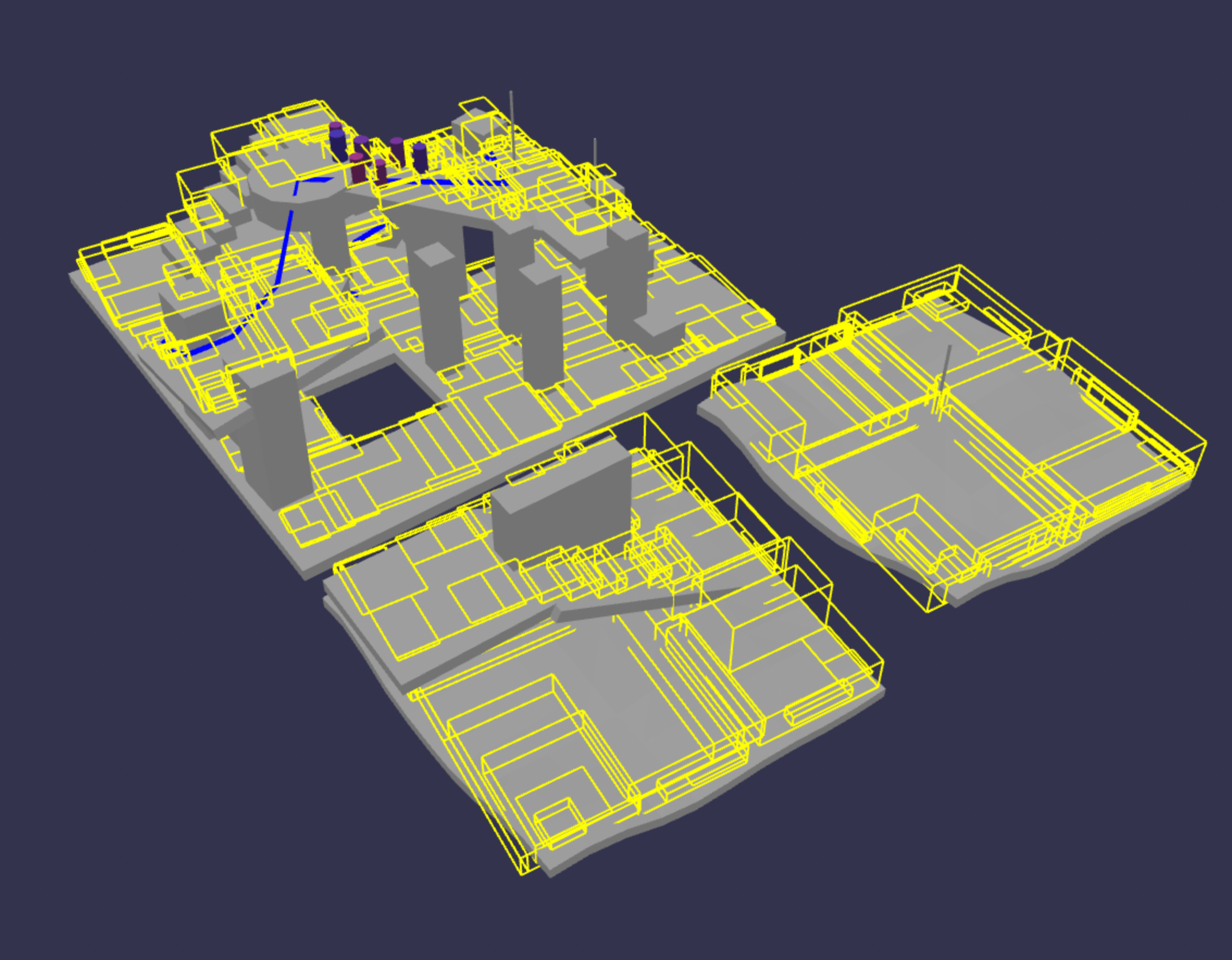
BV tree
The createDebugNavMesh function
The function navigationPlugin.createDebugNavMesh is available in V2 to maintain backwards compatibility.