Basic Collisions
Setting Basic Collisions
Using the inspector, collision properties can be customized per object:
meshes: set whether the edited mesh checks for collisions.cameras: set whether the edited camera checks collisions on meshes and if gravity should be applied.scene: set whether collisions are enabled in the scene and configure the gravity values.
Enabling Collisions In Scene
To enable collisions in the scene, simply select the Scene in the graph:
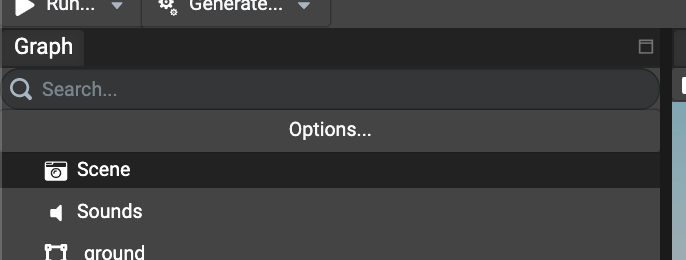
And scroll in the inspector to find the section named Collisions:
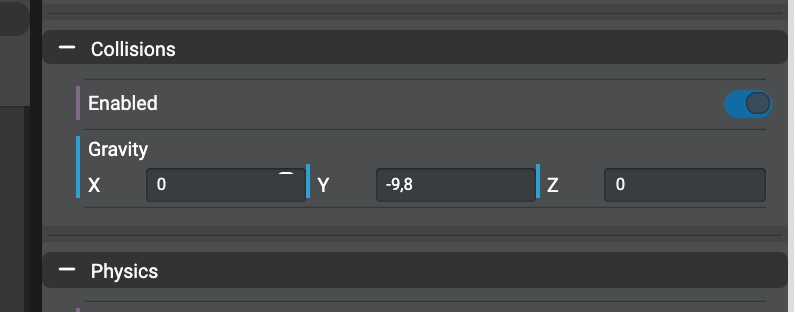
To enable collisions, simply check the Enabled checkbox and provide the desired gravity values for the current scene.
Enabling Collisions For Camera
Cameras do not necessarily check for collisions by default. If your camera does not check for collisions, simply select the desired
camera in the graph and scroll in the inspector to find the section named Collisions.
Note: According to the selected camera type, not all properties will be shown. For example, the Apply Gravity option will not be shown
for Arc Rotate Camera as it makes no sense.
Free Camera
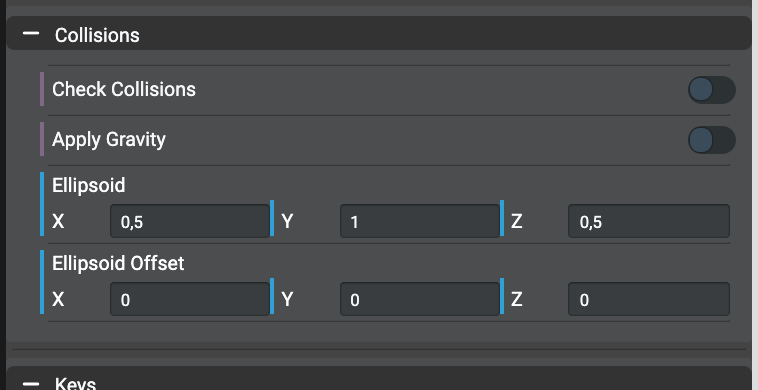
The FreeCamera type is the most common camera type in projects. To enable collisions, simply check the
Check Collisions checkbox and configure the ellipsoid values. For ellipsoids, check the
following documentation in order to understand
and set up the desired values according to the nature of the current scene being edited in the Editor.
The Apply Gravity property, if enabled, applies the gravity previously set in the scene and can be disabled only by unchecking the
property.
Arc Rotate Camera
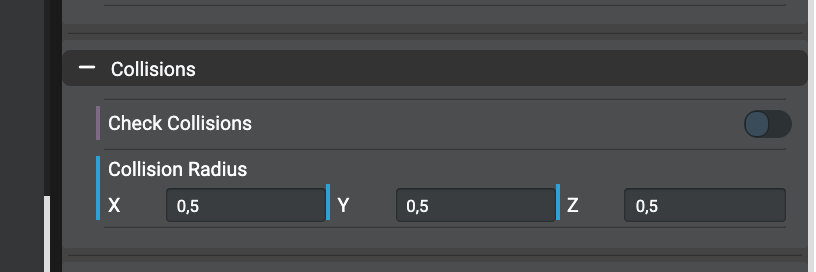
As with the FreeCamera, arc rotate cameras can have their collisions enabled using the Enabled checkbox.
Unlike the free camera, the ellipsoid property is replaced by the Collisions Radius property. Check the
following documentation in order to understand and set up
the desired value for the collisions radius.
Enabling Collisions For Meshes
Once the scene and camera(s) have been configured, the last step is to configure which mesh(es) will have collisions enabled in order to block the camera.
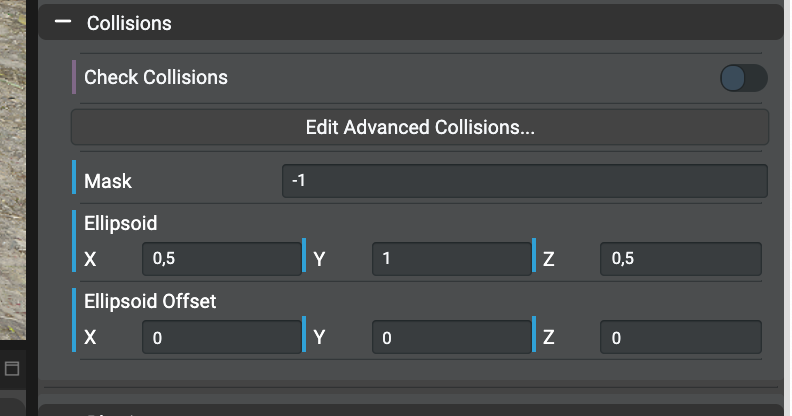
To enable collisions, simply check the Check Collisions checkbox and configure its optional Ellipsoid and Ellipsoid Offset properties.
Do not hesitate to also check the
following documentation to
understand ellipsoid and ellipsoid offset properties on meshes.
Using The ".moveWithCollisions" Method In Code
The Babylon.JS API provides a method named .moveWithCollisions on the Mesh class. This method works like it does for cameras without any
extra configuration. It'll check collisions on all meshes that have collisions enabled in the scene.
NOTE: If you try calling moveWithCollisions twice within a single frame, you will receive unexpected results as the collision detection logic is based off the mesh's position at the start of the frame, not based on the mesh's position after the first call to moveWithCollisions. See this playground demonstrating that behavior.
This is by design, as recomputing the world matrix is an expensive operation and not something we want to do multiple times per frame. If you must call moveWithCollisions more than once within a single frame, you can force the world matrix recomputation on the mesh using mesh.computeWorldMatrix(true). See the updated playground here.
Please use this approach with caution, as it is not cheap. Calling computeWorldMatrix(true) on NodeN will have the following impact:
- In the current frame, it will recompute the world matrix on the current node and all of its parents, so the complexity is O(d), where d is the depth of NodeN.
- On the next frame, when
computeWorldMatrixis called by default by the render loop, all children of NodeN will see that the node is not synchronized with its parent, which will force a recomputation of those nodes. Note that if we had not calledcomputeWorldMatrix(true)on NodeN, then its children would skip the recalculation because they would be synchronized with the parent.
So the complexity of forcing recalculation on NodeN increases by the number of ancestors (for the current frame) and the number of descendants (for the next frame).