Tri-Planar Mapping Material
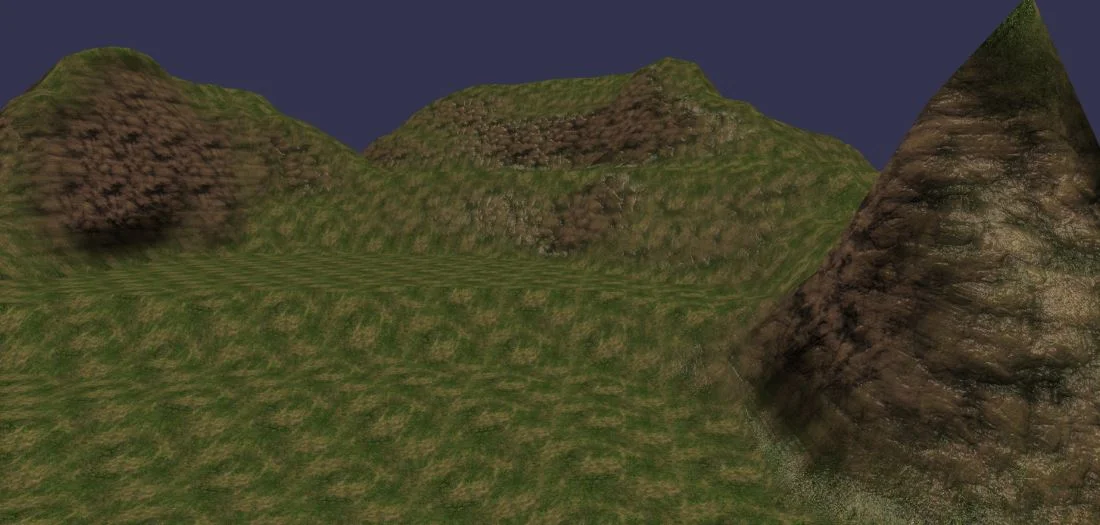
Press "1" to activate the Tri-Planar material (by default). Press "2" to activate the default material.
In the case of very large scenes, you are likely to use terrain generated with procedural methods. In this case, you'll have to compute the vertex positions, normals, UVs, and so on. One of the trickiest tasks is generating the UV coordinates properly while accounting for possible abrupt changes in the terrain.
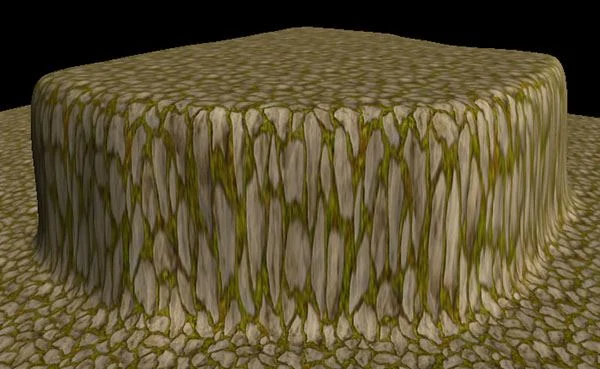
For example, an abrupt change can cause this kind of glitch:
It should look like this:
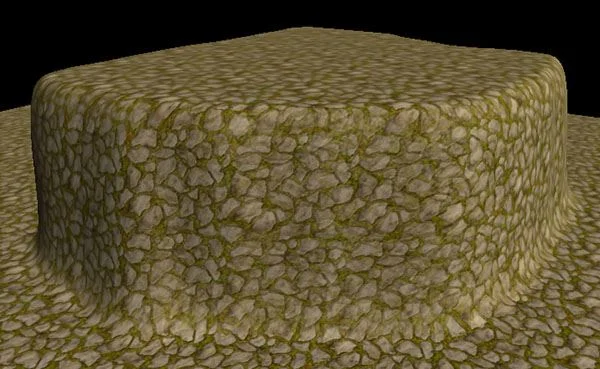
The tri-planar mapping material helps resolve this kind of problem and, above all, completely eliminates UV calculations: no UVs needed.
The tri-planar material works with at least 3 textures: each texture represents how it is applied along each axis (X, Y, and Z).
Of course, each axis can share the same texture. For example:
import { Texture } from "@babylonjs/core/Materials/Textures/texture";import { TriPlanarMaterial } from "@babylonjs/materials/triPlanar/triPlanarMaterial";var triPlanarMaterial = new TriPlanarMaterial("triplanar", scene);// The 3 diffuse textures must be set, even if they share the same texture referencetriPlanarMaterial.diffuseTextureX = new Texture("rock.png", scene);triPlanarMaterial.diffuseTextureY = new Texture("grass.png", scene);triPlanarMaterial.diffuseTextureZ = triPlanarMaterial.diffuseTextureX;You can also customize the tile size by setting the .tileSize property:
triPlanarMaterial.tileSize = 1.5;For better quality, the tri-planar material also supports normal mapping. Just set the normal textures:
import { Texture } from "@babylonjs/core/Materials/Textures/texture";import { TriPlanarMaterial } from "@babylonjs/materials/triPlanar/triPlanarMaterial";var triPlanarMaterial = new TriPlanarMaterial("triplanar", scene);// ...// In the case of normal maps, it is not necessary to set the 3 texturestriPlanarMaterial.normalTextureX = new Texture("textures/rockn.png", scene);triPlanarMaterial.normalTextureY = new Texture("textures/grassn.png", scene);triPlanarMaterial.normalTextureZ = triPlanarMaterial.normalTextureX;To dive deeper into the theory, you can read this great article about tri-planar mapping.