Lava Material
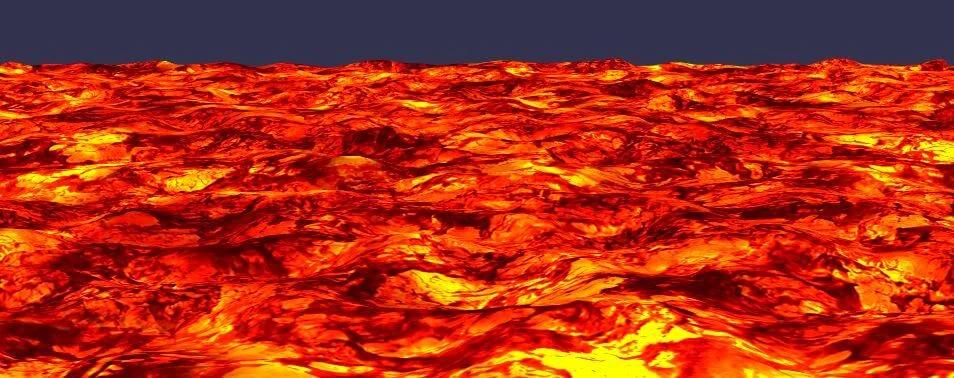
The Lava material can be found here: https://cdn.babylonjs.com/materialsLibrary/babylon.lavaMaterial.js
Using the lava material
The lava material needs at least a noise texture and a diffuse texture to render properly. Just create a new instance of the material and assign the two textures:
import { Texture } from "@babylonjs/core/Materials/Textures/texture";import { MeshBuilder } from "@babylonjs/core/Meshes/meshBuilder";import { LavaMaterial } from "@babylonjs/materials/lava/lavaMaterial";var ground = MeshBuilder.CreateGround("ground", { width: 512, height: 512, subdivisions: 32 }, scene);var lavaMaterial = new LavaMaterial("lava", scene);lavaMaterial.noiseTexture = new Texture("cloud.png", scene); // Set the bump texturelavaMaterial.diffuseTexture = new Texture("lavatile.jpg", scene); // Set the diffuse textureground.material = lavaMaterial;The diffuse texture provides the color of your lava, while the noise texture represents the lava deformation. Notice that this material updates the position of each vertex on your object. If there are not enough vertices, some artifacts may appear.
Lights
By default, the material is affected by lights. If you wish, you can disable this by using the unlit property.
material.unlit = true;Customize the lava material
You can customize two properties of the material:
import { Color3 } from "@babylonjs/core/Maths/math.color";lavaMaterial.speed = 2.0; // Default 1. Represents speed of perturbations of the lavalavaMaterial.fogColor = new Color3(1, 0, 0); // Default to (0,0,0) black. Represents the color of the fog displayed on the lava ground.