Collisions & Triggers
Environment
Within the environment, I have several meshes that serve as collision boxes and trigger areas. These are just normal meshes in Blender that I intend to make invisible within the scene after I've imported it. Babylon has no way of knowing whether you intend to use a mesh as a collision box, so we need to set that up ourselves by setting flags.
Recall that we loaded the assets in the load function. We then looped through the resulting meshes and allowed them to receive shadows and check collisions. Well, in this same forEach loop, this is where we want to specify our meshes that will be acting as collision boxes, the meshes that use those collision boxes, and the meshes that are trigger volumes.
if (m.name == "ground") { //dont check for collisions, dont allow for raycasting to detect it(cant land on it) m.checkCollisions = false; m.isPickable = false;}//areas that will use box collisionsif (m.name.includes("stairs") || m.name == "cityentranceground" || m.name == "fishingground.001" || m.name.includes("lilyflwr")) { m.checkCollisions = false; m.isPickable = false;}//collision meshesif (m.name.includes("collision")) { m.isVisible = false; m.isPickable = true;}//trigger meshesif (m.name.includes("Trigger")) { m.isVisible = false; m.isPickable = false; m.checkCollisions = false;}We can break this up into 3 sections:
- Our first condition is for the ground. This is actually a special case that works with our player and will be discussed in the section below.
- There are a couple of meshes with either complex geometry or multiple separate parts that needed to be simplified to provide better movement, while still acting as the visual mesh that we see. We disable collisions and picking for those so that we can't collide with them as we move or detect them when we raycast. Now, since we've done this, we need to do the opposite for their corresponding collision meshes. All the collision meshes had "collision" as part of the name in Blender, so I could refer to all of them as long as the name included that. In addition, since we don't want to see these, we need to set them to invisible.
- There are meshes in the game that automatically control the rotation of the camera, and like the collision meshes, these aren't visible, nor are they pickable; however, because they're meant to just be volumes that are intersected with, we need to remove collision checks on them.
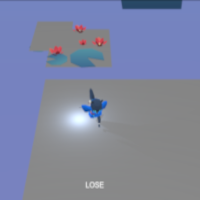
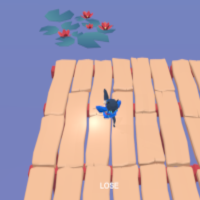
Player and Collisions
When we create our Player class, we want to set up the interactions the player will have with the environment.
We've already set up our actionManager, so now we will register new ActionManager.OnIntersectionEnterTrigger actions.
//Platform destinationthis.mesh.actionManager.registerAction(    new ExecuteCodeAction(        {            trigger: ActionManager.OnIntersectionEnterTrigger,            parameter: this.scene.getMeshByName("destination"),        },        () => {            if (this.lanternsLit == 22) {                this.win = true;                //tilt camera to look at where the fireworks will be displayed                this._yTilt.rotation = new Vector3(5.689773361501514, 0.23736477827122882, 0);                this._yTilt.position = new Vector3(0, 6, 0);                this.camera.position.y = 17;            }        },    ),);
//World ground detection//if player falls through "world", reset the position to the last safe grounded positionthis.mesh.actionManager.registerAction(    new ExecuteCodeAction(        {            trigger: ActionManager.OnIntersectionEnterTrigger,            parameter: this.scene.getMeshByName("ground"),        },        () => {            this.mesh.position.copyFrom(this._lastGroundPos); // need to use copy or else they will be both pointing at the same thing & update together        },    ),);
What we're doing here is checking whenever the player intersects or collides with this specified mesh, and if it does, it triggers an action.
- Destination Platform detection
- There's a platform where the player needs to reach, this will trigger the "win" state. For my game, that was displaying fireworks in the scene, so it will adjust the camera view to point towards where the fireworks would go off. this.win is actually just a flag here because my game doesn't have a true separate win state, it just triggers an overlay to display the credits after fireworks have started.
- "World" ground detection
- If we collide with the world ground, we want to reset our mesh's position to what we've stored in this._lastGroundPos (Recall that we actually update this every time we're grounded). This is actually a feature I added to account for world bounds that will basically reset the player's position to the last safe grounded position. That way, the player can never end up falling off or leaving the world and ending up in a "freefall" state.
Player and Trigger Volumes
The trigger volumes in the scene are specifically for controlling camera movement in areas of the game. These are located in the _updateCamera function.

There are two types:
- Left/Right rotation
//trigger areas for rotating camera viewif (this.mesh.intersectsMesh(this.scene.getMeshByName("cornerTrigger"))) { if (this._input.horizontalAxis > 0) { //rotates to the right this._camRoot.rotation = Vector3.Lerp(this._camRoot.rotation, new Vector3(this._camRoot.rotation.x, Math.PI / 2, this._camRoot.rotation.z), 0.4); } else if (this._input.horizontalAxis < 0) { //rotates to the left this._camRoot.rotation = Vector3.Lerp(this._camRoot.rotation, new Vector3(this._camRoot.rotation.x, Math.PI, this._camRoot.rotation.z), 0.4); }}There's a single cornerTrigger mesh that's located at the corner of a building. This is how we get that corner rotation to work well. If we're moving right through this area, we rotate the camera counter-clockwise, and if we're moving left, we rotate the camera clockwise.
- Up/Down rotation
//rotates the camera to point down at the player when they enter the area, and returns it back to normal when they exitif (this.mesh.intersectsMesh(this.scene.getMeshByName("festivalTrigger"))) { if (this._input.verticalAxis > 0) { this._yTilt.rotation = Vector3.Lerp(this._yTilt.rotation, Player.DOWN_TILT, 0.4); } else if (this._input.verticalAxis < 0) { this._yTilt.rotation = Vector3.Lerp(this._yTilt.rotation, Player.ORIGINAL_TILT, 0.4); }}//once you've reached the destination area, return back to the original orientation, if they leave rotate it to the previous orientationif (this.mesh.intersectsMesh(this.scene.getMeshByName("destinationTrigger"))) { if (this._input.verticalAxis > 0) { this._yTilt.rotation = Vector3.Lerp(this._yTilt.rotation, Player.ORIGINAL_TILT, 0.4); } else if (this._input.verticalAxis < 0) { this._yTilt.rotation = Vector3.Lerp(this._yTilt.rotation, Player.DOWN_TILT, 0.4); }}The two areas where we're rotating the camera up and down are when the character enters and exits the festival stall area. The festival area exits into the destination area. So if they enter the festival, tilt the camera downward more, and if they leave through that same entrance, rotate it back to the original tilt. Likewise, if they exit to the destination area, return it to the original camera tilt. (Player.DOWN_TILT and Player.ORIGINAL_TILT are constants defined at the top of the Player class.)
Resources
Files Used:
Follow Along: