Getting Started - Chapter 5 - Distant Hills
Distant Hills
We want to set the village in a valley. It would be possible to create hills from meshes; however, there is another way to add vertical height to a ground mesh. This is achieved using a height map, which uses shades of gray to determine the height of the ground. White areas are the highest parts, and black areas are the lowest. This simple height map

has a large black area in the middle to host the village. The white areas create the hills, and the gray ones create ways out of the valley for roads.
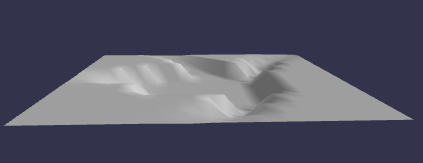
In this image the camera has been pulled further out and the vertical height exaggerated.
import { MeshBuilder } from "@babylonjs/core/Meshes/meshBuilder";const largeGround = MeshBuilder.CreateGroundFromHeightMap("largeGround", "https://assets.babylonjs.com/environments/villageheightmap.png" /* url to height map */, { width: 150, height: 150, subdivisions: 20, minHeight: 0, maxHeight: 10 });The subdivisions property of options splits the ground into 20 x 20 = 400 sections. The more subdivisions there are, the finer the gradation for height calculation. The two properties minHeight and maxHeight determine the vertical heights for the black and white areas respectively, and gray areas are scaled accordingly.
Basic Height MapWe can add textures in the usual way.
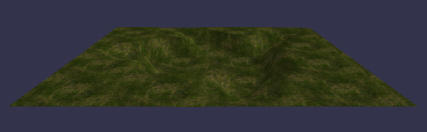
Finally, we give the village ground a texture similar to that of the large ground, but clearer.
import { StandardMaterial } from "@babylonjs/core/Materials/standardMaterial";import { Texture } from "@babylonjs/core/Materials/Textures/texture";import { MeshBuilder } from "@babylonjs/core/Meshes/meshBuilder";//Create Village groundconst groundMat = new StandardMaterial("groundMat");groundMat.diffuseTexture = new Texture("https://assets.babylonjs.com/environments/villagegreen.png");groundMat.diffuseTexture.hasAlpha = true;const ground = MeshBuilder.CreateGround("ground", { width: 24, height: 24 });ground.material = groundMat;//large groundconst largeGroundMat = new StandardMaterial("largeGroundMat");largeGroundMat.diffuseTexture = new Texture("https://assets.babylonjs.com/environments/valleygrass.png");const largeGround = MeshBuilder.CreateGroundFromHeightMap("largeGround", "https://assets.babylonjs.com/environments/villageheightmap.png" /* url to height map */, { width: 150, height: 150, subdivisions: 20, minHeight: 0, maxHeight: 4 });largeGround.material = largeGroundMat;largeGround.position.y = -0.01;This line
largeGround.position.y = -0.01;ensures the two grounds do not fight and cause flickering.
Layering TexturesWe add the dwellings back and create a file to import.
Adding The DwellingsThen we can add the car back, but this time passing through the village.
Adding The CarLet's now further improve the environment by adding a sky.