Getting Started - Chapter 4 - Avoiding a Car Crash
Avoiding a Car Crash
The simplest way of seeing if two meshes are in contact is to use the intersectsMesh method, as in
mesh1.intersectsMesh(mesh2);which returns true if the bounding box of mesh1 overlaps the bounding box of mesh2. Each mesh has a built-in bounding box that lies close to the surface of the mesh and is used when checking for intersections.
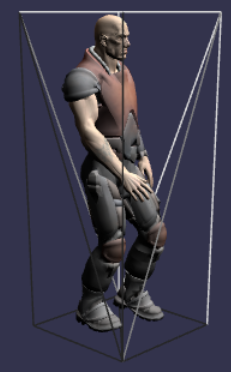
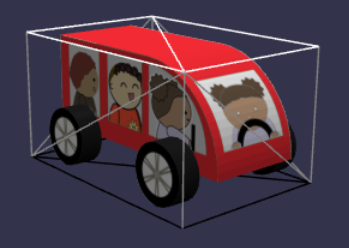
Since the character's walk and the car's journey are not phased together, there will be a time when they are in the same place. However, it is not possible to predict when the character, taking a long walk around the village, and the car, on its short journey, might intersect. In order to demonstrate the intersectsMesh method, we will make the character walk backwards and forwards across the stopping place of the car.
In our case, we want the character to stop moving if the car is in a "hit" zone and the character is not. It would, after all, be dangerous for the character to stop if they were both in the danger zone. Also, because of the way Dude is constructed, we need to use one of its children to check intersection. Basically, Dude is just a holder node for the head, torso, legs, and arms, and the bounding box around it is too small to be effective in this case.
Basic Collision DetectionNow make the hit box invisible.
Basic Collision Detection Invisible BoxThis repeated animation looks a bit out of place. Even if we revert to the character walking around the village, the repeated motion of the car not only looks a bit silly, it is also annoying. Let's improve the environment a little so that the car appears to be driving through the village. We will place the village in a valley with distant hills created from a height map and add a road for the car to travel along. While we are doing that, let's also add a sky and some distant trees.