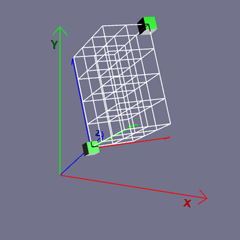
Getting Started - Chapter 2 - Mesh Placement
Place and Scale a Mesh
Size
Some meshes, such as a box, have properties that you can set during creation to change their size.
import { MeshBuilder } from "@babylonjs/core/Meshes/meshBuilder";const box = MeshBuilder.CreateBox("box", { width: 2, height: 1.5, depth: 3 });After creation, and for meshes that do not have sizing options, changes in size are achieved by scaling the mesh.
import { MeshBuilder } from "@babylonjs/core/Meshes/meshBuilder";const box = MeshBuilder.CreateBox("box", {}); //unit cubebox.scaling.x = 2;box.scaling.y = 1.5;box.scaling.z = 3;import { Vector3 } from "@babylonjs/core/Maths/math.vector";import { MeshBuilder } from "@babylonjs/core/Meshes/meshBuilder";const box = MeshBuilder.CreateBox("box", {}); //unit cubebox.scaling = new Vector3(2, 1.5, 3);As you can see from the code above, scaling is a vector object with properties x, y, and z.
All three code examples above produce boxes of the same size.
Position
For the majority of meshes, the position property places the center of the mesh at that position. Position is also a vector object with properties x, y, and z, so the following two code examples position the box in the same place.
box.position.x = -2;box.position.y = 4.2;box.position.z = 0.1;import { Vector3 } from "@babylonjs/core/Maths/math.vector";box.position = new Vector3(-2, 4.2, 0.1);We can now use positions to place boxes sized in three different ways in one playground. In each case, the height of a box is 1.5, so for each box, position.y = 0.75 places it on the ground.
Positioning MeshesOrientation
Like scaling and position, the rotation property of a mesh is a vector object with properties x, y, and z. However, when building our first world, we will consider rotation about only one axis, since setting rotation about all three axes can be surprisingly confusing.
Rotations are given in radians. If you prefer working in degrees, Babylon.js provides a conversion tool. Both of these lines of code produce the same rotation.
import { Tools } from "@babylonjs/core/Misc/tools";box.rotation.y = Math.PI / 4;box.rotation.y = Tools.ToRadians(45);We can now change the size, position, and orientation of a mesh, adding a little more variation to the box as a building. Before we place more boxes in the scene, let us see if we can make them look a little more like buildings.