Getting Started - Chapter 2 - Face Materials
Material For Each House Side
One of the option properties for a box is faceUV, an array of Vector4s. We can use this to select part of an image and apply it to one face of the box.
In the faceUV array, faces are numbered 0 for back, 1 for front, 2 for right, 3 for left, 4 for top, and 5 for bottom.
Detached House Example
We will start with this image.
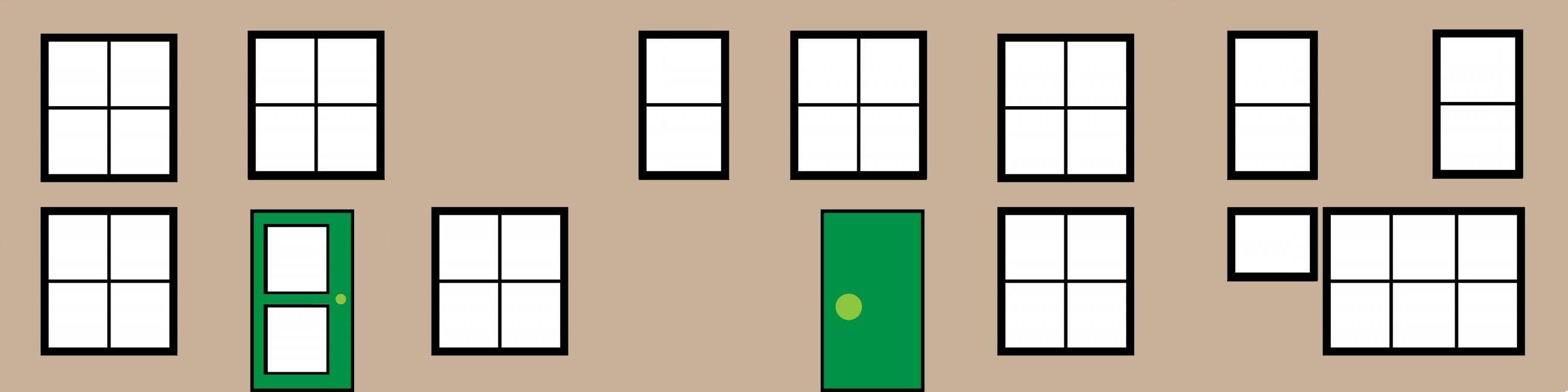
which contains, in order, images of the same size for the front, right, back and left sides of the house.
The width of each image is 0.25 of the whole image width. To specify the part of the image to use, we give two co-ordinates: one for the lower-left corner and one for the upper-right corner. For the whole image we would use (0, 0) and (1, 1). For part images, the co-ordinate values will be fractions between 0 and 1.
Rather than using two sets of co-ordinates, we use a four-dimensional
vector (lower left x, lower left y, upper right x, upper right y)
Matching sides to part images gives:
front, 1, (0.0, 0.0, 0.25, 1.0)
right, 2, (0.25, 0, 0.5, 1.0)
back, 0, (0.5, 0.0, 0.75, 1.0)
left, 3, (0.75, 0, 1.0, 1.0)
As the top and bottom are not visible, we will just use the defaults.
We set these using
import { Vector4 } from "@babylonjs/core/Maths/math.vector";const faceUV = [];faceUV[0] = new Vector4(0.5, 0.0, 0.75, 1.0); //rear facefaceUV[1] = new Vector4(0.0, 0.0, 0.25, 1.0); //front facefaceUV[2] = new Vector4(0.25, 0, 0.5, 1.0); //right sidefaceUV[3] = new Vector4(0.75, 0, 1.0, 1.0); //left sideUnless we set another option property, wrap = true, some of these partial images will still be rotated. We create the box like this:
import { MeshBuilder } from "@babylonjs/core/Meshes/meshBuilder";const box = MeshBuilder.CreateBox("box", { faceUV: faceUV, wrap: true });Of course we also need to change the image used for the diffuse texture of the box material.
Adding Materials To Individual Object Faces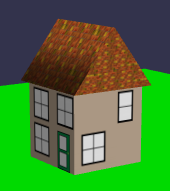
Semi Detached House Example
In this case, the house is twice as wide, and so are the relevant parts of the image.
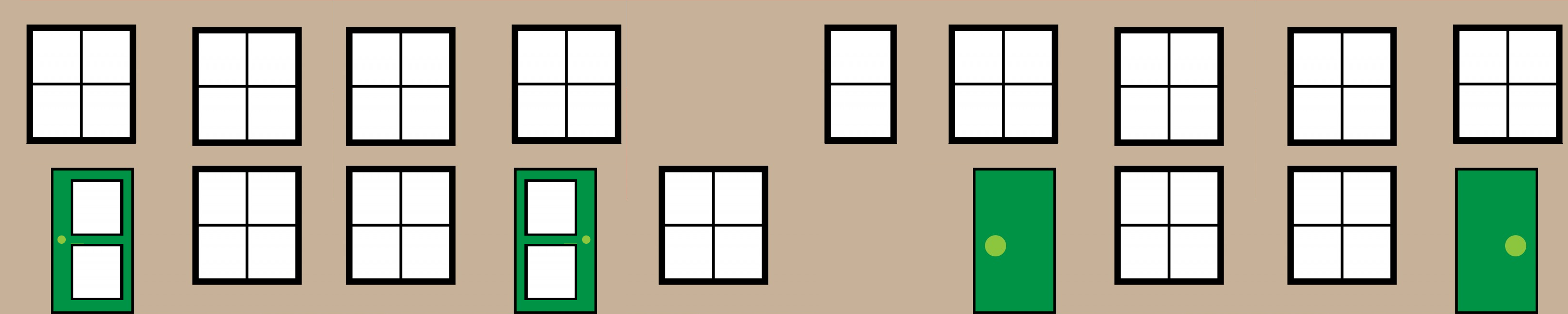
The front and back of the house (far left and right of the image) are twice the width of a side (the middle image), which we can use twice.
Reusing Materials On Individual Object Faces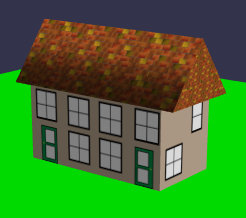
Moving On
Having created our detached and semi-detached houses, we would like many copies of them to form our world. We could separately copy the boxes and the roofs, but it would be easier to combine a box and roof into one mesh: a house. Before we do this, let's tidy up the code so that we can focus on the new code we are adding. To do this, we place the existing code into functions.
Wrapping House Building Into Functions