Getting Started - Chapter 2 - Combining Meshes
Combining Meshes Using Merge Meshes
This is a straightforward way of combining two or more meshes.
import { Mesh } from "@babylonjs/core/Meshes/mesh";const combined = Mesh.MergeMeshes(Array_of_Meshes_to_Combine);In our case, this would be:
import { Mesh } from "@babylonjs/core/Meshes/mesh";const house = Mesh.MergeMeshes([box, roof]);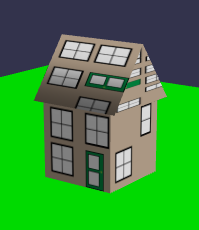
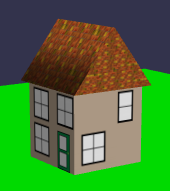
The first thing we notice is that the whole house is covered by only one of the materials used. Fortunately, this can be corrected using the multiMultiMaterial parameter of MergeMeshes. Unfortunately, this is the final parameter in a long list. The code now looks like this:
import { Mesh } from "@babylonjs/core/Meshes/mesh";const house = Mesh.MergeMeshes([box, roof], true, false, null, false, true);At this stage, it is important to note that setting the second parameter to true disposes of the original meshes, and setting the last parameter to true allows the original material to be applied separately to the parts matching the original meshes.
Before considering how to make multiple copies of our house we will first: find out the basics of exporting our models; how to import models made with Babylon.js or other software; and how to display your scene or models on your own website.