WebXR
Current state
The WebXR W3C Proposal is currently in draft. It is, however, already implemented in Chrome (check caniuse.com for other browsers). Starting with version 79, WebVR has been deprecated and WebXR is enabled by default. Earlier browser versions had WebXR behind a configuration flag. One of its goals is to deprecate WebVR and other AR implementations and provide a single VR and AR API.
As the API continuously changes, it is difficult to keep up with feature updates. The latest Chrome Canary is notably the most XR-feature-complete browser, and Google continually updates it with new features. This is the main reason we introduced the Features Manager, which allows us to implement the newest version of official features with internal versioning without breaking backward compatibility.
Note that most of the time when we say WebXR, we actually mean WebXR in VR immersive mode. This is currently the most used mode of WebXR.
WebGPU rendering
Babylon.js can render WebXR sessions with WebGPU through the browser's experimental XRGPUBinding support. This is distinct from general WebGPU support and from support for an immersive WebXR session.
Device and browser support
PC
Chrome 79 on Windows officially supports WebXR with all Microsoft Mixed Reality devices. Unofficially, WebXR works well with the Oculus SDK (Rift, Rift S, and Quest with Link). As of this writing, Oculus support is still behind a flag.
Mobile and Quest
WebXR AR features on Android's Chrome Browser (Stable and Canary) can be enabled behind a flag at chrome://flags, including AR features such as plane detection, hit-tests and anchors. Note that the AR features' architecture is constantly changing, so expect different results from version to version.
Oculus Quest supports WebXR (in VR mode) in the latest Oculus browser. Babylon's spec implementation works well with Quest.
No official iOS/iPhone support is planned at the moment. Mozilla has built the WebXR iOS Viewer, which is a (very) limited AR-oriented browser.
Polyfill
For older browsers that support WebVR but not WebXR, you can use the WebXR Polyfill, which is a WebXR API implementation using WebVR features. Some functions will not work (or will simply return without changes), but the basic functionality works well.
Babylon does not intend to integrate the polyfill into the framework itself or into the Playground. We encourage developers to offer the polyfill to users who are not using a WebXR-supported browser.
To use the polyfill in the playground, please add the following code to your playground (before 'createScene'):
const xrPolyfillPromise = new Promise((resolve) => { if (navigator.xr) { return resolve(); } if (window.WebXRPolyfill) { new WebXRPolyfill(); return resolve(); } else { const url = "https://cdn.jsdelivr.net/npm/webxr-polyfill@latest/build/webxr-polyfill.js"; const s = document.createElement("script"); s.src = url; document.head.appendChild(s); s.onload = () => { new WebXRPolyfill(); resolve(); }; }});Afterward, make sure to await it before initializing WebXR:
import { DeviceOrientationCamera } from "@babylonjs/core/Cameras/deviceOrientationCamera";import { HemisphericLight } from "@babylonjs/core/Lights/hemisphericLight";import { Vector3 } from "@babylonjs/core/Maths/math.vector";import { Scene } from "@babylonjs/core/scene";import { WebXRSessionManager } from "@babylonjs/core/XR/webXRSessionManager";const xrPolyfillPromise = new Promise((resolve) => { if (navigator.xr) { return resolve(); } if (window.WebXRPolyfill) { new WebXRPolyfill(); return resolve(); } else { const url = "https://cdn.jsdelivr.net/npm/webxr-polyfill@latest/build/webxr-polyfill.js"; const s = document.createElement("script"); s.src = url; document.head.appendChild(s); s.onload = () => { new WebXRPolyfill(); resolve(); }; }});var createScene = async function () { // wait for the polyfill to kick in await xrPolyfillPromise; console.log(navigator.xr); // should be there! console.log(await WebXRSessionManager.IsSessionSupportedAsync("immersive-vr")); // should be true // create your scene var scene = new Scene(engine); var camera = new DeviceOrientationCamera("DevOr_camera", new Vector3(-30, -30, -30), scene); camera.setTarget(Vector3.Zero()); camera.attachControl(canvas, true); var light = new HemisphericLight("light", new Vector3(0, 0, 0), scene); scale = 100; // initialize XR var xr = await scene.createDefaultXRExperienceAsync(); return scene;};If you experience low resolution when using the polyfill, make sure to resize the canvas to a higher resolution. This is a limitation of WebVR (which required resizing the canvas) that we didn't integrate for WebXR.
The WebXR Emulator
If you want to debug your XR scene on your desktop, you will need to emulate WebXR. The first method is to use a browser extension.
Mozilla's WebXR Emulator extension has not been updated for quite some time. Instead, we recommend using Meta's Immersive WebXR emulator which is available for both Chrome and Edge.
Another option for debugging your scene on Windows is to emulate a headset using Microsoft's Mixed Reality portal. Instructions can be found here: https://learn.microsoft.com/en-us/windows/mixed-reality/develop/advanced-concepts/using-the-windows-mixed-reality-simulator.
The main difference between the two approaches is that the first one works in your browser and emulates WebXR, and the second is directly using the WebXR implementation of the browser and emulates a headset in an external native application.
Getting started
The simplest way to get started is to use a WebXR-enabled browser and add a single line of code to your scene:
const xr = scene.createDefaultXRExperienceAsync();This will enable WebXR in VR immersive mode, including session initialization, input sources, the camera, teleportation, and scene interactions, all using our WebXR Default Experience Helper.
Note that the xr variable is a Promise. Using the async/await pattern is simpler and more intuitive. It also makes sense to define floor meshes so we can define our ground and move on it. Here is a sphere in XR:
import { FreeCamera } from "@babylonjs/core/Cameras/freeCamera";import { HemisphericLight } from "@babylonjs/core/Lights/hemisphericLight";import { Vector3 } from "@babylonjs/core/Maths/math.vector";import { MeshBuilder } from "@babylonjs/core/Meshes/meshBuilder";import { Scene } from "@babylonjs/core/scene";var createScene = async function () { var scene = new Scene(engine); var camera = new FreeCamera("camera1", new Vector3(0, 5, -10), scene); camera.setTarget(Vector3.Zero()); camera.attachControl(canvas, true); var light = new HemisphericLight("light1", new Vector3(0, 1, 0), scene); light.intensity = 0.7; var sphere = MeshBuilder.CreateSphere("sphere1", { segments: 16, diameter: 2 }, scene); sphere.position.y = 1; const env = scene.createDefaultEnvironment(); // here we add XR support const xr = await scene.createDefaultXRExperienceAsync({ floorMeshes: [env.ground], }); return scene;};And that's it!
Make sure to read more on the WebXR Experience Helper for further tips and tricks, and take a look at our Demos and examples page.
ES6 support with Tree Shaking
When using Babylon.js ES6 support with tree shaking, import WebXR modules from:
@babylonjs/core/XR/*
And import loaders and side-effects for loading default controller models from the WebXR Input Profiles GitHub repository.
For example:
import { WebXRDefaultExperience } from '@babylonjs/core/XR/webXRDefaultExperience.js'
// Enable GLTF/GLB loader for loading controller models from WebXR Input registryimport '@babylonjs/loaders/glTF'
// Without this next import, an error message like this occurs loading controller models://  Build of NodeMaterial failed" error when loading controller model//  Uncaught (in promise) Build of NodeMaterial failed: input rgba from block//  FragmentOutput[FragmentOutputBlock] is not connected and is not optional.import '@babylonjs/core/Materials/Node/Blocks'
See also:
Migrating from WebVR
WebVR is deprecated and will soon reach end of life in most, if not all, browsers. It is highly recommended to port all WebVR implementations to WebXR.
Migrating from the VR Experience helper
If you used our VR experience helper, remove the VR initializer and add the XR experience helper. So this:
import { Scene } from "@babylonjs/core/scene";var scene = new Scene(engine);var vrHelper = scene.createDefaultVRExperience();turns to this:
import { Scene } from "@babylonjs/core/scene";var scene = new Scene(engine);var xrHelper = scene.createDefaultXRExperienceAsync();The XR helper has full controller support by default, including interactions with scene meshes, pointer events, and more. Read more about the XR Experience helper.
Migrating controller support
Since WebXR controllers are no longer considered Gamepads, the architecture is a bit different.
The most important feature that was added is full pointer-event support for controllers. Controllers support all pointer events, so you can use Pointer interactions just as you would for mouse interactions in your scene.
It is also important to note that it is now possible to query what features the controller has and act accordingly.
Here are the VR controllers' most used functions, and how to get them to work in XR:
// On new controller attached:
// WebVR:webvrCamera.onControllersAttached = (vrController) => {  // fun with the new controller, which is a gamepad!};
// WebXR:const webXRInput = xr.input; // if using the experience helper, otherwise, an instance of WebXRInputinput.onControllerAddedObservable.add((xrController /* WebXRInputSource instance */) => {  // more fun with the new controller, since we are in XR!  inputSource.onMotionControllerInitObservable.add((motionController) => {    // get the motionController, which is similar to but NOT a gamepad:  });  // xr supports all types of inputs, so some won't have a motion controller  if (!xrController.gamepad) {    // using touch, hands, gaze, something else?  }});
// From this point we assume we have two variables: vrController and xrController.// We also assume motionController is present!
// main button
// WebVR:controller.onMainButtonStateChangedObservable.add((newState /* ExtendedGamepadButton */) => {  // is the button pressed?  if (newState.pressed) {    // Do something  }});
// WebXR:// get the main component (decided by the controller's vendor!)const mainComponent = xrController.motionController.getMainComponent();// or get the trigger component, if present:const mainTrigger = xrController.motionController.getComponent(WebXRControllerComponent.TRIGGER);mainComponent.onButtonStateChanged.add((component /* WebXRControllerComponent */) => {  // check for changes:  // pressed changed?  if (component.changes.pressed) {    // is it pressed?    if (component.changes.pressed.current === true) {      // pressed    }    // or a different way:    if (component.pressed) {      // component is pressed.    }  }});
// thumbpad / touchpad
// in WebVR - you had to check what controller is being used, but in general this would work:vrController.onPadValuesChangedObservable.add(function (stateObject) {  console.log(stateObject); // {x: 0.1, y: -0.3}});
// in webXR you can check if it is present and work accordingly:const thumbstick = xrController.motionController.getComponent(WebXRControllerComponent.THUMBSTICK);if (thumbstick) {  // Huzza! we have a thumbstick:  thumbstick.onButtonStateChanged; // will trigger when the thumbstick is PRESSED or touched!
  thumbstick.onAxisValueChanged; // will trigger when axes of the thumbstick changed}
// touchpad
// in WebVR we had "pad" concept which was for both thumbstick and touchpadcontroller.onPadValuesChangedObservable.add(function (stateObject) {  console.log(stateObject); // {x: 0.1, y: -0.3}});
// in WebXR, it is much much better:const touchpad = xrController.motionController.getComponent(WebXRControllerComponent.TOUCHPAD);if (touchpad) {  // Finally, a controller with a touchpad  touchpad.onButtonStateChanged; // will trigger when the touchpad is touched or pressed
  touchpad.onAxisValueChanged; // will trigger when axes of the touchpad changed}
Read more about the XR Controllers system.
Legacy support
Though we always encourage backward compatibility, we recommend using WebXR directly and stopping the use of the WebVR experience helper. However:
The latest WebVR Experience helper has a new flag in its init options - useXR. This will check for XR support and will launch the VR session in WebXR, if possible. A working example can be found in WebVR Check for WebXR
import { ArcRotateCamera } from "@babylonjs/core/Cameras/arcRotateCamera";import { DirectionalLight } from "@babylonjs/core/Lights/directionalLight";import { ShadowGenerator } from "@babylonjs/core/Lights/Shadows/shadowGenerator";import { StandardMaterial } from "@babylonjs/core/Materials/standardMaterial";import { Color3 } from "@babylonjs/core/Maths/math.color";import { Vector3 } from "@babylonjs/core/Maths/math.vector";import { MeshBuilder } from "@babylonjs/core/Meshes/meshBuilder";import { Scene } from "@babylonjs/core/scene";import { AdvancedDynamicTexture } from "@babylonjs/gui/2D/advancedDynamicTexture";import { ColorPicker } from "@babylonjs/gui/2D/controls/colorpicker";import { Control } from "@babylonjs/gui/2D/controls/control";import { StackPanel } from "@babylonjs/gui/2D/controls/stackPanel";import { TextBlock } from "@babylonjs/gui/2D/controls/textBlock";var createScene = function () { // Create scene var scene = new Scene(engine); // Create simple sphere var sphere = MeshBuilder.CreateIcoSphere("sphere", { radius: 0.2, flat: true, subdivisions: 1, }, scene); sphere.position.y = 3; sphere.material = new StandardMaterial("sphere material", scene); // Lights and camera var light = new DirectionalLight("light", new Vector3(0, -0.5, 1.0), scene); light.position = new Vector3(0, 5, -2); var camera = new ArcRotateCamera("camera", -Math.PI / 2, Math.PI / 4, 3, new Vector3(0, 3, 0), scene); camera.attachControl(canvas, true); scene.activeCamera.beta += 0.8; // Default Environment var environment = scene.createDefaultEnvironment({ enableGroundShadow: true, groundYBias: 2.8, }); environment.setMainColor(Color3.FromHexString("#74b9ff")); // Shadows var shadowGenerator = new ShadowGenerator(1024, light); shadowGenerator.useBlurExponentialShadowMap = true; shadowGenerator.blurKernel = 32; shadowGenerator.addShadowCaster(sphere, true); // Enable VR, use XR when possible var vrHelper = scene.createDefaultVRExperience({ createDeviceOrientationCamera: false, useXR: true, // This will enable XR if supported floorMeshes: [environment.ground], }); // Runs every frame to rotate the sphere scene.onBeforeRenderObservable.add(() => { sphere.rotation.y += 0.0001 * scene.getEngine().getDeltaTime(); sphere.rotation.x += 0.0001 * scene.getEngine().getDeltaTime(); }); // GUI var plane = MeshBuilder.CreatePlane("plane", { size: 1 }); plane.position = new Vector3(0.4, 4, 0.4); var advancedTexture = AdvancedDynamicTexture.CreateForMesh(plane); var panel = new StackPanel(); advancedTexture.addControl(panel); var header = new TextBlock(); header.text = "Color GUI"; header.height = "100px"; header.color = "white"; header.textHorizontalAlignment = Control.HORIZONTAL_ALIGNMENT_CENTER; header.fontSize = "120"; panel.addControl(header); var picker = new ColorPicker(); picker.value = sphere.material.diffuseColor; picker.horizontalAlignment = Control.HORIZONTAL_ALIGNMENT_CENTER; picker.height = "350px"; picker.width = "350px"; // This will work in XR, since we are using native pointer events! picker.onValueChangedObservable.add(function (value) { sphere.material.diffuseColor.copyFrom(value); }); panel.addControl(picker); vrHelper.onAfterEnteringVRObservable.add(() => { // This callback will still work! Would be better to use the XR native observables. }); return scene;};The color picker works since it is using the pointer architecture. If XR is present, XR will be used. Otherwise, it will use WebVR as a fallback.
Note that some features will not work correctly or will not work at all. For example, camera gaze will not work at all. Controller will work, but since the interaction architecture is different, it is highly likely you will need to adjust a few observers in order to get it to work, especially if there are VR-specific callbacks.
We recommend using the WebXR polyfill instead.
Further reading
WebXR Demos and Examples
Check out a series of WebXR demos and examples in Babylon.js.
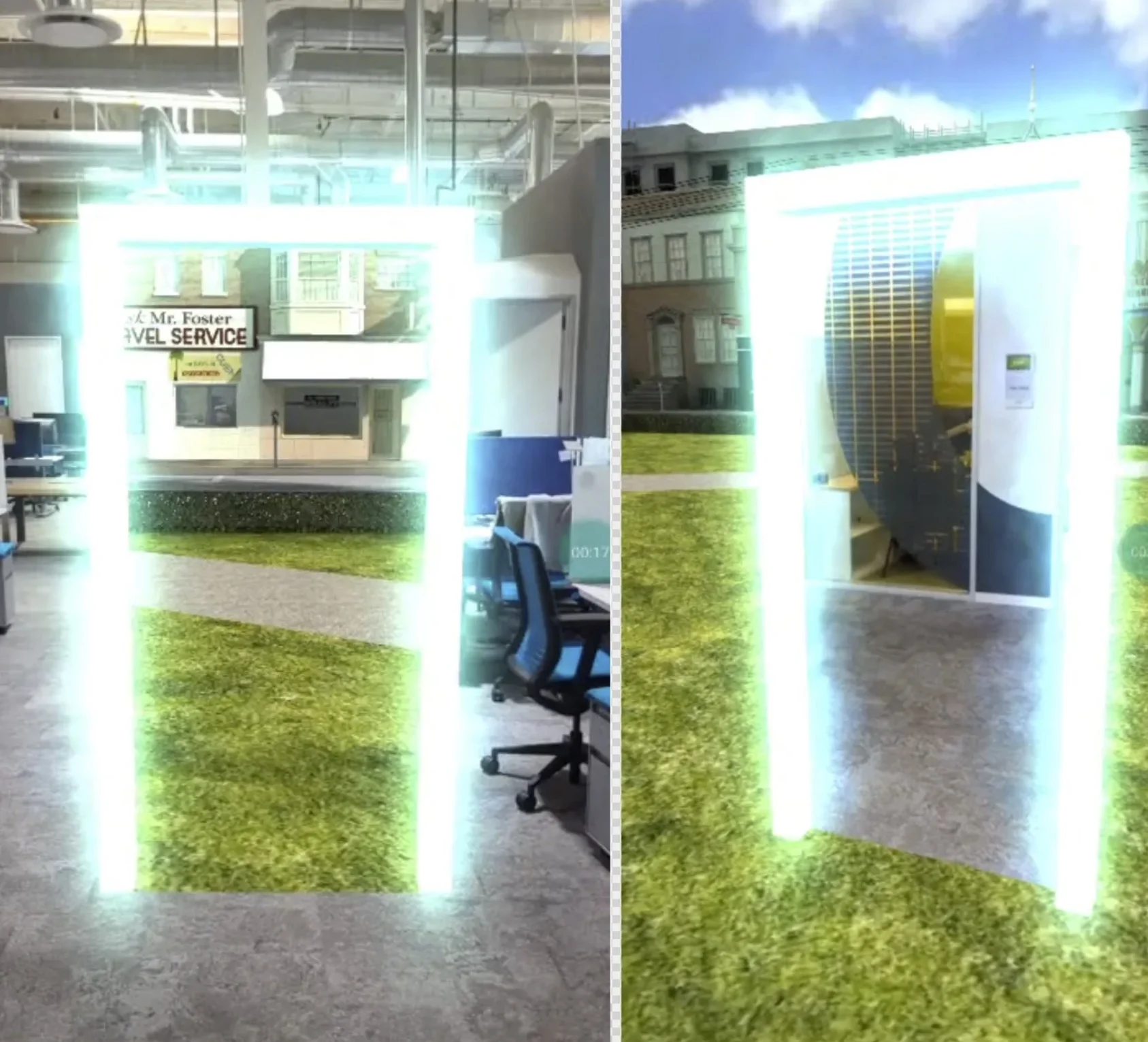
WebXR Experience Helpers
Learn about WebXR experience helpers in Babylon.js.

WebXR Session Manager
Learn all about the WebXR session manager in Babylon.js.
The WebXR Camera
Learn all about the WebXR camera in Babylon.js, used for VR and AR sessions.
WebXR Controllers Support
Learn about the robust library of WebXR controllers and input supported in Babylon.js.
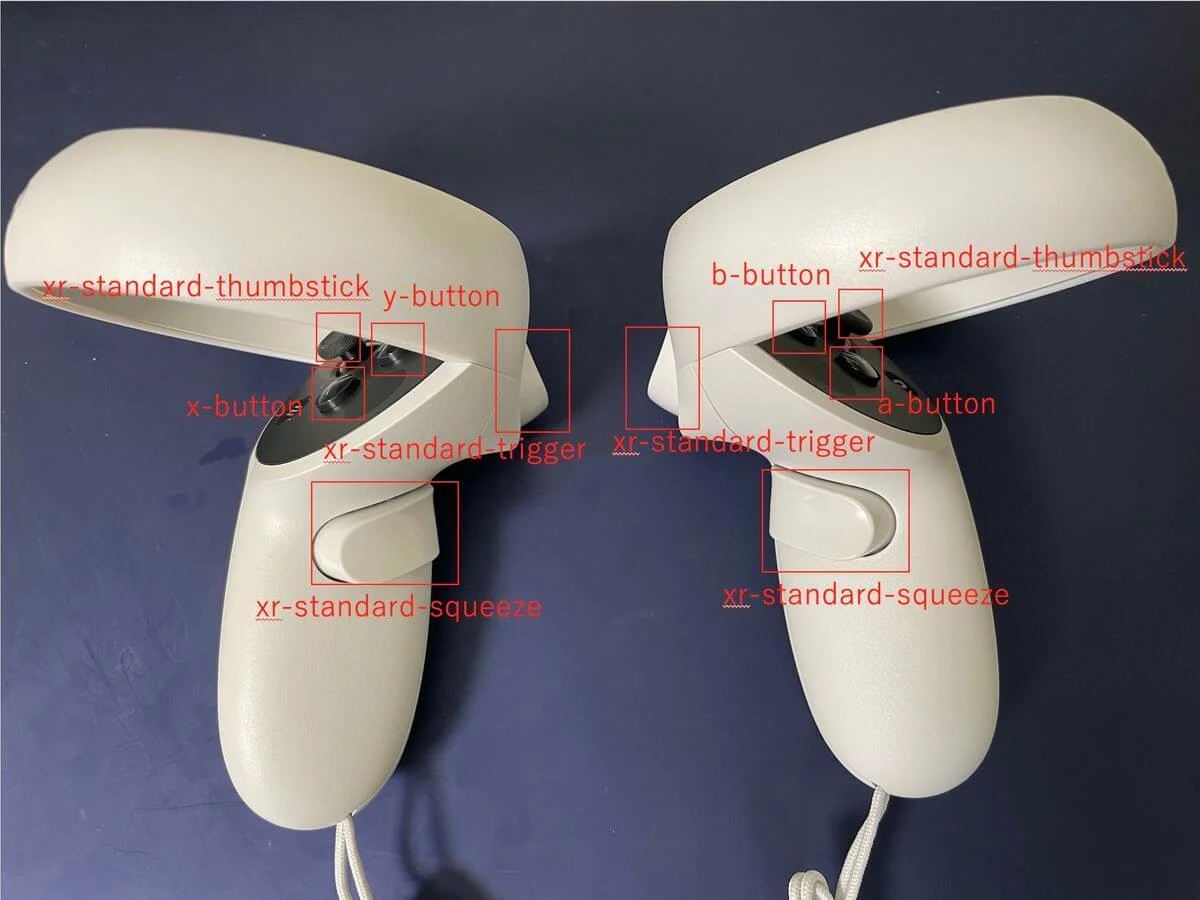
WebXR Features Manager
Learn all about the powerful WebXR features manager in Babylon.js.
WebXR Selected Features
Learn about key WebXR features in Babylon.js.
WebXR Augmented Reality Features
Learn about WebXR augmented reality features in Babylon.js.