Screen Space Reflections (SSR) Post Process
This post process is deprecated starting with v5.48.0! It is superseded by the Screen Space Reflections Rendering Pipeline.Introduction
Rendering reflections in real time can be done using several methods. Each method has its own pros and cons. For web technologies, two main methods exist:
- Using a Mirror Texture:
- pros: renders perfect reflections on a plane.
- cons: limited to one reflection direction and complexity grows according to the scene's geometries.
- Using a SSR post-process:
- pros: renders all possible reflections in all directions and complexity only depends on the screen's resolution (as all post-processes).
- cons: limited to what the camera sees.
As an example, with SSR enabled (look at the water-tank):
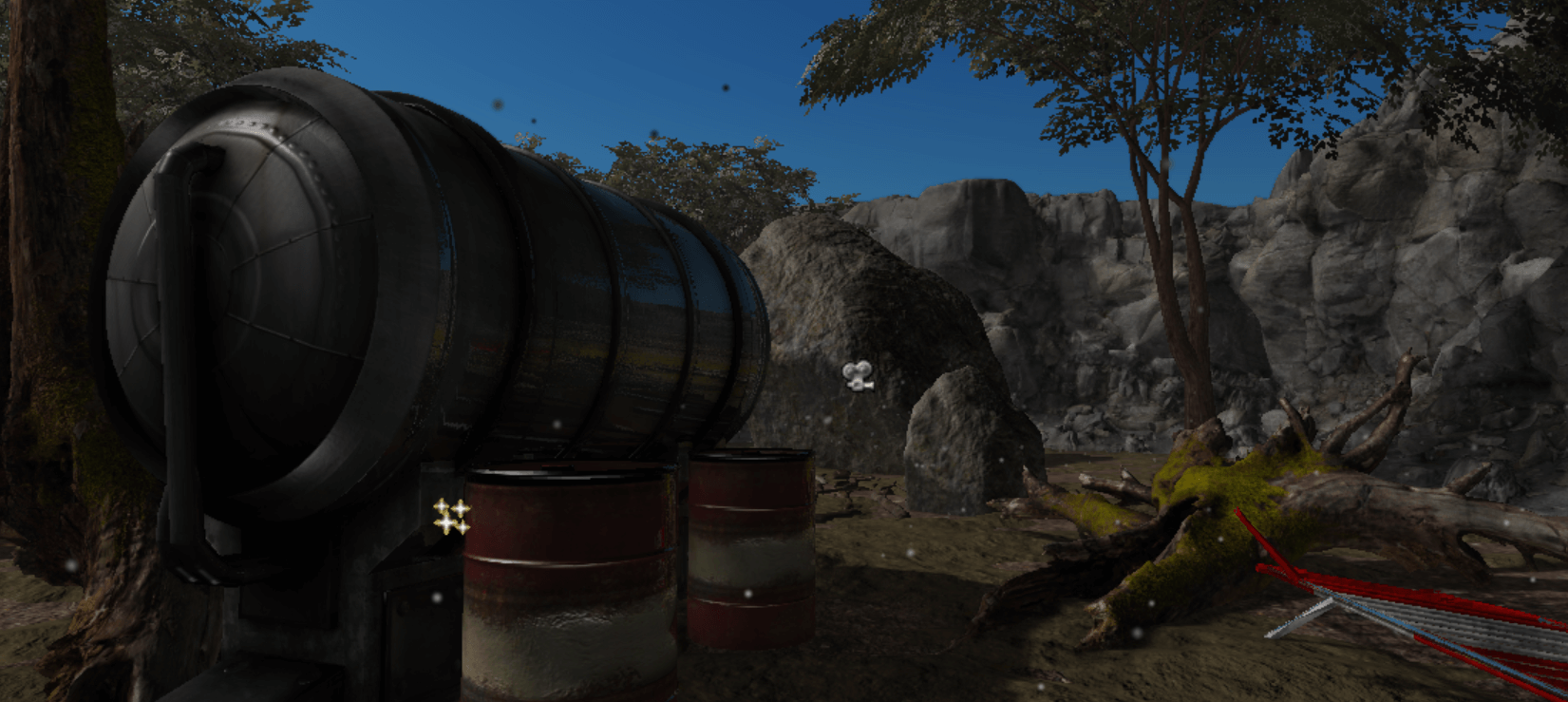
With SSR disabled:
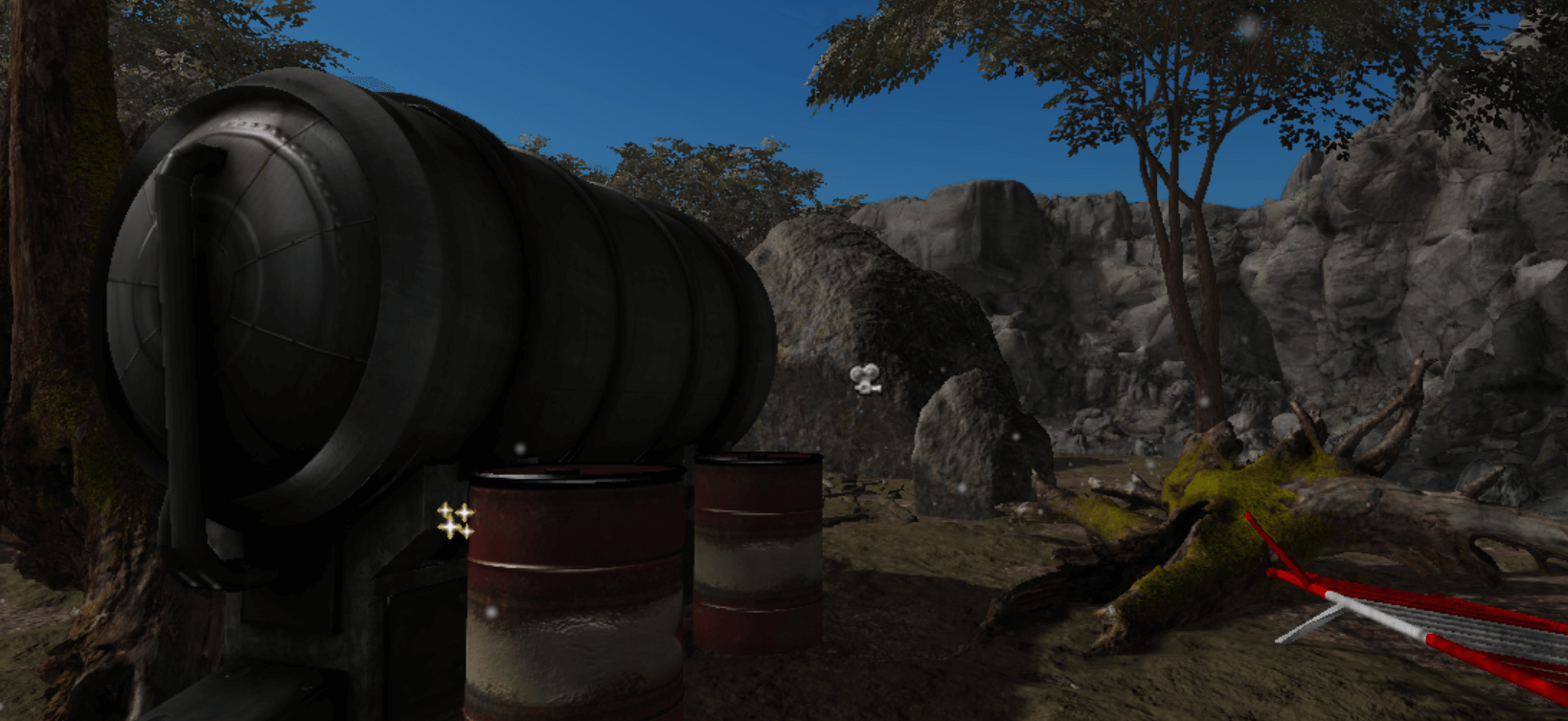
You can find a simple example of the SSR post-process in our playground:
Prerequisite
To render reflections using the SSR post-process, the device must support WebGL 2 or at least the multiple render targets extension for WebGL 1. If not supported, the post-process will just work as a pass-through.
For any reflective geometry in your scene, the post-process must know its "reflectivity" properties. To provide this information, your reflective meshes must contain:
- a Standard Material: a specular texture. The specular texture will be used to know how much the object reflects for each pixel.
- a PBR Material: a reflectivity texture. The post-process still doesn't support the roughness/metallic properties, for instance, but this will be available in the future. That means the post-process takes the reflectivity texture as-is and doesn't compute any metallic/roughness workflow.
In other words, don't forget to assign a specular texture or a reflectivity texture to your material if you want reflections enabled on it.
import { Texture } from "@babylonjs/core/Materials/Textures/texture";// For a BABYLON.StandardMaterialmyMaterial.specularTexture = new Texture("textures/specular.png", scene);import { Texture } from "@babylonjs/core/Materials/Textures/texture";// For a BABYLON.PBRMaterialmyMaterial.reflectivityTexture = new Texture("textures/reflectivity.png", scene);Note: the SSR post-process is a fairly demanding post-process. It is not intended to work smoothly on low-end devices and requires a powerful enough device.
Creating the SSR post-process
Just create an instance of BABYLON.ScreenSpaceReflectionPostProcess:
import { ScreenSpaceReflectionPostProcess } from "@babylonjs/core/PostProcesses/screenSpaceReflectionPostProcess";var ssr = new ScreenSpaceReflectionPostProcess("ssr", // The name of the post-processscene, // The scene where to add the post-process1.0, // The ratio of the post-processcamera // To camera to attach the post-process);Customizing
Strength
The strength is applied to the overall specular/reflectivity information in the scene and can be customized. The default value for the strength is 1.0 and should be changed only if you are looking for a particular result, because the result will not be realistic.
// Double specular/reflectivity strength.ssr.strength = 2;Example playground: SSR Reflective Strength Example
Falloff Exponent
The falloff exponent is used to linearly reduce the reflection's intensities. The default value is "3.0" and works for most cases.
// Reduce more the reflection's intensitiesssr.reflectionSpecularFalloffExponent = 4;Example playground with an almost equal to 0 exponent: SSR Falloff Example
Quality
The reflection quality can be customized to save performance and should be adjusted for each scene type.
The post-process is based on ray-tracing algorithms. That means the more samples the post-process takes, the better the result looks.
The quality is defined as:
- Low: 25 samples.
- Medium: 50 samples.
- High: 100 samples.
Depending on the scene, the difference between medium and high quality may not be noticeable, because the ray-tracing algorithm stops once it finds the reflection color. In other words, high quality will not always be needed.
- High quality playground: High Quality SSR Example
- Medium quality playground: Medium Quality SSR Example
- Low quality playground: Low Quality SSR Example