Physics V2 core concepts
Core concepts
A physics engine enables a game engine to simulate how real-world objects would behave. This means objects will fall down due to gravity, collide and bounce off each other. The simulation used by Havok is sometimes called a rigid body simulation, which is simply a term which means objects which don't change shape due to squashing or stretching.
The most basic object in the physics engine is a body (PhysicsBody), which can be associated with a TransformNode. A body represents an object in the simulation. The simulation processes all bodies, attempts to make them behave in a physically realistic manner, and then updates the TransformNode to match the position of the simulated body. One obvious example is collision detection, which prevents bodies from intersecting. For a pair of bodies to detect collisions, each body needs a shape. However, collision detection can require a lot of calculations, so rather than using an object's visual meshes, the PhysicsBody uses a shape (PhysicsShape) that is usually simpler than the render meshes and enables the engine to minimize the amount of calculation needed to simulate the world. Shapes are described in more detail in a future chapter.
Bodies and shapes have properties that approximate how they behave in the real world. Bodies have mass distributions and velocities. Velocity is the speed at which a body is moving, while the mass distribution describes how that velocity changes when two bodies interact. Shapes themselves are geometric objects used to detect when bodies are colliding with each other. These shapes also have material properties (PhysicsMaterial) such as friction and restitution, which describe how a collision affects bodies when sliding and bouncing, as well as density, which can be used to calculate mass properties.
The final important object is a constraint (PhysicsConstraint) which allows you to link two bodies together in some manner. Two bodies linked together by a constraint still behave like independent bodies, but their movement is restricted by the constraint. A common example of a constraint is a door hinge, which allows one of the bodies to rotate around the hinge axis. Constraints are covered in more detail in a future chapter.
Body
A physics body is a virtual object that represents a physical object in a simulation, with properties like mass, position, and velocity. When you interact with the physics engine, you'll usually be working with bodies. The first thing you need to consider is a body's motion type.
Motion type
There are three motion types (PhysicsMotionType) that a body can have.
Static bodies are bodies which never move. Use this motion type for your terrain or any kind of object which should not move, but should still affect other bodies in the engine.
Dynamic bodies, on the other hand, are bodies which can move. You can apply forces to these bodies and change their velocities yourself. When stepping the physics engine, the velocity of a body will be taken into account when resolving collisions and constraints and, when the simulation step is complete, the position of the body will be updated.
The final motion type is animated - bodies with this motion type are similar to dynamic bodies; you can change their velocities and the physics engine will update the body positions. However, the difference is that bodies with an animated motion type won't be affected by any other bodies. Animated bodies will still push dynamic bodies out of the way and pull on constraints but the animated body won't be affected by those collisions. This is useful for important objects where you need them to reach a particular goal - e.g. an elevator which should always reach the correct floor, no matter how many other bodies are inside the elevator.
Sleep mode
When creating a body, you can request that it starts in sleep mode. Bodies in this mode will have their physics calculations skipped until the engine needs them to collide with another body or until a force is applied to them. This can improve performance if you're loading a scene where you know the bodies are at rest. However, sleep mode is not an absolute guarantee. Other factors, such as a nearby body that is not sleeping, can cause the body to wake up from this mode, so avoid having behavior that depends on it and use it only as a performance aid. Even if you don't request that a body start in sleep mode, the physics engine will automatically put bodies to sleep when they have come to rest and wake them up when appropriate.
Sleep modeCreating a body
You can create a body using the PhysicsBody constructor. It takes the TransformNode associated with that body, a motion type (static vs dynamic vs animated), a boolean indicating whether the body will start in sleep mode, and a scene (which needs to have an active Physics Engine).
import { MeshBuilder } from "@babylonjs/core/Meshes/meshBuilder";import { PhysicsMotionType } from "@babylonjs/core/Physics/v2/IPhysicsEnginePlugin";import { PhysicsBody } from "@babylonjs/core/Physics/v2/physicsBody";const sphere = MeshBuilder.CreateSphere("sphere");const body = new PhysicsBody(sphere, PhysicsMotionType.DYNAMIC, false, scene);Setting the mass of a body
A body has mass properties that affect how it responds to physical stimuli.
The mass properties are: mass, which determines how "heavy" an object is, center of mass, which determines the point that a body spins around, inertia, which is similar to mass, but describes how far away the mass is distributed from the center of mass, affecting rotations, and inertia orientation which determines the axes that a body spins around.
Some physics engines, such as Havok, can automatically determine the mass properties of a body from the body's shape, so it is very common to supply only the mass parameter and allow the engine to derive the rest of the properties (although the engine will also compute a mass if one is not provided).
These mass properties are very important for achieving physically-realistic behaviour. An object with an incorrect inertia or center of mass will appear to rotate in an unnatural way, while a body with an incorrect mass might appear to be unnaturally heavy (or light!)
import { PhysicsMotionType } from "@babylonjs/core/Physics/v2/IPhysicsEnginePlugin";import { PhysicsBody } from "@babylonjs/core/Physics/v2/physicsBody";// Setting only the basic mass propertiesconst body = new PhysicsBody(sphere, PhysicsMotionType.DYNAMIC, false, scene);body.setMassProperties({ mass: 1,});import { Quaternion, Vector3 } from "@babylonjs/core/Maths/math.vector";import { PhysicsMotionType } from "@babylonjs/core/Physics/v2/IPhysicsEnginePlugin";import { PhysicsBody } from "@babylonjs/core/Physics/v2/physicsBody";// Setting the full mass properties. ONLY DO THIS IF YOU KNOW WHAT YOU'RE DOING!const body = new PhysicsBody(sphere, PhysicsMotionType.DYNAMIC, false, scene);body.setMassProperties({ mass: 1, centerOfMass: new Vector3(0, 1, 0), inertia: new Vector3(1, 1, 1), inertiaOrientation: new Quaternion(0, 0, 0, 1)});Instanced bodies
For meshes composed of thin instances, the body created by the engine is composed of multiple internal body instances. This allows faster rendering alongside the physics simulation. All instances must have the same shape, but they can have their own individual mass and have forces and constraints applied to them individually. Methods that can be applied at the instance level have an optional instanceIndex parameter that receives the index of the instance to which the method will be applied. If no instanceIndex is provided, the method will be applied to all instances. An example is shown here:
import { Vector3 } from "@babylonjs/core/Maths/math.vector";import { MeshBuilder } from "@babylonjs/core/Meshes/meshBuilder";import { PhysicsMotionType } from "@babylonjs/core/Physics/v2/IPhysicsEnginePlugin";import { PhysicsBody } from "@babylonjs/core/Physics/v2/physicsBody";const sphere = MeshBuilder.CreateSphere("sphere");// This generates 3 thin instances based on the sphere meshsphere.thinInstanceAddSelf();sphere.thinInstanceAddSelf();sphere.thinInstanceAddSelf();const body = new PhysicsBody(sphere, PhysicsMotionType.DYNAMIC, false, scene);// Apply a vertical force on all the 3 spheresbody.applyForce(new Vector3(0, 100, 0), new Vector3(0, 0, 0));// Apply a horizontal force to the first sphere ONLYbody.applyForce(new Vector3(100, 0, 0), new Vector3(0, 0, 0), 0);⚠️ Important: When setting the instance matrix using the
thinInstanceSetBuffermethod, you have to set the last argument tofalse. This ensures that the instance buffers are not static, which allows them to be changed by physics. So, the expectedsetBuffercall should be:
box.thinInstanceSetBuffer("matrix", matricesData, 16, false);Limitations
There are a few limitations when using instanced bodies in this way. Currently, it is not supported to have different scales on each thin instance's matrix. It is also not supported to have transformations at the mesh level; i.e., the instanced mesh's position, rotation, and scale values must remain at their defaults.
Shape
A physics shape is a virtual representation of the collision geometry of a physics body, used for collision detection and response. If multiple bodies share the same or similar enough geometry, the same shape can be reused for all of them, greatly increasing performance. A body needs a shape to be able to collide with other objects.
import { Vector3 } from "@babylonjs/core/Maths/math.vector";import { PhysicsShapeSphere } from "@babylonjs/core/Physics/v2/physicsShape";const shape = new PhysicsShapeSphere(new Vector3(0, 0, 0), // center of the sphere in local space0.5, // radius of the spherescene // containing scene);body.shape = shape;body2.shape = shape;body3.shape = shape;The shape types supported by the V2 plugin are:
| Enum | Description | Image | Havok plugin support |
|---|---|---|---|
| SPHERE | Simple sphere | 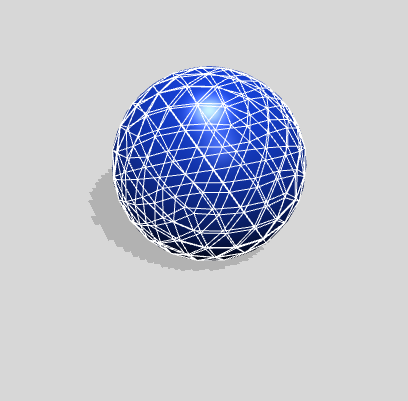 | ✅ |
| CAPSULE | A cylinder with a half sphere at top and bottom | 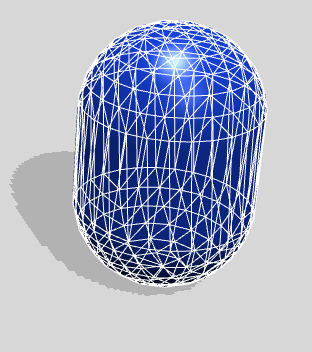 | ✅ |
| CYLINDER | Cylinder | 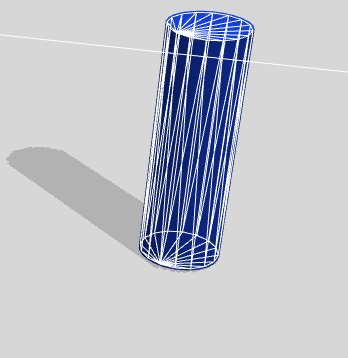 | ✅ |
| BOX | Box | 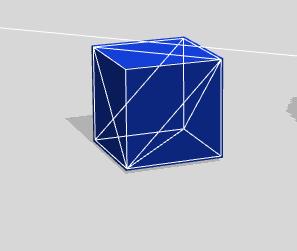 | ✅ |
| CONVEX_HULL | A convex hull is the smallest convex shape containing points. | 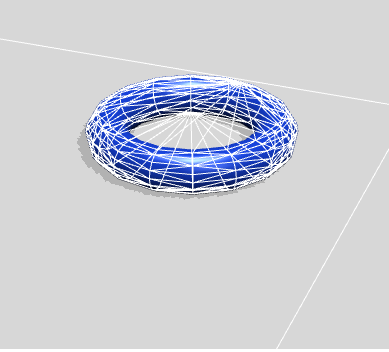 | ✅ |
| MESH | Mesh used for rendering or a simpler version | 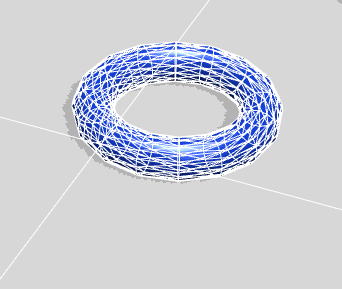 | ✅ |
| CONTAINER | Holder of other shapes | 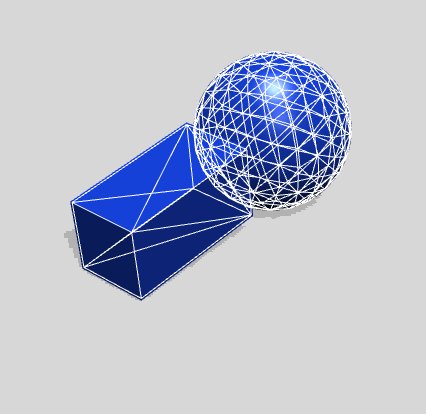 | ✅ |
| HEIGHTFIELD | A height field mesh is a 2D surface with height data. | 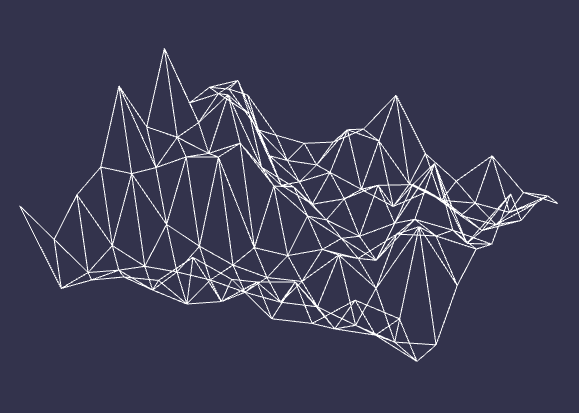 | ✅ |
This page contains more detail about shapes and their parameters.
Material
A Material holds friction and restitution and is associated with a Physics Shape.
Friction is a measure of how much resistance to sliding exists between two objects in contact. It describes how much force is needed to move an object against another surface or how much it will slide along that surface. Friction is often used to model the behavior of objects sliding, rolling, or sticking to each other.
Restitution, also known as elasticity or bounciness, is a measure of how much energy is conserved in a collision between two objects. It describes how much an object will bounce back after a collision, relative to how much it was moving before the collision. Restitution is often used to model the behavior of objects bouncing, colliding, or deforming.
Both friction and restitution are non-negative values, usually between 0 and 1, with higher values indicating greater resistance or energy conservation, respectively.
import { Vector3 } from "@babylonjs/core/Maths/math.vector";import { PhysicsShapeSphere } from "@babylonjs/core/Physics/v2/physicsShape";const shape = new PhysicsShapeSphere(new Vector3(0, 0, 0), 0.5, scene);const material = { friction: 0.2, restitution: 0.3 };shape.material = material;Disposing of your elements
When a Body or Shape is not needed anymore, it is good practice to dispose of it. This ensures that the Physics Engine doesn't waste time processing what it doesn't need to. You can dispose of them by calling the dispose method.
When a node associated with a Body is disposed, the corresponding Body is also disposed. However, the shape used by the body is not automatically disposed, as the same shape can be used by multiple bodies.
import { Vector3 } from "@babylonjs/core/Maths/math.vector";import { PhysicsShapeSphere } from "@babylonjs/core/Physics/v2/physicsShape";const shape = new PhysicsShapeSphere(new Vector3(0, 0, 0), // center of the sphere in local space0.5, // radius of the spherescene // containing scene);body.shape = shape;body2.shape = shape;body3.shape = shape;// ...// When disposing of the scene:body.dispose();body2.dispose();body3.dispose();// Don't forget to also dispose of the shape when it's not needed anymore!shape.dispose();SetTargetTransform
SetTargetTransform is a method available on the PhysicsBody that takes a target position and orientation and sets the body's velocity so it reaches that target. It is useful when you know where the body should be and do not want to calculate its velocity yourself. This method is more commonly used with animated bodies.
SetTargetTransform