Constraints
What is it
A constraint represents a connection between two bodies. This connection can apply restrictions on the relative movement of the bodies, and allows us to model all sorts of physical connections between bodies such as ropes, doors, character joints, and more.
Because the two bodies are still simulated independently, a constraint (PhysicsConstraint) definition includes transforms from the local space of each body to the pivot position/orientation of the constraint on that body. Together, these are known as the "constraint space". During simulation, constraints act on the two bodies to maintain the pivot position/orientation across the two constrained bodies. For example, a ball-and-socket constraint applies forces to the bodies so that the pivot point positions (defined in each body's local space) coincide. Likewise, a hinge constraint also maintains the common rotation axis.
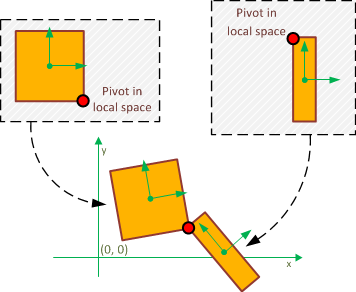
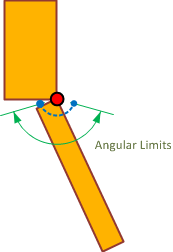
In rigid body dynamics, each body has 6 degrees of freedom: 3 translational degrees of freedom and 3 rotational degrees of freedom. A constraint definition includes limitations on one or more of these degrees of freedom for its constrained bodies. Different types of constraints are generally defined by the number and type of these limitations. For example, in a ball-and-socket constraint, the constrained objects have no linear freedom relative to each other in any direction because they are attached together at a point, but they are completely free to rotate around the constraint pivot point. In a hinge constraint, the objects have no linear freedom and also have restricted relative orientation. In addition, limits can be provided for each degree of freedom. For example, limiting the rotation of a hinge constraint allows you to create a door that will not rotate beyond a given angle.
Constraint Types
Babylon supports several constraint types; the most generic of which is the "6 DoF," which allows control over each degree of freedom individually. In addition to the 6 DoF, Babylon also provides several helper types for common constraints. Many of these constraints are specializations of the 6 DoF, but they don't require you to specify the full constraint space, which can make initialization easier in those cases.
| Enum | Name | Notes |
|---|---|---|
| LOCK | Lock | 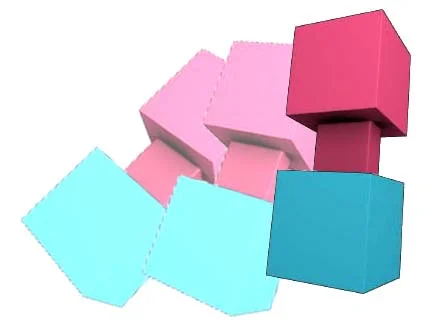 A locked joint attempts to keep the two constraint spaces completely lined up, allowing no relative movement. A locked joint attempts to keep the two constraint spaces completely lined up, allowing no relative movement. |
| BALL_AND_SOCKET | Ball and socket | 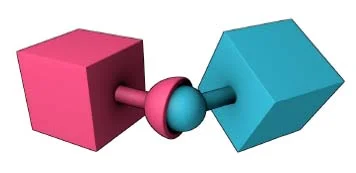 A ball and socket joint attempts to line up the pivot positions but puts no restrictions on the relative rotation of the two bodies. A ball and socket joint attempts to line up the pivot positions but puts no restrictions on the relative rotation of the two bodies. |
| DISTANCE | Distance | 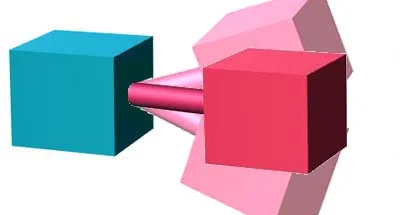 A distance joint attempts to keep the positions of the constraint spaces within a specified distance and provides no restriction on relative rotation. A distance joint attempts to keep the positions of the constraint spaces within a specified distance and provides no restriction on relative rotation. |
| HINGE | Hinge | 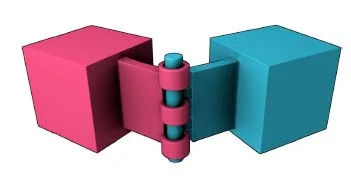 A hinge will keep the positions of the constraint spaces aligned as well as two of the angular axes, only allowing relative rotation around one axis. A hinge will keep the positions of the constraint spaces aligned as well as two of the angular axes, only allowing relative rotation around one axis. |
| PRISMATIC | Prismatic | 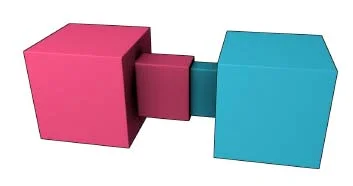 A prismatic joint allows the constraint spaces to translate along one axis and allows no relative rotation of the two spaces. A prismatic joint allows the constraint spaces to translate along one axis and allows no relative rotation of the two spaces. |
| SLIDER | Slider | 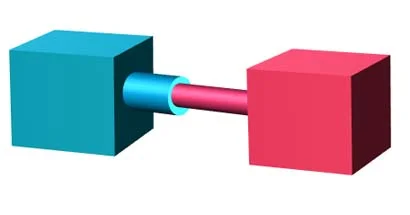 Similar to the prismatic joint, but also allows the bodies to rotate around the translation axis. Similar to the prismatic joint, but also allows the bodies to rotate around the translation axis. |
| SIX_DOF | 6 Degrees Of Freedom | 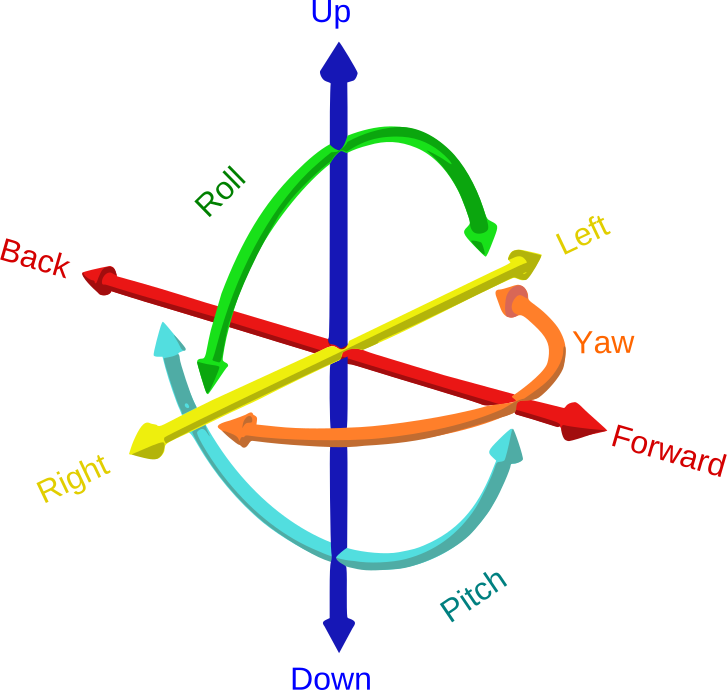 |
How to use it
import { PhysicsMotionType } from "@babylonjs/core/Physics/v2/IPhysicsEnginePlugin";import { PhysicsBody } from "@babylonjs/core/Physics/v2/physicsBody";import { DistanceConstraint } from "@babylonjs/core/Physics/v2/physicsConstraint";const bodyA = new PhysicsBody(objectA, PhysicsMotionType.DYNAMIC, scene);const bodyB = new PhysicsBody(objectB, PhysicsMotionType.DYNAMIC, scene);const constraint = new DistanceConstraint(10, // max distance between the two bodiesscene);bodyA.addConstraint(bodyB, constraint);If one or both bodies are instanced, you need to specify the instance to which the constraint applies:
// This will add a constraint between the instance in index 3 of body A, and the instance in index 2 of body BbodyA.addConstraint(bodyB, constraint, 3, 2);// The constraint can also be between two instances in the same bodybodyA.addConstraint(bodyA, constraint, 4, 7);For the 6DOF (6 Degrees of Freedom) constraint, you should pass an array with entries specifying the translational and rotational axis that have min and max limits:
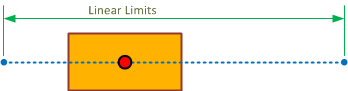
import { Vector3 } from "@babylonjs/core/Maths/math.vector";import { PhysicsConstraintAxis } from "@babylonjs/core/Physics/v2/IPhysicsEnginePlugin";import { Physics6DoFConstraint } from "@babylonjs/core/Physics/v2/physicsConstraint";// This will constrain the bodies to maintain a distance of at least 1 and at most 2, and to rotate at most 1.58 rad along the perpendicular axislet constraint = new Physics6DoFConstraint({ pivotA: new Vector3(0, -0.5, 0), pivotB: new Vector3(0, 0.5, 0), perpAxisA: new Vector3(1, 0, 0), perpAxisB: new Vector3(1, 0, 0),}, [ { axis: PhysicsConstraintAxis.LINEAR_DISTANCE, minLimit: 1, maxLimit: 2 }, { axis: PhysicsConstraintAxis.ANGULAR_Y, minLimit: 0, maxLimit: 1.58 }], scene);When creating a constraint, if axisA or axisB is not set, a default value of (1, 0, 0) is used.
Debug visualization
The physics viewer allows you to display the angular and linear limits of constraints. The following example adds and immediately removes a constraint from debug visualization.
import { PhysicsViewer } from "@babylonjs/core/Debug/physicsViewer";import { Vector3 } from "@babylonjs/core/Maths/math.vector";import { HingeConstraint } from "@babylonjs/core/Physics/v2/physicsConstraint";physicsViewer = new PhysicsViewer(scene, visualizationSizeFactor);let joint = new HingeConstraint(new Vector3(0, 0, -0.5), new Vector3(0, 0, 0.5), undefined, undefined, scene);agg1.body.addConstraint(agg2.body, joint);physicsViewer.showConstraint(joint);physicsViewer.hideConstraint(joint);For performance reasons, the limit debug mesh is not recreated when constraints change. The user is responsible for removing and re-adding the constraint if any limit is changed.
Constraint Debug view Constraints limitsBest practices
A problem that's very noticeable to users of your application is when a third body comes between the constraint spaces of a pair of constrained bodies, resulting in visual penetration, as seen in the picture below.
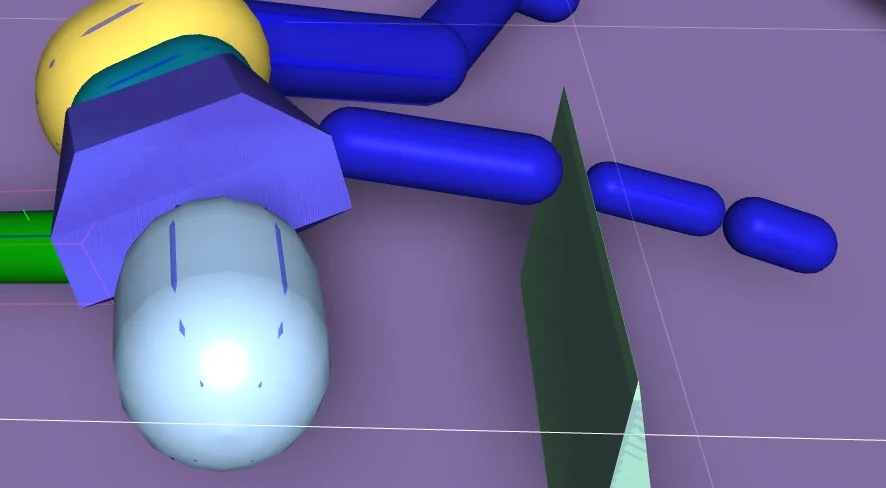
This can look very unnatural and, in addition, cause jitter between the constrained bodies, as the collision detection will "fight" against the constraint. Overlapping the constrained bodies greatly helps to avoid situations like this.
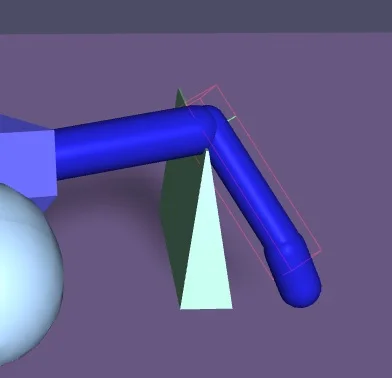
Even when the constraint is not attempting to force the bodies into an overlapping position, most use-cases for constraints still attempt to position the bodies very close to each other. To avoid the collision detection from "fighting" the constraint resolution, by default, we disable collisions between each pair of constrained bodies. If you do want the bodies to collide, however, this can be controlled by PhysicsConstraint.isCollisionsEnabled.
When simulating a long chain of constrained bodies, not all of the constraints might be solved perfectly by the physics engine, which can result in stretching or misalignment of the constraint. This is more likely to happen if the mass ratio between two constrained bodies is very high. A common way to mitigate this is to tweak the mass ratios of the constrained bodies: increase the mass and inertia of bodies that are closer to the "root" of the chain, and decrease them as the bodies get farther from the root. For example, if you have a ragdoll, ensure that the torso has the most mass and decrease the mass as you move down the limbs.
Examples
Constraints Swinging pendulums 6 DoF Joint Tool Motor ConstraintsFurther reading
Using A Physics Engine
Learn how to use one of the available physics engines in Babylon.js.
Forces
Learn all about applying physical forces in Babylon.js.
Pivots and Axes
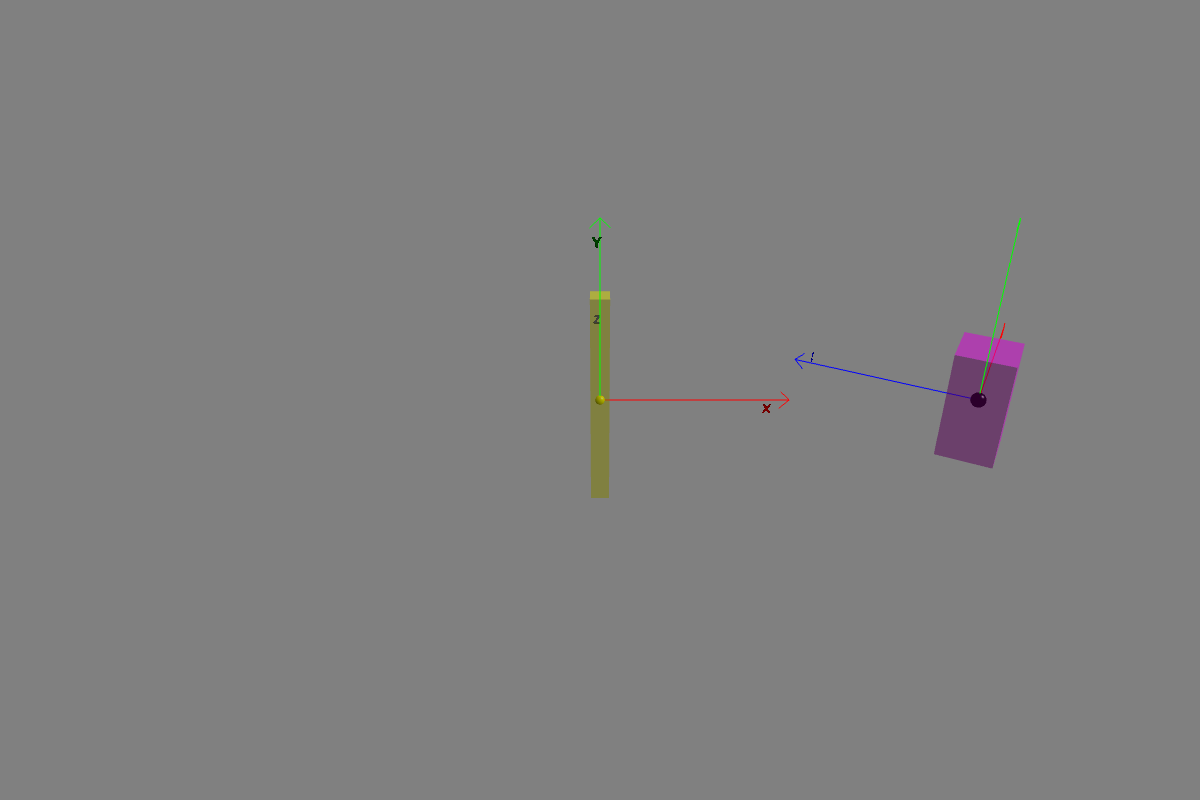
Learn all about physics pivots and axes in Babylon.js.
Compound Bodies
Learn all about physics compound bodies in Babylon.js.
Soft Bodies
Learn all about physics soft bodies in Babylon.js.
Advanced Physics Features
Unlock the full potential of physics with advanced physics features in Babylon.js.