The Particle Helper
Introducing the Particle Helper
Starting with Babylon.js v3.3, you can now use the Particle Helper to create complex particle systems without having to deal with individual properties.
To use the Particle Helper, you only need to know the name of the effect and then call this code:
import { ParticleHelper } from "@babylonjs/core/Particles/particleHelper";ParticleHelper.CreateAsync("sun", scene).then((set) => { set.start();});This will create regular particle systems. If you want to use GPU particle systems instead, just call this code:
import { ParticleHelper } from "@babylonjs/core/Particles/particleHelper";ParticleHelper.CreateAsync("sun", scene, true).then((set) => { set.start();});You can find a demo here: Particle Helper Example
ParticleSystemSet
When calling BABYLON.ParticleHelper.CreateAsync(), you will get a Promise that resolves with a ParticleSystemSet.
This class provides the following properties and functions:
emitterNode: Use this property to get the transform node used as the emitter by the particle systems.start(emitter): Call this function to start all particle systems associated with the current set. You can use the optional parameter to overwrite the emitter.dispose(): Call this function to stop and clear all particle systems.
You can also get the list of particle systems used by the set with set.systems.
Available Effects
Each effect can be described using a JSON file like this one.
List of available effects:
| Effect name | Image | Playground |
|---|---|---|
| sun | 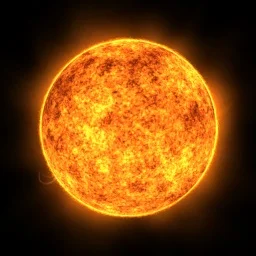 | Particle Sun Demo |
| smoke |  | Particle Smoke Demo |
| rain |  | Particle Rain Demo |
| fire |  | Particle Fire Demo |
| explosion | 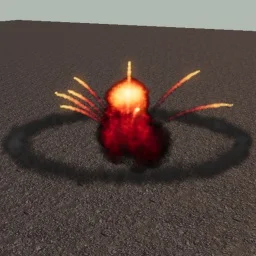 | Particle Explosion Demo |
Custom ParticleSets
It is reasonably simple to create your own custom particleSet. Each particleSet listed above is stored in a Babylon.js folder currently located at this URL. For instance, when you use "sun" as the particleSet type, ParticleHelper will load this JSON, which defines the "sun" particleSet type.
You may store these custom JSON particleSets anywhere you wish. You can set the base URL for the particleHelper with: BABYLON.ParticleHelper.BaseAssetsUrl = “https://yourBaseUrl”;
This must be done BEFORE you execute the CreateAsync call, which loads your particleSet JSON file:
import { ParticleHelper } from "@babylonjs/core/Particles/particleHelper";var myParticleSet = new ParticleHelper.CreateAsync("tornado", scene).then(function (set) { set.start();});In the above example, "tornado" is NOT the name of a particle system. It is the name of a particleSet type. In a moment, we will see how the type string is used.
Let's look at the line of code that loads JSON particleSets into the particleHelper:
Tools.LoadFile(`${ParticleHelper.BaseAssetsUrl}/systems/${type}.json`, (data) => {
Notice that type is used as the name of the JSON file. Using the previous example, your complete filename would be tornado.json.
Also notice the /systems/ subfolder hierarchy. Your custom particleSet JSON file needs to be located in a subfolder called /systems/. So, yourDomain/systems/tornado.json is where your file should be located and how it should be named (for our example).
Generate Custom ParticleSets
You can automatically generate a new JSON particleSet into a variable by configuring your particle systems and then using the ExportSet option.
Usage: var mySet = BABYLON.ParticleHelper.ExportSet( [includedPS1, includedPS2, includedPS3...] );
Further reading
Particle System
Learn all about the particle system in Babylon.js.
Particles
Dive into the rich and exciting world of particles in Babylon.js.

Sub Emitters
Learn about sub emitters in Babylon.js.

Solid Particle System
Learn all about the solid particle system in Babylon.js.
Customizing Particles
Learn how to customize particles in Babylon.js.
