Mesh Intersections
Mesh Collisions
In dynamic scenes, objects are moving and interacting with each other. To get the best rendering, you will want to know when your meshes are in contact with each other. In this tutorial, we are going to discover how the collision system works.
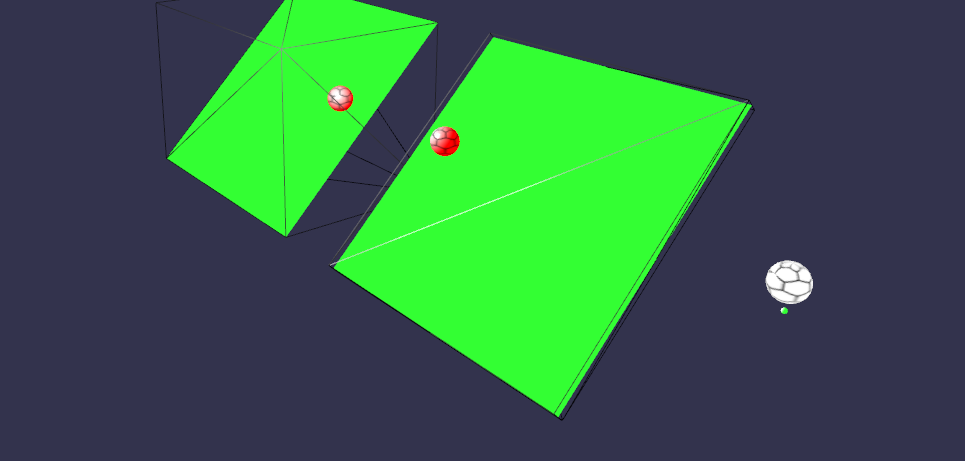
Final result
How can I do this?
This tutorial shows you two ways of detecting collisions: the first is to raise a collision event when two meshes are in contact, and the second is to detect contact between a mesh and a single point.
We are going to talk about the scene above. The first and second spheres (balloons) collide on the rotated ground, while the last one collides only at a single point. Once you have created this basic scene, continue reading to learn how to check collisions.
Intersect mesh
The point here is to check contact between our balloons and the ground. We will use the intersectsMesh() function, with two parameters: the mesh to be checked, and the precision of the intersection (boolean).
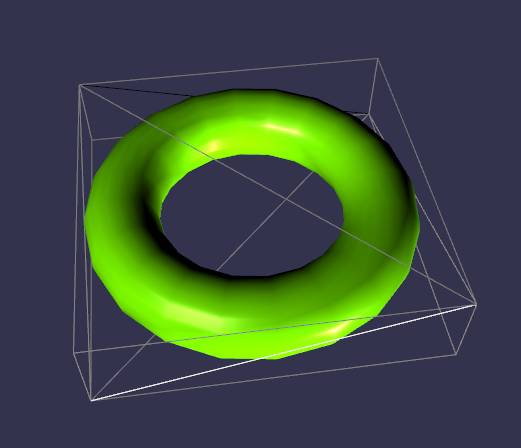
import { Color4 } from "@babylonjs/core/Maths/math.color";if (balloon1.intersectsMesh(plan1, false)) { balloon1.material.emissiveColor = new Color4(1, 0, 0, 1);}else { balloon1.material.emissiveColor = new Color4(1, 1, 1, 1);}To avoid costly calculations from checking many details on a mesh, the Babylon.js engine creates a bounding box around the object and tests for intersections between this box and the colliding mesh. Here is an example of a bounding box:
But this bounding box can be more or less precise, and that’s why we have our second parameter. In short, if this parameter is set to true (false by default), then the bounding box is closer to the mesh (OBB bounding type), but it is a more costly calculation. Be aware that this type of bounding box is especially useful when your mesh is rotated.
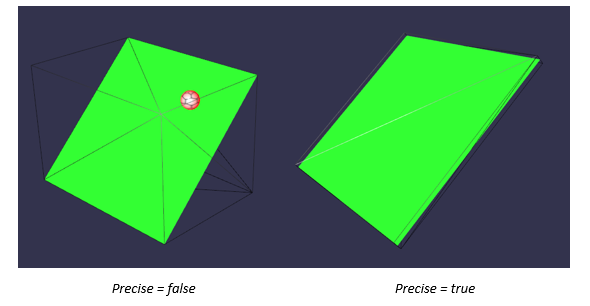
So think about the collision precision you need before choosing.
If you want more information about this second parameter, you can have a look at this Wikipedia page, especially about AABB and OBB mode: https://en.wikipedia.org/wiki/Bounding_volume
Intersect point
The other function you can use is intersectsPoint() with a specific point, like this:
import { Color4 } from "@babylonjs/core/Maths/math.color";import { Vector3 } from "@babylonjs/core/Maths/math.vector";var pointToIntersect = new Vector3(10, -5, 0);if (balloon3.intersectsPoint(pointToIntersect)) { balloon3.material.emissiveColor = new Color4(1, 0, 0, 1);}We defined a precise point in our scene, and if our balloon intersects this point anywhere on the balloon, the condition is met and we change the color of the balloon.
You can play with the code used in this tutorial... by visiting the playground here: Mesh Intersection Example
