[Playground: Cube Reflecting Skybox](https://playground.babylonjs.com/#UU7RQ#3) - A cube reflecting skybox images. [Playground: Ground Reflecting Skybox](https://playground.babylonjs.com/#UU7RQ#5) - A ground plane reflecting skybox images. [Playground: Sphere Reflecting Skybox](https://playground.babylonjs.com/#UU7RQ#4) - A sphere reflecting skybox images.
With two shapes in the scene, it becomes clear that only the skybox is reflected:[Playground: Vampire Cube Isn't Reflected](https://playground.babylonjs.com/#UU7RQ#1590) - A cube reflecting skybox images but not reflecting a nearby red cube.
This "vampire effect" can be fixed by carefully adding scene contents to cubemap images, or by using [dynamic maps](#dynamic-environment-maps-rendertargettexture-and-friends). ### Local cubemaps Environment maps (static or dynamic) are flat images with no depth. By default, they are treated as infinitely far away. This works for distant environments (like skyboxes) or small surfaces, but can cause parallax errors in other cases. As an alternative, cubemaps can be treated as axis-aligned boxes of a specific size and location by setting the cubemap texture's [.boundingBoxSize](https://doc.babylonjs.com/typedoc/classes/babylon.cubetexture#boundingboxsize) and [.boundingBoxPosition](https://doc.babylonjs.com/typedoc/classes/babylon.cubetexture#boundingboxposition) to the desired box size and position (as [Vector3](https://doc.babylonjs.com/typedoc/classes/babylon.vector3)).[Playground: Local cubemap demo](https://playground.babylonjs.com/#RNASML#37) - Demonstration of the effect of local cubemap projection.
(Local cubemaps must use the default CUBIC_MODE [coordinate mode](#coordinate-modes).) An axis-aligned box is still an approximation of true reflected/refracted scene geometry, but it may be a useful approximation. See "[Reflections Based on Local Cubemaps](https://developer.arm.com/documentation/102179/0100/Implement-reflections-with-a-local-cubemap)" (from the ARM Developer's Graphics and Gaming Blog) for a good write-up of the concept as used in Unity (Babylon.js's implementation is similar). ### EquiRectangularCubeTexture Equirectangular panoramic images ([panotools wiki](https://wiki.panotools.org/Equirectangular_Projection)) squish a spherical panorama into one image (unlike the six sides needed for ordinary CubeTexture) using equirectangular projection ([wikipedia](https://en.wikipedia.org/wiki/Equirectangular_projection)).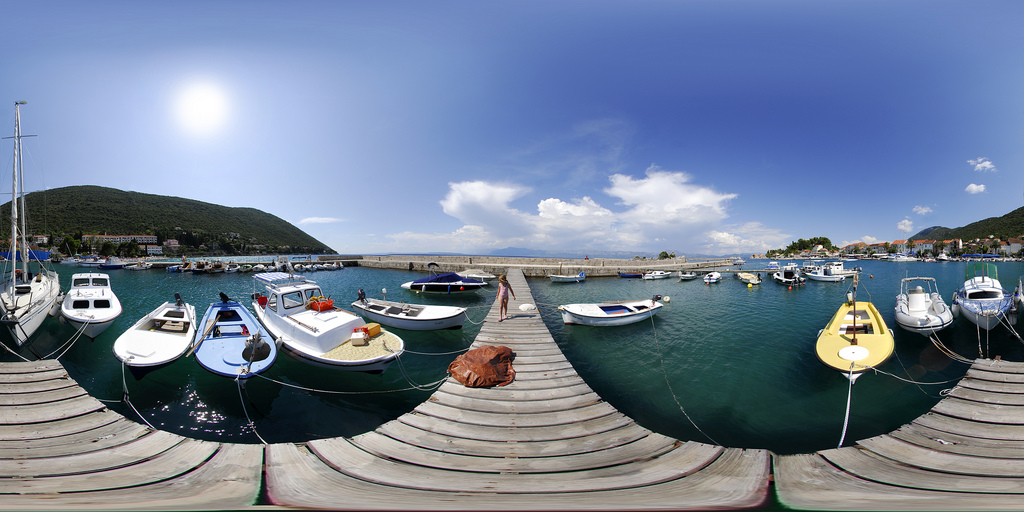
[EquiRectangularCubeTexture](https://doc.babylonjs.com/typedoc/classes/babylon.equirectangularcubetexture) instances load an equirectangular panorama image into a CubeTexture-compatible environment map. - [Playground: Spheres Reflecting Equirectangular Skybox](https://playground.babylonjs.com/#RY8LDL#32) - Reflections and refractions of an equirectangular skybox panorama. ### HDRCubeTexture High Dynamic Range ([wikipedia](https://en.wikipedia.org/wiki/High-dynamic-range_imaging)) images capture brighter and dimmer colors than a typical monitor can display. This can be useful for environment mapping even if the final output uses standard dynamic range.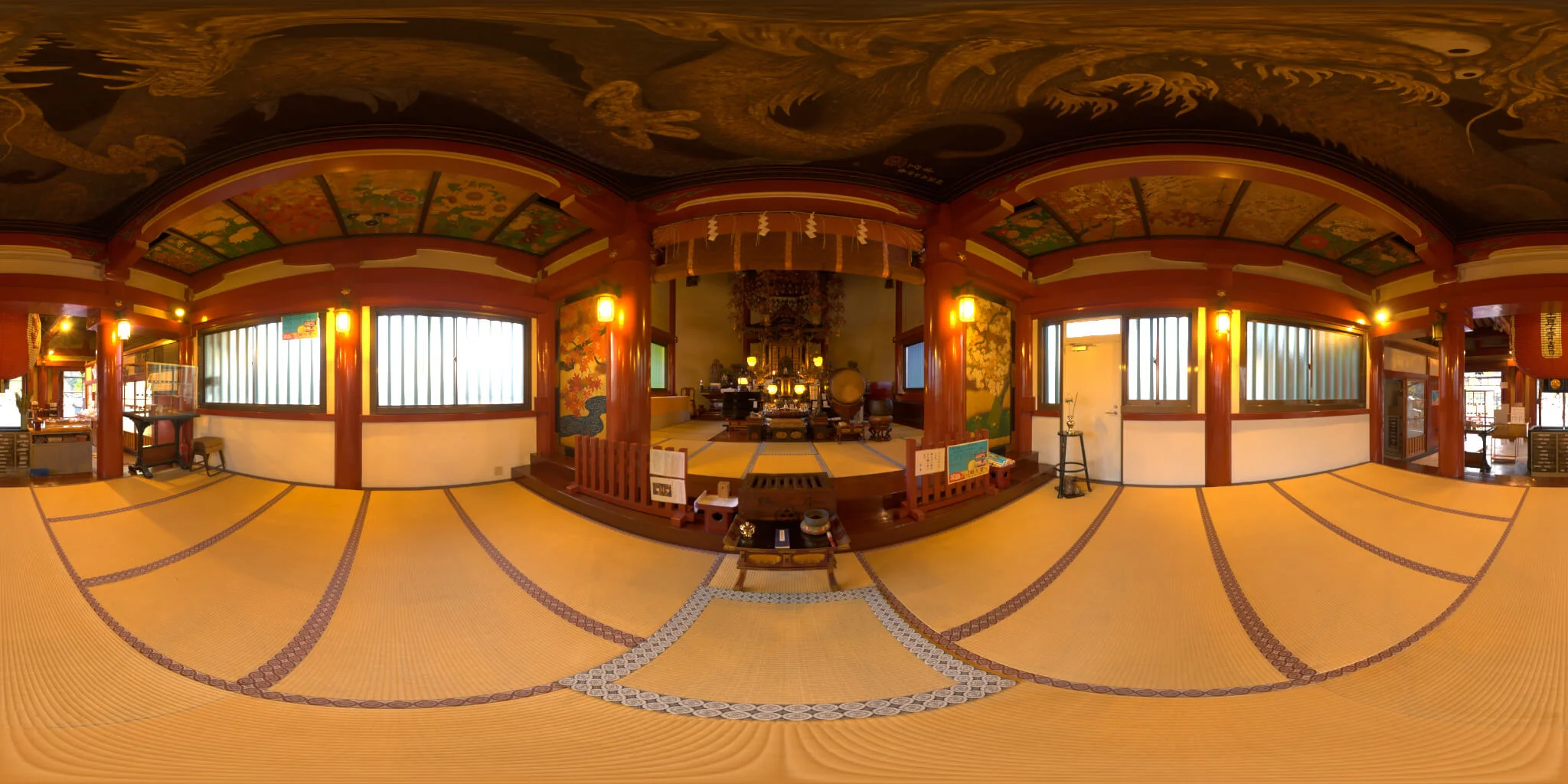
[HDRCubeTexture](https://doc.babylonjs.com/typedoc/classes/babylon.hdrcubetexture) instances (Babylon.js v3.2+) load a Radiance RGBE format ([wikipedia](https://en.wikipedia.org/wiki/RGBE_image_format)) HDR equirectangular panorama image into a CubeTexture-compatible environment map. - [Playground: HDR Skybox](https://playground.babylonjs.com/#114YPX#5) - An HDR equirectangular skybox panorama. ### EXRCubeTexture EXR images ([wikipedia](https://en.wikipedia.org/wiki/OpenEXR)), like HDR textures, can be useful for environment mapping even if the final output uses standard dynamic range. [EXRCubeTexture](https://doc.babylonjs.com/typedoc/classes/babylon.exrcubetexture) instances (Babylon.js v8.27+) load an EXR equirectangular panorama image into a CubeTexture-compatible environment map. This follows exactly the same code as the HDRCubeTexture section. ### Flat textures as environment maps Wraparound cubemaps work well for environment mapping, but ordinary flat Texture instances can be used for [.reflectionTexture](https://doc.babylonjs.com/typedoc/classes/babylon.standardmaterial#reflectiontexture) and [.refractionTexture](https://doc.babylonjs.com/typedoc/classes/babylon.standardmaterial#reflectiontexture) as well. The texture's .coordinatesMode must be set to define how the flat image should be "wrapped around" as an environment ([see "Coordinate Modes"](#coordinate-modes)).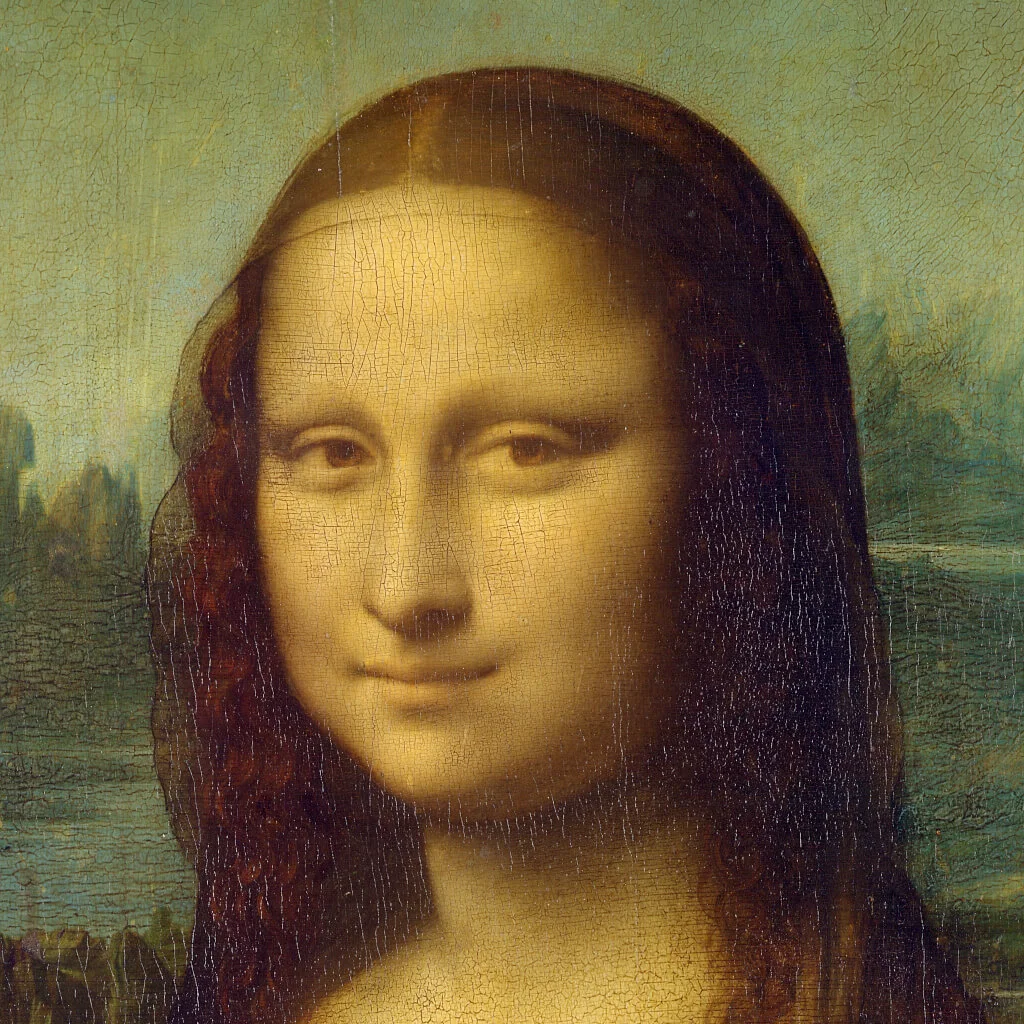
[Playground: Mona Lisa in SPAAAACE, reflected using PLANAR_MODE](https://playground.babylonjs.com/#UU7RQ#1629) - A sphere reflecting a flat Mona Lisa texture.
(Note, cubemaps are normally preferred for environment mapping instead of flat textures.) ## Dynamic environment maps (RenderTargetTexture and friends) [RenderTargetTexture](https://doc.babylonjs.com/typedoc/classes/babylon.rendertargettexture) instances hold environment maps updated during scene rendering, allowing reflections and refractions to track the scene in real time (unlike the [static maps](#static-environment-maps-cubetexture-and-friends) described above). RenderTargetTexture instances are usually created through classes like ReflectionProbe or MirrorTexture, which manage the dynamic update process. ### ReflectionProbe Each [ReflectionProbe](https://doc.babylonjs.com/typedoc/classes/babylon.reflectionprobe) instance provides a cubemap (in [.cubeTexture](https://doc.babylonjs.com/typedoc/classes/babylon.reflectionprobe#cubetexture)) that is dynamically rendered from a specified point in the scene, typically at or near an object that will use the cubemap.[Playground: Reflection Probes](https://playground.babylonjs.com/#KA93U#243) - Moving shapes reflecting each other and the ground using reflection probes.
You must set each ReflectionProbe's [.renderList](https://doc.babylonjs.com/typedoc/classes/babylon.reflectionprobe#renderlist) to an explicit list of meshes to render. Be mindful of efficiency as each probe renders six times (once for each cube face) for every update. See the [Reflection Probes main page](https://doc.babylonjs.com/features/featuresDeepDive/environment/reflectionProbes) for more details. ### MirrorTexture [MirrorTexture](https://doc.babylonjs.com/typedoc/classes/babylon.mirrortexture) (a RenderTargetTexture subclass) acts as a dynamically rendered environment map for flat mirrors.[Playground: Mirrors](https://playground.babylonjs.com/#1YAIO7#747) - Several mirrors surrounding a sphere.
As with reflection probes, you must set each MirrorTexture's [.renderList](https://doc.babylonjs.com/typedoc/classes/babylon.mirrortexture#renderlist) to an explicit list of meshes to show in the mirror, keeping efficiency in mind. You must also set each MirrorTexture's [.mirrorPlane](https://doc.babylonjs.com/typedoc/classes/babylon.mirrortexture#mirrorplane) to the [Plane](https://doc.babylonjs.com/typedoc/classes/babylon.plane) of reflection, with the plane's normal pointing _into_ the mirror (away from the viewer). You may set Plane coordinates directly, but it can be convenient to build the Plane from mesh geometry: ```javascript // Create, position, and rotate a flat mesh surface. const mesh = BABYLON.MeshBuilder.CreatePlane("mirrorMesh", {width: 5, height: 5}, scene); mesh.position = new BABYLON.Vector3(0, 0, 4); mesh.rotation = new BABYLON.Vector3(Math.PI/4, Math.PI/6, Math.PI/8); // Create the reflective material for the mesh. mesh.material = new BABYLON.StandardMaterial("mirrorMaterial", scene); mesh.material.reflectionTexture = new BABYLON.MirrorTexture("mirrorTexture", 512, scene, true); // Get a normal vector from the mesh and invert it to create the mirror plane. mesh.material.reflectionTexture.mirrorPlane = BABYLON.Plane.FromPositionAndNormal( mesh.position, mesh.getFacetNormal(0).scale(-1)); mesh.material.reflectionTexture.renderList = [... list of meshes ...]; ``` To create a blurred reflection, set MirrorTexture's [.blurKernel](https://doc.babylonjs.com/typedoc/classes/babylon.mirrortexture#blurkernel) to the blur kernel size (higher is blurrier) relative to the render texture size (set when MirrorTexture is created). Use [.adaptiveBlurKernel](https://doc.babylonjs.com/typedoc/classes/babylon.mirrortexture#blurkernel) instead to scale the blur value by the ratio of the render texture size and viewport size.[Playground: Reflection Blur](https://playground.babylonjs.com/#LVTTQX#1) - A shape reflected in a surface with blurring.
### RefractionTexture [RefractionTexture](https://doc.babylonjs.com/typedoc/classes/babylon.refractiontexture) (also a RenderTargetTexture subclass) is similar to MirrorTexture, but designed for refraction instead of reflection. RefractionTexture acts as a dynamically rendered single-image environment map for flat _refractors_ (materials like glass or water that bend light). You can use RefractionTexture instances directly in [.refractionTexture](https://doc.babylonjs.com/typedoc/classes/babylon.standardmaterial#reflectiontexture). (Note, RefractionTexture simulates fixed-thickness plates of refractive material, and does not support lenses or shapes "bent" by immersion.)[Playground: Refraction](https://playground.babylonjs.com/#22KZUW#15) - A refractive disc in a simple scene.
As with MirrorTexture, you must set each RefractionTexture's [.renderList](https://doc.babylonjs.com/typedoc/classes/babylon.refractiontexture#renderlist) to an explicit list of meshes to show in the refraction, keeping efficiency in mind. You must also set each RefractionTexture's [.refractionPlane](https://doc.babylonjs.com/typedoc/classes/babylon.refractiontexture#refractionplane) to the [Plane](https://doc.babylonjs.com/typedoc/classes/babylon.plane) of refraction, with the plane's normal pointing _out of_ the refractor (_toward_ the viewer). You may set Plane coordinates directly, but it can be convenient to build the Plane from mesh geometry as described above for MirrorTexture (but without the `.scale(-1)` call). Finally, you must set each RefractionTexture's [.indexOfRefraction](https://doc.babylonjs.com/typedoc/classes/babylon.refractiontexture#indexofrefraction) and [.depth](https://doc.babylonjs.com/typedoc/classes/babylon.refractiontexture#depth) to the index of refraction ([wikipedia](https://en.wikipedia.org/wiki/Refractive_index)) and thickness of the refractive plate to simulate.[Playground: Changing Index Of Refraction](https://playground.babylonjs.com/#1YAIO7#19) - A plate with varying index of refraction. [Playground: Changing Refraction Depth](https://playground.babylonjs.com/#1YAIO7#20) - A plate with varying refraction depth.
## Coordinate modes By default, cubemap textures (static and dynamic) simulate the physical Laws of Reflection ([wikipedia]([Playground: PLANAR, (INV)CUBIC, SKYBOX, and PROJECTION Modes with Test Cubemap](https://playground.babylonjs.com/#20OAV9#4308) - Demonstration of cubemap reflection coordinate modes
### Examples with a test pattern flat texture 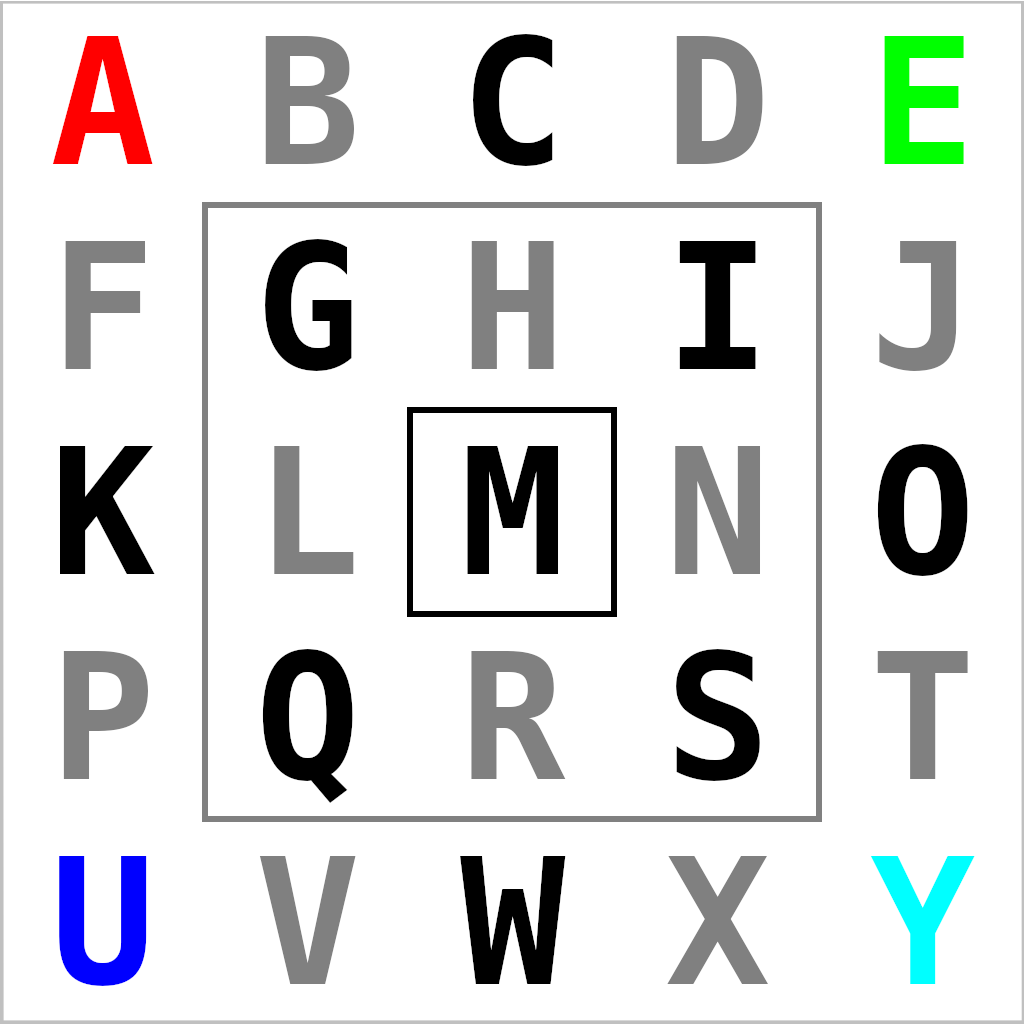[Playground: PLANAR, EQUIRECTANGULAR, PROJECTION, and SPHERICAL Modes with Flat Test Pattern](https://playground.babylonjs.com/#20OAV9#4307) - Demonstration of flat texture reflection coordinate modes
### The reflection matrix In addition to selecting the overall coordinate mode, a texture's reflection matrix ([.getReflectionTextureMatrix()](https://doc.babylonjs.com/typedoc/classes/babylon.texture#getreflectiontexturematrix)) may be adjusted to transform the environment map to match scene changes (e.g. a moving background) or for special effects.[Playground: Sphere Reflecting Rotating Skybox](https://playground.babylonjs.com/#UU7RQ#1631) - A sphere reflecting spinning skybox images
## Further reading - [Skyboxes](https://doc.babylonjs.com/features/featuresDeepDive/environment/skybox) - [Reflection Probes](https://doc.babylonjs.com/features/featuresDeepDive/environment/reflectionProbes) - [Introduction to Physically Based Rendering](https://doc.babylonjs.com/features/featuresDeepDive/materials/using/introToPBR)