Lens Flares
How to use Lens Flares
Babylon.js lets you create lens flare effects easily:
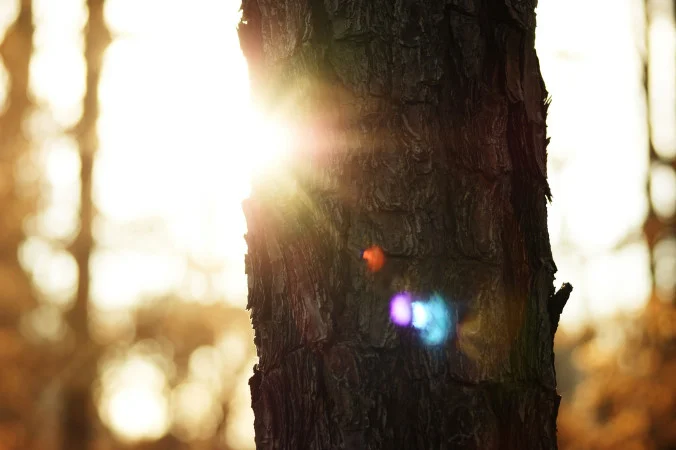
To do so, you have to first create a LensFlareSystem:
import { LensFlareSystem } from "@babylonjs/core/LensFlares/lensFlareSystem";const lensFlareSystem = new LensFlareSystem("lensFlareSystem", myEmitter, scene);The second parameter defines the source (the emitter) of the lens flares. It can be a camera, a light, or a mesh.
Then, you can add flares to your system with the following code:
import { LensFlare } from "@babylonjs/core/LensFlares/lensFlare";import { Color3 } from "@babylonjs/core/Maths/math.color";const flare00 = new LensFlare(0.1, // size0, // positionnew Color3(1, 1, 1), // color"textures/flare.png", // texturelensFlareSystem);const flare01 = new LensFlare(0.075, 0.5, new Color3(0.8, 0.56, 0.72), "textures/flare3.png", lensFlareSystem);const flare02 = new LensFlare(0.1, -0.15, new Color3(0.71, 0.8, 0.95), "textures/Flare2.png", lensFlareSystem);const flare03 = new LensFlare(0.15, 0.25, new Color3(0.95, 0.89, 0.71), "textures/flare.png", lensFlareSystem);To create a flare, you must specify the following parameters:
- Size (a floating value between 0 and 1)
- Position (a floating value between -1 and 1). A value of 0 is located on the emitter. A value greater than 0 is beyond the emitter, and a value less than 0 is behind the emitter
- Color
- Texture
Babylon.js can also detect occlusions for you. A mesh can occlude the lens flares if the following conditions are met:
- has a material
- isVisible === true
- isEnabled() === true
- isBlocker === true