Crowd Agents
Crowds and navigation agents
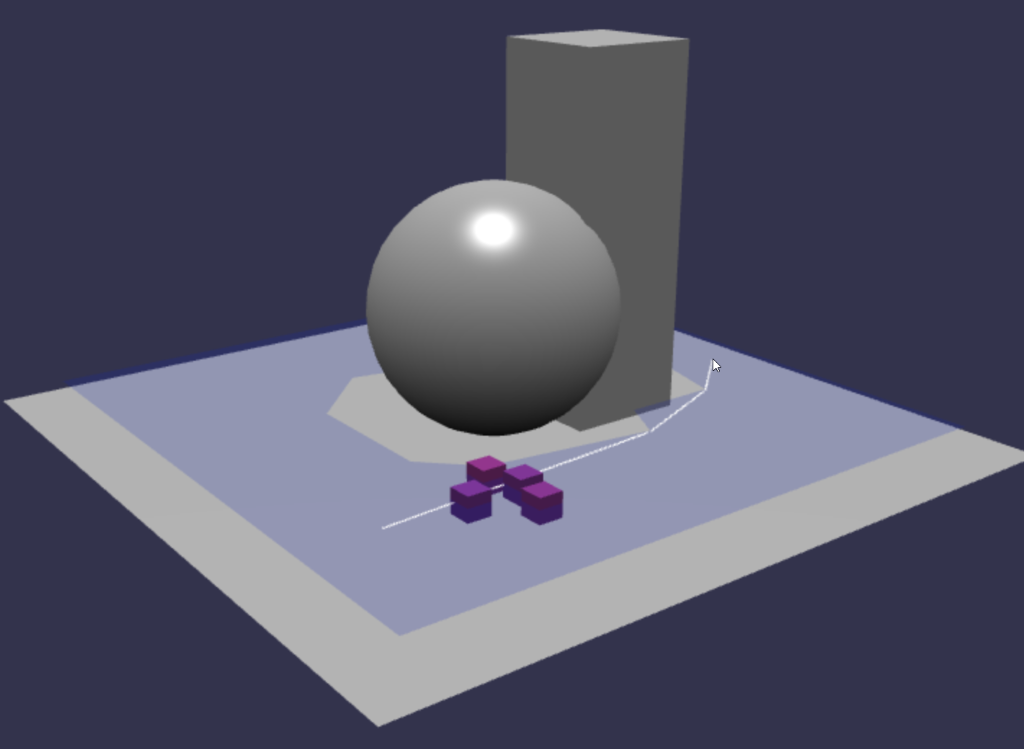
Now that we have a navmesh, we can create autonomous agents and make them navigate within its constraints. The agents will find the best path to that destination while avoiding other crowd agents. An agent is attached to a Transform. That means you have to attach a mesh to see it, but you can attach pretty much anything.
A demo can be found at: Crowd and Navigation Agents
Click anywhere on the navmesh to make the agents go to that location.
How to use it?
The first thing is to create a crowd to which all agents will belong. The parameters are the maximum number of agents in the crowd, the maximum agent radius, and the scene.
const crowd = navigationPlugin.createCrowd(10, 0.1, scene);Then, to create an agent and attach it to a transform, call:
const agentIndex = crowd.addAgent(position, agentParameters, transform);And that's it! You will get a non-moving agent. We now want to move it.
crowd.agentGoto(agentIndex, navigationPlugin.getClosestPoint(endPoint));This code gets the closest position on the navmesh to endPoint. Then it asks the agent to go to that position.
Depending on your agent parameters, it will get there faster or slower.
Agent Parameters
radius - Radius of the agent in world units.
height - Height in world units.
maxAcceleration - Maximum acceleration in world units per second.
maxSpeed - Maximum speed in world units per second.
collisionQueryRange - The agent collision system will take care of other agents within that radius in world units.
pathOptimizationRange - Controls how the path will be optimized and straightened.
separationWeight - Controls how strongly the system will try to separate the agent. A value of 0 means it will not try, and agents might collide.
You can update any of these parameters per agent by calling:
// change speed and max speedcrowd.updateAgentParameters(agentIndex, { maxSpeed: 10, maxAcceleration: 200 });Teleport
You can teleport an agent to any position using this call:
crowd.agentTeleport(agentIndex, navigationPlugin.getClosestPoint(destinationPoint));Please note that the navigation state is reset when teleporting. You'll have to call agentGoto to choose a new destination.
Agent orientation and next path target
The Recastjs crowd system does not handle agent orientation. However, velocity is available, and it is possible to orient the geometry toward it. To do so, you need to use Math.atan2, as in the following example. Please pay attention to the length of the velocity vector. If it is not large enough, you may encounter jittering.
let velocity = crowd.getAgentVelocity(agentIndex);if (velocity.length() > 0.2) { const desiredRotation = Math.atan2(velocity.x, velocity.z); // interpolate the rotation on Y to get a smoother orientation change ag.mesh.rotation.y = ag.mesh.rotation.y + (desiredRotation - ag.mesh.rotation.y) * 0.05;}In this PG Agent Orientation and Next Path Targeting
The agent's cube is oriented by the velocity and a grey little box is placed at the position of the next path corner.
Agent reaching target Observer
An observable automatically fires when an agent reaches the destination (i.e., is within the destination radius). By default, the radius is the agent radius, but it can be changed using the reachRadius number property in the IAgentParameters object.
If there are too many agents in the crowd trying to reach the same destination, a bottleneck can occur and only a few agents will reach the destination. Be sure to set those values properly.
To add an observable, simply add your function:
const crowd = navigationPlugin.createCrowd(10, 0.1, scene);...crowd.onReachTargetObservable.add((agentInfos) => { console.log("agent reach destination: ", agentInfos.agentIndex);});