Creating A Navigation Mesh
How to use the navigation mesh?
There are many use cases for a navigation mesh: AI and pathfinding, replacing physics for collision detection (allowing the player to go only where possible instead of using collision detection), and many more that Babylon.js users will find.
First, create the navigation plugin.
import { RecastJSPlugin } from "@babylonjs/core/Navigation/Plugins/recastJSPlugin";let navigationPlugin = new RecastJSPlugin();Prepare some parameters for the agent constraints (described below).
const parameters = { cs: 0.2, ch: 0.2, walkableSlopeAngle: 35, walkableHeight: 1, walkableClimb: 1, walkableRadius: 1, maxEdgeLen: 12, maxSimplificationError: 1.3, minRegionArea: 8, mergeRegionArea: 20, maxVertsPerPoly: 6, detailSampleDist: 6, detailSampleMaxError: 1,};Call navigation mesh generation with the parameters and the list of meshes.
navigationPlugin.createNavMesh([groundMesh, wallMesh1, wallMesh2, stair1, stair2], parameters);And that's it! You can now use the navigation mesh with the crowd system or make queries.
Optionally, you can display the navmesh to ensure it corresponds to your space constraints.
import { StandardMaterial } from "@babylonjs/core/Materials/standardMaterial";import { Color3 } from "@babylonjs/core/Maths/math.color";navmeshdebug = navigationPlugin.createDebugNavMesh(scene);const matdebug = new StandardMaterial("matdebug", scene);matdebug.diffuseColor = new Color3(0.1, 0.2, 1);matdebug.alpha = 0.2;navmeshdebug.material = matdebug;Parameters
| Parameter | Description | Units |
|---|---|---|
cs | The meshes are voxelized in order to compute a walkable navmesh. Defines the width and depth of 1 voxel. | World units |
ch | Same as cs, but for the height of the voxel. | World units |
walkableSlopeAngle | Angle in degrees for the maximum walkable slope. | Degrees |
walkableHeight | The height in voxel units that is allowed to walk in. | Voxel units |
walkableClimb | The delta in voxel units that can be climbed. | Voxel units |
walkableRadius | The radius in voxel units of the agents. | Voxel units |
maxEdgeLen | The maximum allowed length for contour edges along the border of the mesh. | Voxel units |
maxSimplificationError | The maximum distance a simplified contour’s border edges should deviate from the original raw contour. | Voxel units |
minRegionArea | The minimum number of cells allowed to form isolated island areas. | Voxel units |
mergeRegionArea | Any regions with a span count smaller than this value will, if possible, be merged with larger regions. | Voxel units |
maxVertsPerPoly | The maximum number of vertices allowed for polygons generated during the contour-to-polygon conversion process. Must be greater than 3. | Count |
detailSampleDist | Sets the sampling distance to use when generating the detail mesh. | World units |
detailSampleMaxError | The maximum distance the detail mesh surface should deviate from heightfield data. | World units |
You can find more information about those parameters on the Recast documentation.
Queries
Basically, query functions help get constrained points and vectors from the navigation mesh.
getClosestPoint(position: Vector3): Vector3;getRandomPointAround(position: Vector3, maxRadius: number): Vector3;moveAlong(position: Vector3, destination: Vector3): Vector3;Respectively:
- get a point on the navmesh close to a given world position.
- get a random world position on the navmesh inside a circle of
maxRadius. - constrain a segment by the navmesh and return the ending world position, like walking on the navmesh and stopping at the edge.
When the query can't find a valid solution, the value (0,0,0) is returned.
Those functions use a bounding box for querying the world. The solution returned is within that bound. To properly set the default box extent to get a finer or broader result, call:
setDefaultQueryExtent(extent: Vector3): void;If your query returns a point too far from the expected result, use a smaller extent.
It is possible to get a path built for navigation as a point array. It is up to the user to use this array for drawing a predicted path, triggering events, and more.
import { MeshBuilder } from "@babylonjs/core/Meshes/meshBuilder";const pathPoints = navigationPlugin.computePath(crowd.getAgentPosition(agent), navigationPlugin.getClosestPoint(destinationPoint));pathLine = MeshBuilder.CreateDashedLines("ribbon", { points: pathPoints, updatable: true, instance: pathLine }, scene);Baking result
Building a navigation mesh can take a lot of CPU and network resources. To reduce download size and CPU usage, it is possible to bake the result of the navigation mesh computation to a byte stream. That byte stream can later be restored to get the navigation mesh back.
To retrieve the binary representation of the computed navigation mesh:
const binaryData = navigationPlugin.getNavmeshData();binaryData is a Uint8Array that you can save to a file, for example.
To restore an UInt8Array to a navigation mesh:
navigationPlugin.buildFromNavmeshData(uint8array);Using 3rd party tools
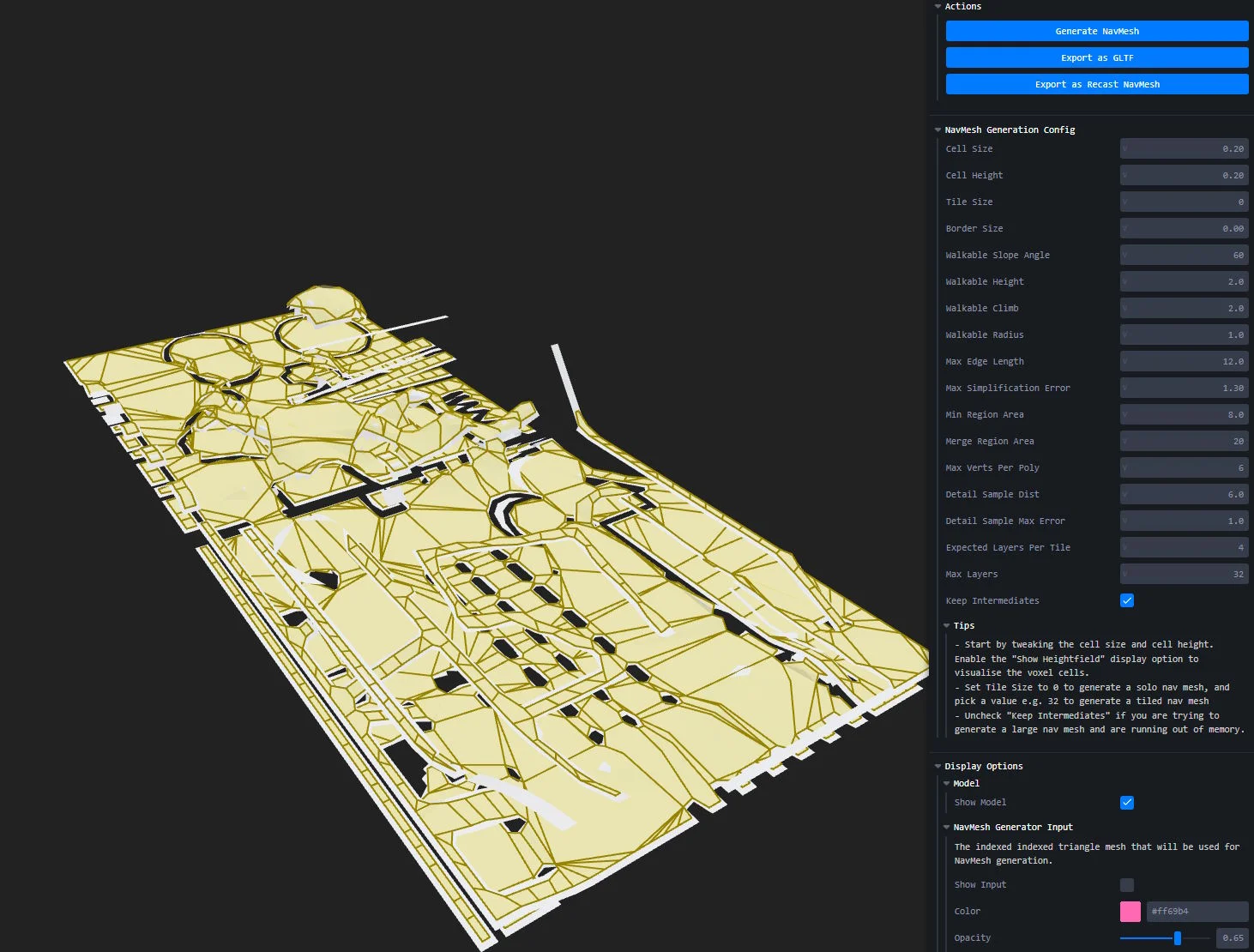
Third-party tools like navmesh-generator can help create a navmesh and bake the result to a binary file that is directly usable (the navmesh coordinate system is right-handed): Link to navmesh-generator
Navmesh computation runs on dragged-and-dropped glTF files. The export can then be opened as in this Playground:
Loading a precomputed navmesh: Loading a precomputed navmesh
Web Worker
Building a navigation mesh can be time- and resource-heavy. For many use cases, it can be necessary to delegate navmesh computation to a web worker. Work will be done in parallel, letting the engine display the content without slowdowns.
To enable a web worker, specify the URL of a web worker .js script to use:
import { RecastJSPlugin } from "@babylonjs/core/Navigation/Plugins/recastJSPlugin";let navigationPlugin = new RecastJSPlugin();navigationPlugin.setWorkerURL("workers/navMeshWorker.js");A default web worker is provided at this URL
Then, provide a completion callback to the createNavMesh method. This callback will be called when the navigation mesh is computed and ready to be used by the plugin.
navigationPlugin.createNavMesh([staticMesh], navmeshParameters,(navmeshData) =>{ console.log("got worker data", navmeshData); navigationPlugin.buildFromNavmeshData(navmeshData); ...navMeshData is a binary version of the navmesh, ready to serialize. It can be saved or streamed. The user has to call buildFromNavmeshData to deserialize the data. Once the navmesh is fully loaded, it is possible to create a crowd, query the navmesh, and more.
Performance note: The navmesh is constructed from geometry data. If multiple meshes are needed, their geometry will be merged before passing the geometry positions and indices to Recast. This part of the code can be CPU intensive and cannot be done in a worker because of dependencies, copies, memory footprint.
An example of using a web worker: Navigation mesh computation with a web worker
NPM
Loading the Recast-Detour NPM module differs between versions 1.3.0 and 1.4.0+, as the latter version is asynchronous. The user has to use await like this:
const recast = await Recast();