# Blender to BJS, using glTF
> How to export from Blender to gltf.
Source: https://doc.babylonjs.com/features/featuresDeepDive/Exporters/Blender_to_glTF
## Blender to BJS, using glTF
The glTF exporter allows you to export your scene using the PBR workflow.
## Features
Since Blender 2.8, the glTF add-on is enabled in Blender by default. You can update it from the official [Github repo](https://github.com/KhronosGroup/glTF-Blender-IO). The official documentation is in the [Blender Manual](https://docs.blender.org/manual/en/latest/addons/import_export/scene_gltf2.html).
It should be compatible with Blender 2.79b, but you may also note that the old exporter is [still available](https://github.com/KhronosGroup/glTF-Blender-Exporter) ([old documentation](https://github.com/KhronosGroup/glTF-Blender-Exporter/blob/master/docs/user.md)).
Axis conventions are not the same between Blender, Babylon.js (left-handed by default), and glTF (right-handed), so the conversion table below can help with coordinates. See [Coordinate Systems and Handedness](https://doc.babylonjs.com/features/featuresDeepDive/mesh/transforms/coordinateSystems) before adding any manual axis correction; the exporter and loader already perform the format conversions.
To help with transforms, note that the Babylon.js loader will automatically set glTF assets as children of an object:
- named `__root__`
- rotated by default to 180° on Y axis
- scaled on Z by -1
| Blender asset position | Babylon.js asset absolutePosition |
| :--------------------: | :-------------------------------: |
| X | -X |
| Y | Z |
| Z | -Y |
## Try it out
Once your scene is exported, you have multiple solutions to test it:
- quick check using the [sandbox](https://sandbox.babylonjs.com/)
- use the [viewer](//doc.babylonjs.com/extensions/the_babylon_viewer)
- script your own app using the [loader](https://doc.babylonjs.com/features/featuresDeepDive/importers/loadingFileTypes)
## Example
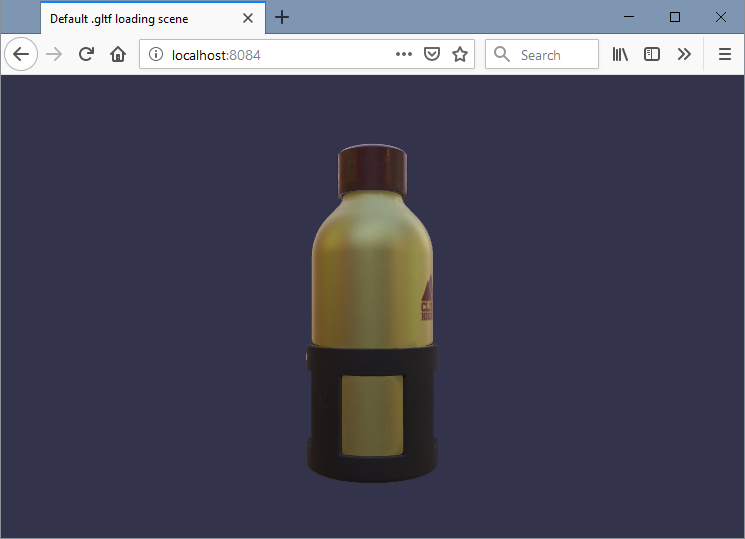
Let's say you have exported [WaterBottle.glb](https://github.com/KhronosGroup/glTF-Sample-Models/tree/master/2.0/WaterBottle/glTF-Binary):
- export to .gltf or .glb in a folder
- create a file named _index.html_, and copy the code below:
```html
Default .gltf loading scene
```
- double-click on the _index.html_ file
- some browsers may not allow loading the scene for security reasons (e.g.: Chrome). In this case, you have to open the HTML file through a web server ([local](https://doc.babylonjs.com/setup/support/Running_a_local_webserver_for_BabylonJs) or not), or try another browser (e.g.: Firefox, Edge)
- ... profit!