Blender to BJS, using glTF
Blender to BJS, using glTF
The glTF exporter allows you to export your scene using the PBR workflow.
Features
Since Blender 2.8, the glTF add-on is enabled in Blender by default. You can update it from the official Github repo. The official documentation is in the Blender Manual.
It should be compatible with Blender 2.79b, but you may also note that the old exporter is still available (old documentation).
Axis conventions are not the same between Blender, Babylon.js (left-handed by default), and glTF (right-handed), so the conversion table below can help with coordinates. See Coordinate Systems and Handedness before adding any manual axis correction; the exporter and loader already perform the format conversions.
To help with transforms, note that the Babylon.js loader will automatically set glTF assets as children of an object:
- named
__root__ - rotated by default to 180° on Y axis
- scaled on Z by -1
| Blender asset position | Babylon.js asset absolutePosition |
|---|---|
| X | -X |
| Y | Z |
| Z | -Y |
Try it out
Once your scene is exported, you have multiple solutions to test it:
Example
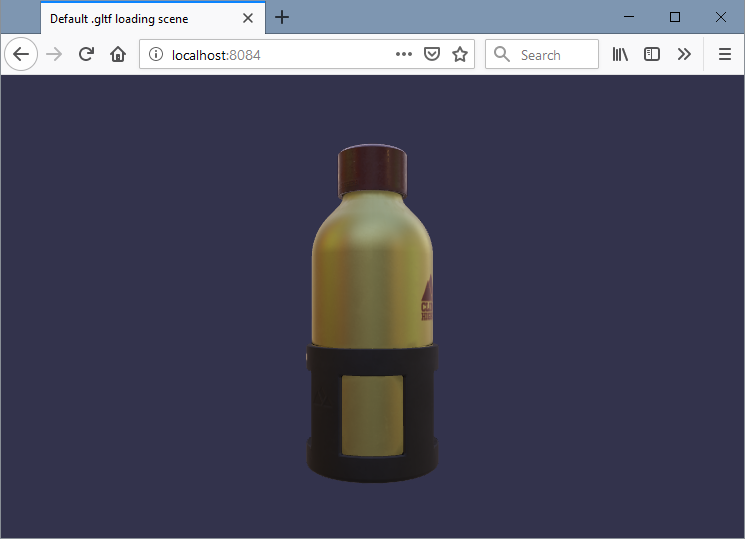
Let's say you have exported WaterBottle.glb:
- export to .gltf or .glb in a folder
- create a file named index.html, and copy the code below:
<!DOCTYPE html><html>  <head>    <title>Default .gltf loading scene</title>    <meta charset="UTF-8" />    <!-- this link to the preview online version of BJS -->    <script src="https://preview.babylonjs.com/babylon.js"></script>    <!-- this is needed for BJS to load scene files -->    <script src="https://preview.babylonjs.com/loaders/babylonjs.loaders.js"></script>    <style>      html,      body {        overflow: hidden;        width: 100%;        height: 100%;        margin: 0;        padding: 0;      }
      #canvas {        width: 100%;        height: 100%;        touch-action: none;      }    </style>  </head>
  <body>    <canvas id="canvas"></canvas>    <script type="text/javascript">      const canvas = document.getElementById("canvas");      const engine = new BABYLON.Engine(canvas, true);
      // here the doc for Load function: //doc.babylonjs.com/api/classes/babylon.sceneloader#load      BABYLON.LoadSceneAsync("WaterBottle.glb", engine).then(function (scene) {        scene.createDefaultCamera(true, true, true);        scene.createDefaultEnvironment({          createGround: false,          createSkybox: false,        });
        engine.runRenderLoop(function () {          scene.render();        });
window.addEventListener("resize", function () { engine.resize(); }); }); </script> </body></html>-
double-click on the index.html file
- some browsers may not allow loading the scene for security reasons (e.g.: Chrome). In this case, you have to open the HTML file through a web server (local or not), or try another browser (e.g.: Firefox, Edge)
-
... profit!