# Blender to Babylon.js exporter

> How to export from Blender to import into Babylon.js.

Source: https://doc.babylonjs.com/features/featuresDeepDive/Exporters/Blender

The Blender export plugin can be found on [github repository](https://github.com/BabylonJS/BlenderExporter). We assume you're using the latest version.

Note that v6 is for Blender 2.8 (currently in beta), v5 for Blender 2.79b or below can be found in the `deprecated` folder.

## Installation

This add-on uses the standard Blender installation procedure:

- Download the [last version from Github](https://github.com/BabylonJS/BlenderExporter) (click on the zip file with the appropriate exporter version you'd like to download: _Blender2Babylon-X.X.zip_ and then hit the "Download" button).
- In Blender, go to `File` menu > `User Preferences`.
- Switch to the `Add-ons` tab.
- (optional) If you already have an old version installed, search for _Babylon.js_ in the filter, expand the info for the Babylon.js add-on, and click the `Remove` button.
- Click the `Install from File...` button at the bottom.
- Select the zip file and click the `Install Add-on from File...` button.
- Check the box to enable it.
- Click `Save User Settings` to enable it at every Blender launch.
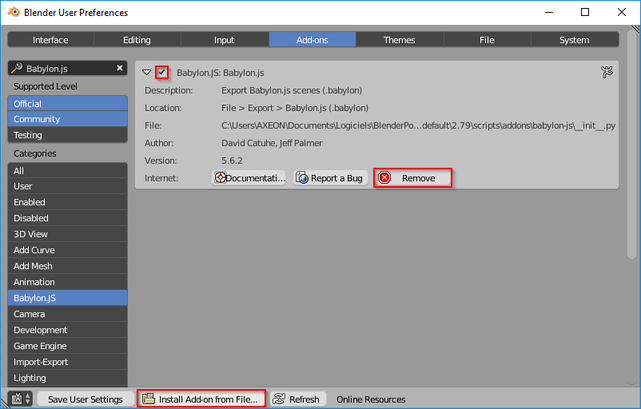

![blender user preferences](https://doc.babylonjs.com/img/exporters/blender/Blender2BabylonJS-installation.webp)

## Features

### Scene

![Blender scene properties panel](https://doc.babylonjs.com/img/exporters/blender/scene/scene-properties-panel.webp)

| Blender                                                                                          | [BJS equivalent](https://doc.babylonjs.com/typedoc/classes/babylon.scene)                                                                                                                                                                                                                  |
| ------------------------------------------------------------------------------------------------ | ----------------------------------------------------------------------------------------------------------------------------------------------------------------------------------------------------------------------------------------------------------------- |
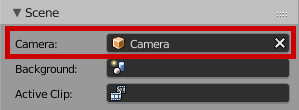
| Scene ![scene](https://doc.babylonjs.com/img/exporters/blender/scene/scene.webp)                                           | <ul><li>Camera: set scene activeCamera</li></ul>                                                                                                                                                                                                                  |
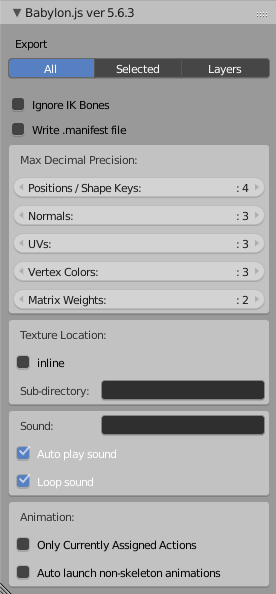
| Exporter panel![exporter-scene-options](https://doc.babylonjs.com/img/exporters/blender/scene/exporter-scene-options.webp) | <ul><li>`Export`: <ul><li>`All`: the entire file will be exported</li><li>`Selected`: only the selection will be exported</li><li>`Layers`: hidden layers will not be exported</li></ul></li><li>`Max Decimal Precision`: how values are rounded during export</li></ul> |

---

### World

![Blender world properties panel](https://doc.babylonjs.com/img/exporters/blender/world/world-properties-panel.webp)

#### Blender Render

| Blender                                                                      | [BJS equivalent](https://doc.babylonjs.com/typedoc/classes/babylon.scene)                                                                  |
| ---------------------------------------------------------------------------- | ----------------------------------------------------------------------------------------------------------------- |
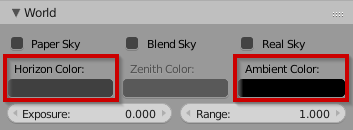
| World ![world-br](https://doc.babylonjs.com/img/exporters/blender/world/blender-render/world.webp)     | <ul><li>Horizon Color: scene clearColor</li><li>Ambient Color: scene ambientColor</li></ul>                       |
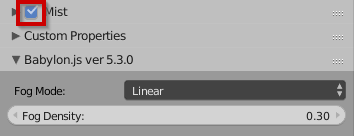
| Exporter panel ![mist](https://doc.babylonjs.com/img/exporters/blender/world/blender-render/mist.webp) | <ul><li>Mist: when Blender Render Mist is enabled, you have access to Fog Mode & Fog Density parameters</li></ul> |

---

### Object

![Blender object properties panel](https://doc.babylonjs.com/img/exporters/blender/object/object-properties-panel.webp)

| Blender                                                             | BJS equivalent                                                                                                                                                                                 |
| ------------------------------------------------------------------- | ---------------------------------------------------------------------------------------------------------------------------------------------------------------------------------------------- |
| ![header](https://doc.babylonjs.com/img/exporters/blender/object/header.webp)                 | <ul><li>object name will be exported as-is</li></ul>                                                                                                                                        |
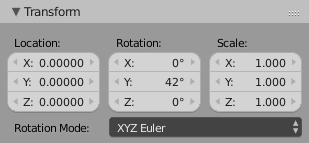
| Transform ![transform](https://doc.babylonjs.com/img/exporters/blender/object/transform.webp) | <ul><li>Position</li><li>Rotation<ul><li>XYZ Euler</li><li>Quaternion</li></ul></li><li>Scale<ul><li>do not forget to apply Scale before exporting: 'Ctrl' + 'A' > 'Scale'</li></ul></li></ul> |
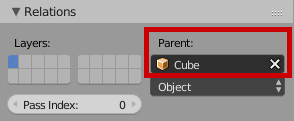
| Relations ![relations](https://doc.babylonjs.com/img/exporters/blender/object/relations.webp) | <ul><li>parenting is supported</li></ul>                                                                                                                                                       |

---

### Constraints

![Blender constraints properties panel](https://doc.babylonjs.com/img/exporters/blender/constraints/constraints-properties-panel.webp)

| Blender                                                            | BJS equivalent                                                                                                                      |
| ------------------------------------------------------------------ | ----------------------------------------------------------------------------------------------------------------------------------- |
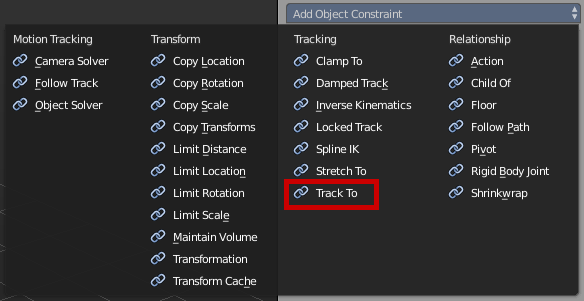
| ![constraints](https://doc.babylonjs.com/img/exporters/blender/constraints/constraints.webp) | <ul><li>Track To: useful when using ArcRotate camera [(tip)](https://doc.babylonjs.com/features/featuresDeepDive/Exporters/Blender_Tips#arcrotate)</li></ul> |

---

### Cameras

![Blender cameras properties panel](https://doc.babylonjs.com/img/exporters/blender/cameras/cameras-properties-panel.webp)

| Blender                                                                                                 | [BJS equivalent](https://doc.babylonjs.com/typedoc/classes/babylon.camera)                                                                                                                                                                                                                                                                       |
| ------------------------------------------------------------------------------------------------------- | ----------------------------------------------------------------------------------------------------------------------------------------------------------------------------------------------------------------------------------------------------------------------------------------------------------------------- |
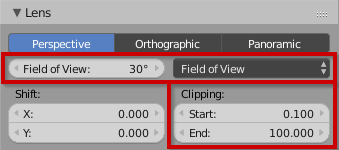
| Lens![lens](https://doc.babylonjs.com/img/exporters/blender/cameras/lens.webp)                                                    | <ul><li>Field of View: fov</li><li>Clipping: minZ & maxZ</li></ul>                                                                                                                                                                                                                                                      |
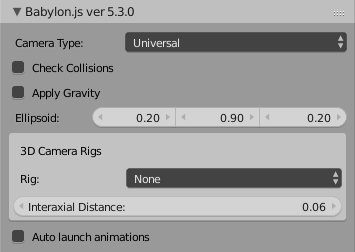
| Exporter panel ![exporter-cameras-options](https://doc.babylonjs.com/img/exporters/blender/cameras/exporter-cameras-options.webp) | <ul><li>Camera Type, choose between:<ul><li>Arc Rotate [(tip)](https://doc.babylonjs.com/features/featuresDeepDive/Exporters/Blender_Tips#arcrotate)</li><li>Device Orientation</li><li>Follow</li><li>Gamepad</li><li>Touch</li><li>Universal</li><li>Virtual Joysticks</li><li>VR Dev Orientation Free</li><li>Web VR Free</li></ul></li></ul> |

---

### Lights

![Blender lights properties panel](https://doc.babylonjs.com/img/exporters/blender/lights/lights-properties-panel.webp)

| Blender                                                                                                         | [BJS equivalent](https://doc.babylonjs.com/typedoc/classes/babylon.light)                                                                                                                                                                                                                                         |
| --------------------------------------------------------------------------------------------------------------- | ---------------------------------------------------------------------------------------------------------------------------------------------------------------------------------------------------------------------------------------------------------------------------------------- |
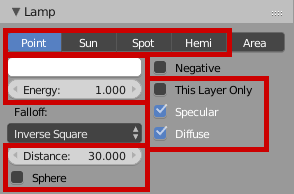
| Lamp ![lamp](https://doc.babylonjs.com/img/exporters/blender/lights/lamp.webp)                                                            | <ul><li>Sun as Directional, Area as Point, other named like in BJS</li><li>This Layer Only: [includedOnlyMeshes](https://doc.babylonjs.com/typedoc/classes/babylon.light#includedonlymeshes-abstractmesh-classes-3-0-abstractmesh-)</li><li>when Sphere is checked, Distance value is exported as range</li></ul> |
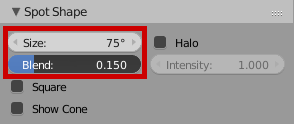
| Spot Shape (only available when light type is Spot) ![spot-shape](https://doc.babylonjs.com/img/exporters/blender/lights/spot-shape.webp) | <ul><li>Size: Angle</li><li>Blend: value \* 2 = exponent</li></ul>                                                                                                                                                                                                                       |
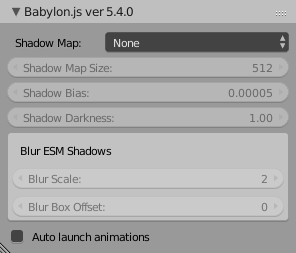
| Exporter panel ![exporter-lights-options](https://doc.babylonjs.com/img/exporters/blender/lights/exporter-lights-options.webp)            | <ul><li>Shadow Map (only for directional lights):<ul><li>None</li><li>Standard</li><li>Poisson</li><li>ESM</li><li>Blur ESM</li></ul></li></ul>                                                                                                                                          |

### Meshes

![Blender meshes properties panel](https://doc.babylonjs.com/img/exporters/blender/meshes/meshes-properties-panel.webp)

| Blender                                                                                              | [BJS equivalent](https://doc.babylonjs.com/typedoc/classes/babylon.mesh)                                                                                                                                                                                                                                                                                                                                             |
| ---------------------------------------------------------------------------------------------------- | ------------------------------------------------------------------------------------------------------------------------------------------------------------------------------------------------------------------------------------------------------------------------------------------------------------------------------------------------------------------------------------------- |
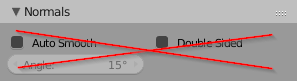
| Normals ![normals](https://doc.babylonjs.com/img/exporters/blender/meshes/normals.webp)                                        | Auto Smooth is often used by Blender users, but it is not supported. Use an edge split modifier instead, see [tip](https://doc.babylonjs.com/features/featuresDeepDive/Exporters/Blender_Tips#smooth-shading).                                                                                                                                                                                                           |
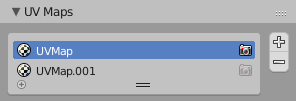
| UV Maps ![uv-maps](https://doc.babylonjs.com/img/exporters/blender/meshes/uv-maps.webp)                                        | <ul><li>UVMap: coordinatesIndex</li><li>limited to 2 channels</li></ul>                                                                                                                                                                                                                                                                                                                     |
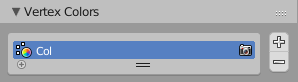
| Vertex Colors ![vertex-colors](https://doc.babylonjs.com/img/exporters/blender/meshes/vertex-colors.webp)                      | <ul><li>if multiple layers exist, they will be merged</li></ul>                                                                                                                                                                                                                                                                                                                             |
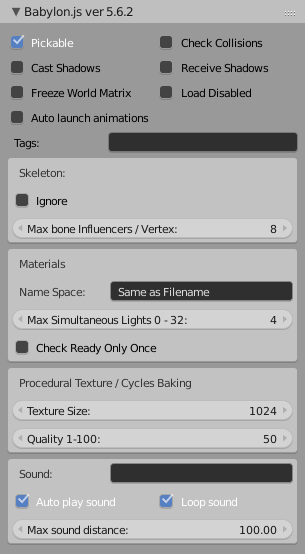
| Exporter panel ![exporter-meshes-options](https://doc.babylonjs.com/img/exporters/blender/meshes/exporter-meshes-options.webp) | <ul><li>**Tags**: allow using [scene.getMeshesByTags()](https://doc.babylonjs.com/typedoc/classes/babylon.scene#getmeshesbytags)</li><li>**Materials**:<ul><li>**Name Space**: automatically add a suffix to the mesh materials. Default is Blender filename.</li></ul></li><li>**Procedural Textures / Cycles Baking**: texture baking settings when using procedural textures (Blender Render) or Cycles</li></ul> |

---

### Materials

![Blender materials properties panel](https://doc.babylonjs.com/img/exporters/blender/materials/materials-properties-panel.webp)

#### General

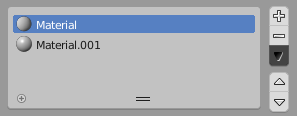
- as you can see in the BJS mesh panel, materials will be suffixed with the _.babylon_ filename,
- other options can be found on this mesh panel, like max simultaneous lights, texture size for baking, etc,
- texture baking will be automatic when:
  - cycles render is the current render engine,
  - procedural textures are used.

#### Blender Render on Babylon.js

| Blender                                                                         | [BJS equivalent](https://doc.babylonjs.com/typedoc/classes/babylon.standardmaterial)                                        |
| ------------------------------------------------------------------------------- | -------------------------------------------------------------------------------------------------- |
| ![header](https://doc.babylonjs.com/img/exporters/blender/materials/header.webp)                          | <ul><li>multi-materials are supported</li></ul>                                                    |
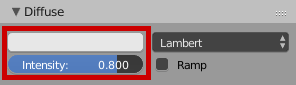
| Diffuse ![diffuse](https://doc.babylonjs.com/img/exporters/blender/materials/diffuse.webp)                | <ul><li>color intensity is multiplied by intensity value</li></ul>                                 |
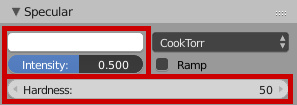
| Specular ![specular](https://doc.babylonjs.com/img/exporters/blender/materials/specular.webp)             | <ul><li>color intensity is multiplied by intensity value</li><li>Hardness: specularPower</li></ul> |
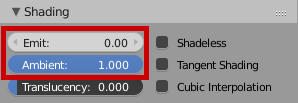
| Shading ![shading](https://doc.babylonjs.com/img/exporters/blender/materials/shading.webp)                | <ul><li>Emit: diffuse color \* value</li><li>Ambient: diffuse color \* value</li></ul>             |
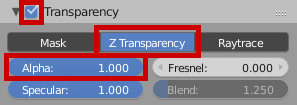
| Transparency ![transparency](https://doc.babylonjs.com/img/exporters/blender/materials/transparency.webp) | <ul><li>when enabled, set alpha value under _Z Transparency_</li></ul>                             |

##### Specials

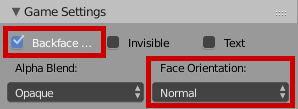
- you can temporarily switch to Blender Game to gain access to some materials settings:


![blender-game](https://doc.babylonjs.com/img/exporters/blender/materials/blender-game.webp)

| Blender                                                                            | [BJS equivalent](https://doc.babylonjs.com/typedoc/classes/babylon.standardmaterial)                                                             |
| ---------------------------------------------------------------------------------- | ----------------------------------------------------------------------------------------------------------------------- |
| Game Settings ![game-settings](https://doc.babylonjs.com/img/exporters/blender/materials/game-settings.webp) | <ul><li>Backface culling: true by default</li><li>Face Orientation:<ul><li>Normal</li><li>Billboard</li></ul></li></ul> |

#### Cycles Render

| Blender                                                                        | BJS equivalent                                                                                                            |
| ------------------------------------------------------------------------------ | ------------------------------------------------------------------------------------------------------------------------- |
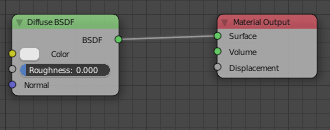
| Node Editor ![cycles node](https://doc.babylonjs.com/img/exporters/blender/materials/cycles-node01.webp) | Exporter will do automatic baking, and try to detect some nodes: <ul><li>Diffuse BSDF</li><li>Ambient Occlusion</li></ul> |

---

### Textures

![Blender textures properties panel](https://doc.babylonjs.com/img/exporters/blender/textures/textures-properties-panel.webp)

#### General

- Blender can handle packed images, even if there isn't a source file on disk, but you have to unpack them all before export,
- about automatic baking, see [Materials](https://doc.babylonjs.com/features/featuresDeepDive/Exporters/Blender#materials).

#### Blender Render

| Blender                                                                              | BJS equivalent                                                                                                                                                                                                                                                                                                                                                                                                                                                                                                                                                                                                                   |
| ------------------------------------------------------------------------------------ | -------------------------------------------------------------------------------------------------------------------------------------------------------------------------------------------------------------------------------------------------------------------------------------------------------------------------------------------------------------------------------------------------------------------------------------------------------------------------------------------------------------------------------------------------------------------------------------------------------------------------------- |
| ![header](https://doc.babylonjs.com/img/exporters/blender/textures/header.webp)                                | <ul><li>multiple textures can be assigned<ul><li>if two textures are assigned to the same Influence (see below), automatic baking will be used</li></ul></li><li>this name is only used in Blender</li></ul>                                                                                                                                                                                                                                                                                                                                                                                                                     |
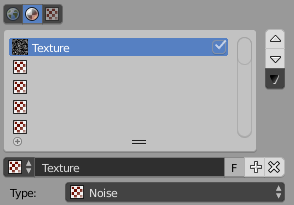
| Texture Type ![type-image](https://doc.babylonjs.com/img/exporters/blender/textures/type-image.webp)           | <ul><li>as seen above, this name is only used in Blender</li><li>texture type:<ul><li>for image file, choose _Image or Movie_</li><li>for procedural textures, choose any one but _voxel data_, _point density_, _ocean_</li></ul></li></ul>                                                                                                                                                                                                                                                                                                                                                                                     |
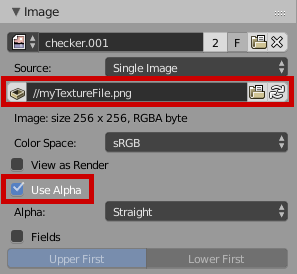
| Image ![image](https://doc.babylonjs.com/img/exporters/blender/textures/image.webp)                            | <ul><li>texture filename will be texture name in BJS</li></ul>                                                                                                                                                                                                                                                                                                                                                                                                                                                                                                                                                                   |
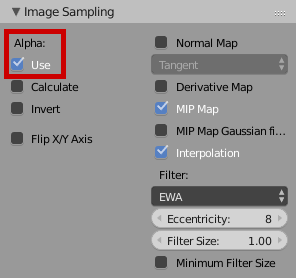
| Image Sampling ![image-sampling](https://doc.babylonjs.com/img/exporters/blender/textures/image-sampling.webp) | <ul><li>Use Alpha: hasAlpha</li></ul>                                                                                                                                                                                                                                                                                                                                                                                                                                                                                                                                                                                            |
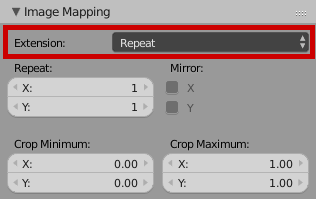
| Image Mapping ![image-mapping](https://doc.babylonjs.com/img/exporters/blender/textures/image-mapping.webp)    | <ul><li>Extension: choosing _Clip_ will set Wrap value to 0</li></ul>                                                                                                                                                                                                                                                                                                                                                                                                                                                                                                                                                            |
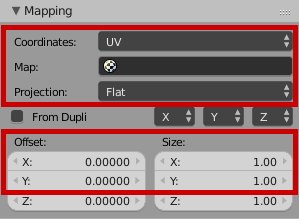
| Mapping ![mapping](https://doc.babylonjs.com/img/exporters/blender/textures/mapping.webp)                      | <ul><li>Coordinates: choosing between <ul><li>UV: [EXPLICIT_MODE](https://doc.babylonjs.com/typedoc/classes/babylon.texture#static-explicit_mode-number)</li><li>Reflection: by setting _Projection_ to _Sphere_, you gain access to spheremaps through [SPHERICAL_MODE](https://doc.babylonjs.com/typedoc/classes/babylon.texture#static-spherical_mode-number)</li></ul></li><li>Offset X and Y: [uOffset](https://doc.babylonjs.com/typedoc/classes/babylon.texture#uoffset-number) and [vOffset](https://doc.babylonjs.com/typedoc/classes/babylon.texture#voffset-number)</li><li>Size X and Y: [uScale](https://doc.babylonjs.com/typedoc/classes/babylon.texture#uscale-number) and [vScale](https://doc.babylonjs.com/typedoc/classes/babylon.texture#vscale-number)</li></ul> |
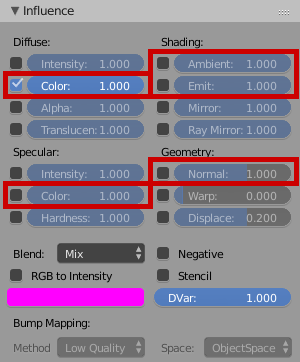
| Influence ![influence](https://doc.babylonjs.com/img/exporters/blender/textures/influence.webp)                | Be sure to enable only one influence by texture, to avoid automatic baking.                                                                                                                                                                                                                                                                                                                                                                                                                                                                                                                                                      |

---

### Commons & Good practices

- you should export one _.babylon_ file per animated object to make your life easier, both in BJS and when handling the timeline in Blender. See [tip](https://doc.babylonjs.com/features/featuresDeepDive/Exporters/Blender_Tips#Animation) for a basic workflow.
- before starting animation in Blender, be sure your objects have their transformations applied! (3DView > Object > Apply)

### Classic Animations

You will find an example in this [.zip archive](//doc.babylonjs.com/examples/babylon-format.zip). 3D source files are in the `sources` folder, and the BJS app is in the `BJS` folder.

In `sources`, we have our master scene, with only static objects (on layer 1), and just so we can see it, we have the logo linked on layer 6. When exporting, make sure only layer 1 is active, as we have checked in the [scene panel](//doc.babylonjs.com/extensions/Exporters/Blender#scene) _Export only selected layers_.

Once exported, you can see in `BJS/index.html` that we create our main scene using this `.babylon`: line 36

```javascript
BABYLON.LoadSceneAsync("01.master-static-scene.babylon", engine).then(function (scene) {});
```

The same goes for our animated object in `sources/02.classic-animation.blend`: layer 1 is for our object, layer 6 is just for us to see the main scene in our _.blend_. _Export only selected layers_ is used to help us export only the first layer to Babylon.

Once exported, we can import our meshes inside the `onSuccess` callback of the loader above. Check on `BJS/index.html`, line 64:

```javascript
BABYLON.ImportMeshAsync("02.classic-animation.babylon", scene).then(function (result) {});
```

Now, you already have a basic scene with animations auto-playing in it.

### Armatures

- you can use any Blender rotation mode you want; the animation will essentially be baked during export

---

## Try it out

Once your scene is exported, you have multiple solutions to test it:

- do a quick check in the [sandbox](https://sandbox.babylonjs.com/)
- edit the file through the [editor](https://editor.babylonjs.com/)
- use the [viewer](//doc.babylonjs.com/extensions/the_babylon_viewer)
- script your own app using the [loader](https://doc.babylonjs.com/features/featuresDeepDive/importers/loadingFileTypes)

### Example

#### Simple scene

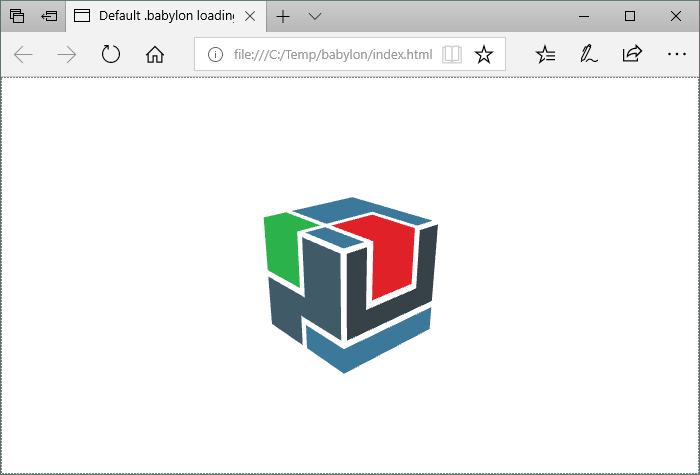
Let's say you have exported your first scene. In this example we will use [blend files of the BJS logo](https://github.com/BabylonJS/MeshesLibrary/tree/master/BabylonJS-logo/v3):

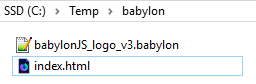
- export the Babylon file into a folder
- create a file named _index.html_, and copy the code above:

```html
<!DOCTYPE html>
<html>
  <head>
    <title>Default .babylon loading scene</title>
    <meta charset="UTF-8" />
    <!-- this link to the preview online version of BJS -->
    <script src="https://preview.babylonjs.com/babylon.js"></script>
    <!-- this is needed for BJS to load scene files -->
    <script src="https://preview.babylonjs.com/loaders/babylonjs.loaders.js"></script>
    <style>
      html,
      body {
        overflow: hidden;
        width: 100%;
        height: 100%;
        margin: 0;
        padding: 0;
        color: white;
      }

      #canvas {
        width: 100%;
        height: 100%;
        touch-action: none;
      }
    </style>
  </head>

  <body>
    <canvas id="canvas"></canvas>
    <script type="text/javascript">
      const canvas = document.getElementById("canvas");
      const engine = new BABYLON.Engine(canvas, true);

      // here the doc for Load function: //doc.babylonjs.com/typedoc/classes/babylon.sceneloader#load
      BABYLON.LoadSceneAsync("babylonJS_logo_v3.babylon", engine).then(function (scene) {
        //as this .babylon example hasn't camera in it, we have to create one
        const camera = new BABYLON.ArcRotateCamera("Camera", 1, 1, 4, BABYLON.Vector3.Zero(), scene);
        camera.attachControl(canvas, false);

        scene.clearColor = new BABYLON.Color3(1, 1, 1);
        scene.ambientColor = new BABYLON.Color3.White();

        engine.runRenderLoop(function () {
          scene.render();
        });

        window.addEventListener("resize", function () {
          engine.resize();
        });
      });
    </script>
  </body>
</html>
```

![babylon default folder example](https://doc.babylonjs.com/img/exporters/blender/babylon/babylon-BJS-default-folder-structure.webp)

- double-click on the _index.html_ file... profit!
  - some browsers may not allow loading the scene for security reasons (e.g.: Chrome). In this case, you have to open the HTML file through a web server (local or not), or try another browser (e.g.: Firefox, Edge).

![blender babylon scene loaded in BJS](https://doc.babylonjs.com/img/exporters/blender/babylon/babylon-loaded.webp)