Minor Edits To The Documentation
This is the quickest way to correct spelling and grammar errors or to add sentences or a paragraph or two to clarify an explanation.
Requirements: you just need a GitHub account and a fork of the Documentation repository.
At the bottom of each Documentation page, you will see the GitHub icon:

Select it, and it will take you to the correct GitHub page, where you can select the edit button:
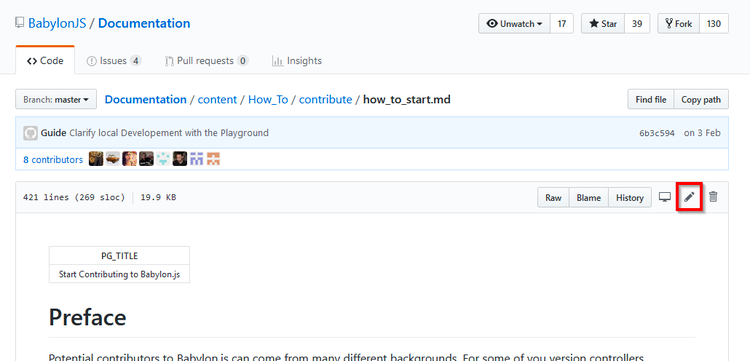
You can now use markdown to edit the documentation page.
Once done, try to quickly explain what your modification does, and click the Propose file change button:
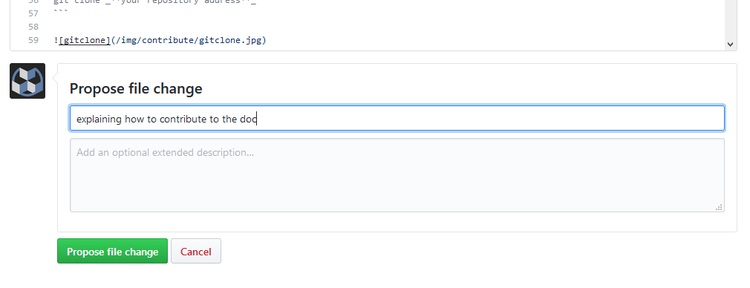
For now, your modification isn't yet in the main files. You have to ask the Babylon.js core team to validate and merge your work.
Press the Create pull request button:
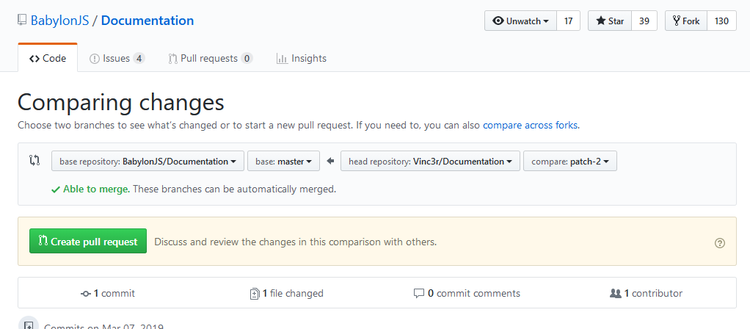
If needed, modify your comment and press the Create pull request button again:
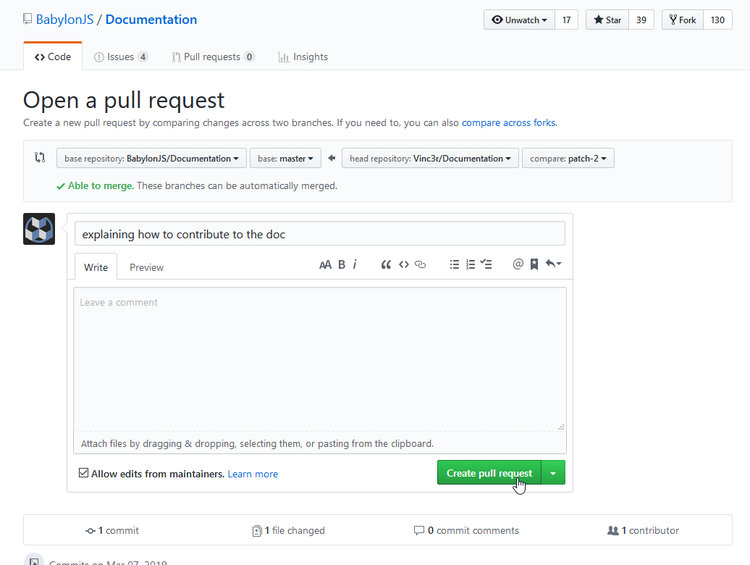
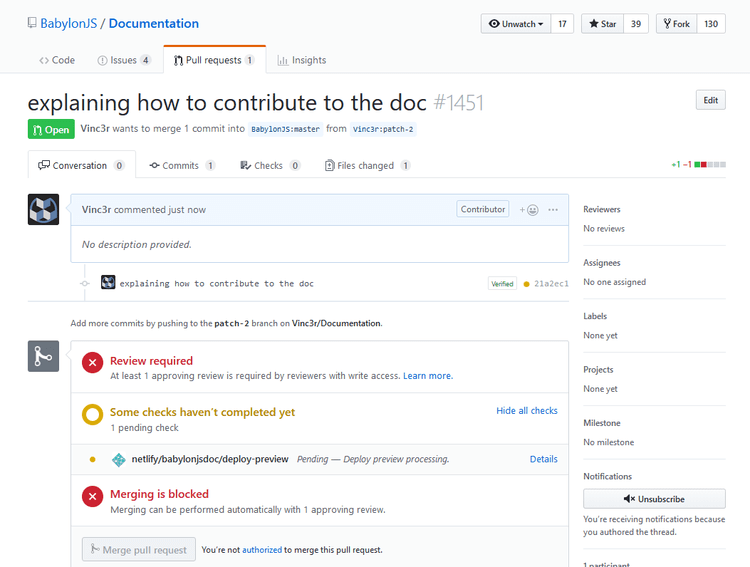
Congratulations, your modifications are now waiting to be validated and merged into the official documentation!
Do not hesitate to read the Good Practice section.
